

- Active installs
- 300+
- Last updated
- 2 months ago
- Version
- 1.2.7
- Tested up to
- WP 7.1.3
About this plugin
Language Switcher for Elementor & Polylang is a WordPress plugin that helps you add a language switcher to your website and translate Elementor Templates.
This plugin connects the Polylang multilingual plugin with Elementor, making it easier to build and manage a multilingual website visually.
Why Use This Plugin?
Elementor Language Switcher for Polylang provides a seamless integration between Polylang and Elementor. Here’s why it’s a must-have for multilingual Elementor websites:
- Language Switcher Widget
- Translate Elementor Templates Easily
- Link to Translated Page Directly from Elementor Editor
- Place Anywhere on the Page
- Customizable Layout & Display Options
- Saves Time & Enhances Workflow
Key Features
-
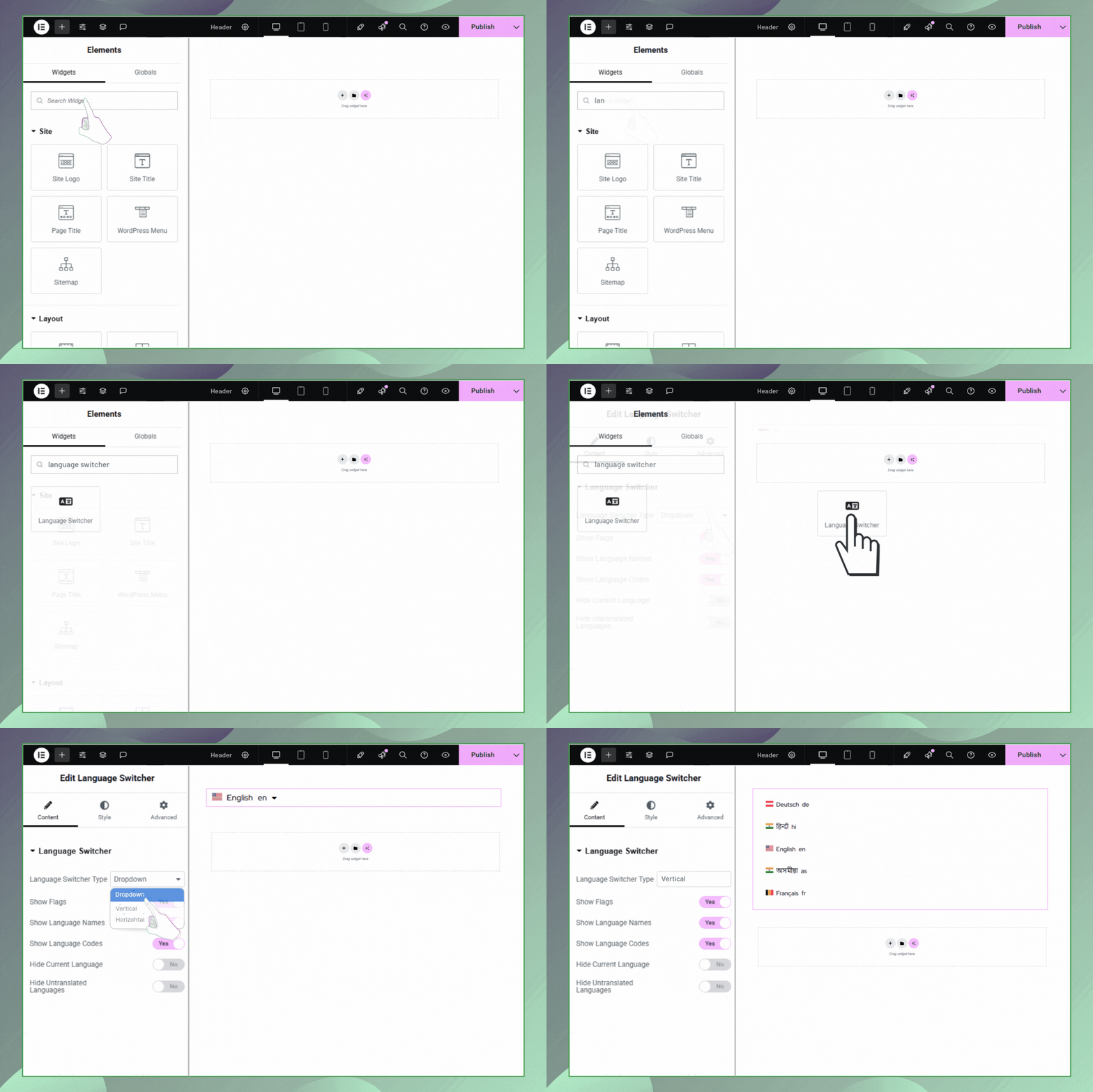
Elementor Widget Support: Drag and drop the language switcher widget directly inside Elementor Editor, just like any other widget.
-
Page Linking in Elementor: Get full control to link a page to its translated version. Use Elementor Editor to switch and connect the translated template easily.
-
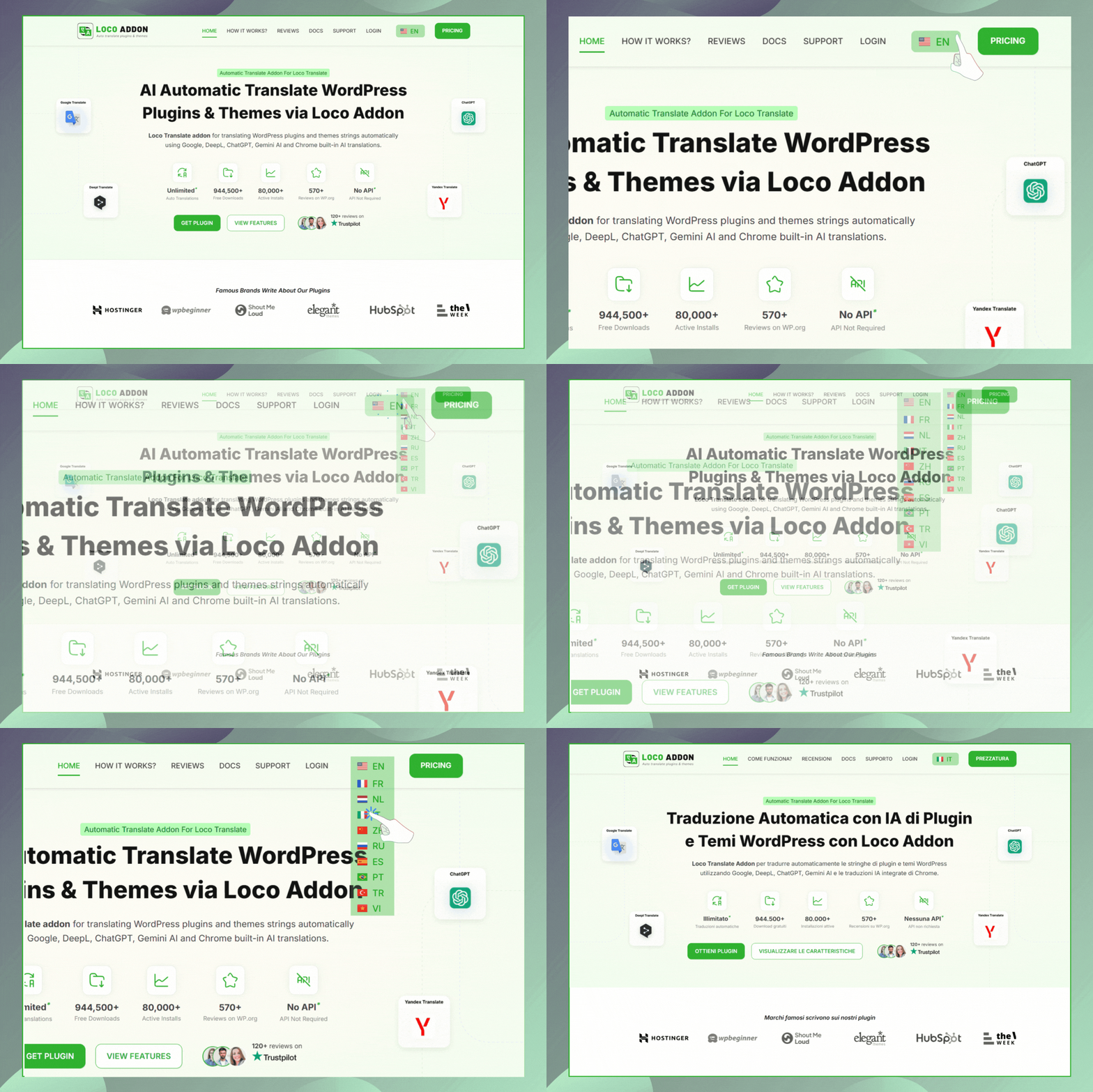
Three Layout Options: The plugin offers three layout styles, Dropdown, Horizontal & Vertical. Choose how you want the language switcher to appear on your website.
-
Custom Switcher Elements: Enable or disable various elements such as:
- Language Flag – Show a country flag icon next to each language (🇺🇸).
- Language Name – Show the full name like “English”, “Spanish”.
- Language Code – Show short codes like EN, FR, DE.
- Hide Current Language – Option to hide the active language.
- Hide Untranslated Languages – Option to hide languages if the page has no translation in that language.
-
Frontend Display Preview: Instantly preview how your language switcher looks on the frontend.
-
Fully Compatible with Polylang Free and Pro.
-
User-Friendly and Fully Responsive Design.
Check other Polylang Plugin addons
-
AutoPoly – AI Translation for Polylang reduces your translation workload by translating your Gutenberg and Elementor pages, sections, and widgets within a few minutes.
-
Language Switcher – Polylang for Divi is a WordPress plugin that helps you add a language switcher to your website using the Divi Builder. This plugin connects the Polylang multilingual plugin with the Divi theme, making it easier to build a multilingual website.
-
Polylang Duplicate Content addon effortlessly duplicate your original or default language post content into other languages of the same post, making translation process easier.
Use of 3rd Party Services: This plugin connects to the Cool Plugins API to display information about related plugins inside the dashboard. It also offers optional usage tracking and optional feedback submission on deactivation. Data is sent only after explicit user consent. No hidden tracking is performed, and no frontend visitor or site user data is collected. For more details, please review our Data Usage Policy, TOS, and Privacy Policy.
How to Add the Language Switcher
- Go to your WordPress Dashboard.
- Open the page, post, header, or footer where you want to add the language switcher using Elementor.
- Drag and drop the Language Switcher widget into your desired section (body, footer, header, sidebar, etc.).
- Customize its layout, elements, and translation control settings.
Screenshots
Analytics
Live from WordPress.org, refreshed daily. Last refresh Oct 17, 2026.
- Passes every health check below.
Health checks
Everything a careful site owner looks at before installing.
- Actively maintained Last release 2 months ago
- Tested with current WordPress Tested up to 7.1.3
- Support questions answered Nothing open in the last two months
- Well rated No ratings yet
- Latest week
- 48
- Typical week
- 43
- Peak
- 192 Week of Aug 1
View as table
| Week | Downloads |
|---|---|
| Week of Oct 10 | 48 |
| Week of Oct 3 | 52 |
| Week of Sep 26 | 57 |
| Week of Sep 19 | 43 |
| Week of Sep 12 | 50 |
| Week of Sep 5 | 56 |
| Week of Aug 29 | 79 |
| Week of Aug 22 | 93 |
| Week of Aug 15 | 143 |
| Week of Aug 8 | 171 |
| Week of Aug 1 | 192 |
| Week of Jul 25 | 34 |
| Week of Jul 18 | 37 |
| Week of Jul 11 | 30 |
| Week of Jul 4 | 31 |
| Week of Jun 27 | 27 |
| Week of Jun 20 | 39 |
| Week of Jun 13 | 43 |
| Week of Jun 6 | 36 |
| Week of May 30 | 41 |
| Week of May 23 | 41 |
| Week of May 16 | 62 |
| Week of May 9 | 37 |
| Week of May 2 | 52 |
| Week of Apr 25 | 48 |
| Week of Apr 18 | 48 |
| Week of Apr 11 | 52 |
| Week of Apr 4 | 70 |
| Week of Mar 28 | 153 |
| Week of Mar 21 | 39 |
| Week of Mar 14 | 51 |
| Week of Mar 7 | 62 |
| Week of Feb 28 | 71 |
| Week of Feb 21 | 140 |
| Week of Feb 14 | 42 |
| Week of Feb 7 | 43 |
| Week of Jan 31 | 43 |
| Week of Jan 24 | 40 |
| Week of Jan 17 | 33 |
| Week of Jan 10 | 40 |
| Week of Jan 3 | 38 |
| Week of Dec 27, 2025 | 23 |
| Week of Dec 20, 2025 | 26 |
| Week of Dec 13, 2025 | 26 |
| Week of Dec 6, 2025 | 42 |
| Week of Nov 29, 2025 | 45 |
| Week of Nov 22, 2025 | 49 |
| Week of Nov 15, 2025 | 83 |
| Week of Nov 8, 2025 | 25 |
| Week of Nov 1, 2025 | 45 |
| Week of Oct 25, 2025 | 27 |
| Week of Oct 18, 2025 | 25 |
Not ranked yet. Install, download and rating ranks cover the 5,000 most popular plugins on WordPress.org, and Trending needs about 100 downloads on a typical day.
Building the install history
WordPress.org only publishes today's install count, so WPFolks records it daily. The chart appears after two weeks.
Day 4 of 14Reviews
From folks on WPFolks
No reviews from folks yet. Used it? Be the first to say how it went.