





- Active installs
- 20k+
- 20 ratings
- 3.9
- Last updated
- 5 days ago
- Version
- 7.5.0
- Tested up to
- WP 7.1.3
About this plugin
Hide Admin Bar Based On User Roles gives you complete control over who sees the WordPress toolbar.
Whether you are running a membership site, a WooCommerce store, or simply want a cleaner frontend for your subscribers, this plugin lets you hide the admin bar with precision — by role, capability, device, page, or time. Stop exposing backend links to users who don’t need them.
The plugin is lightweight, developer-friendly, and works immediately upon activation — no configuration required to get started.
Simple but great plugin. 🙂
– wptoolsdevWorks flawlessly! 🙂
– thebrazeneye
🚀 Key Features (Free)
- Hide for All Users: Completely remove the admin bar from the frontend for everyone.
- Hide for Guests: Ensure non-logged-in visitors never see the toolbar.
- Role-Based Hiding: Select specific roles (e.g., Subscriber, Customer, Editor) to hide the bar for.
- Capability-Based Hiding: Hide the bar based on WordPress capabilities (e.g., hide for anyone who cannot
manage_options). - Lightweight & Fast: Zero bloat — no external requests, no database overhead on the frontend.
🏆 Premium Features (Pro)
Unlock advanced visibility logic with the Pro version:
* Page-Based Targeting: Show or hide the admin bar only on specific URLs, post types, or page templates.
* Device Detection: Hide the toolbar on Mobile or Tablet to save screen space, while keeping it on Desktop.
* Per-User Overrides: Manually force the admin bar to show or hide for individual user accounts.
* Time-Based Visibility: Automatically hide the bar during specific hours of the day.
* Smart Redirects: Redirect users to the homepage or a custom URL when they try to access the backend.
* Inactivity Auto-Hide: Automatically slide the toolbar away after a configurable period of inactivity.
* Import / Export Settings: Back up and migrate your configuration across sites in one click.
You can check our other plugins:
Screenshots
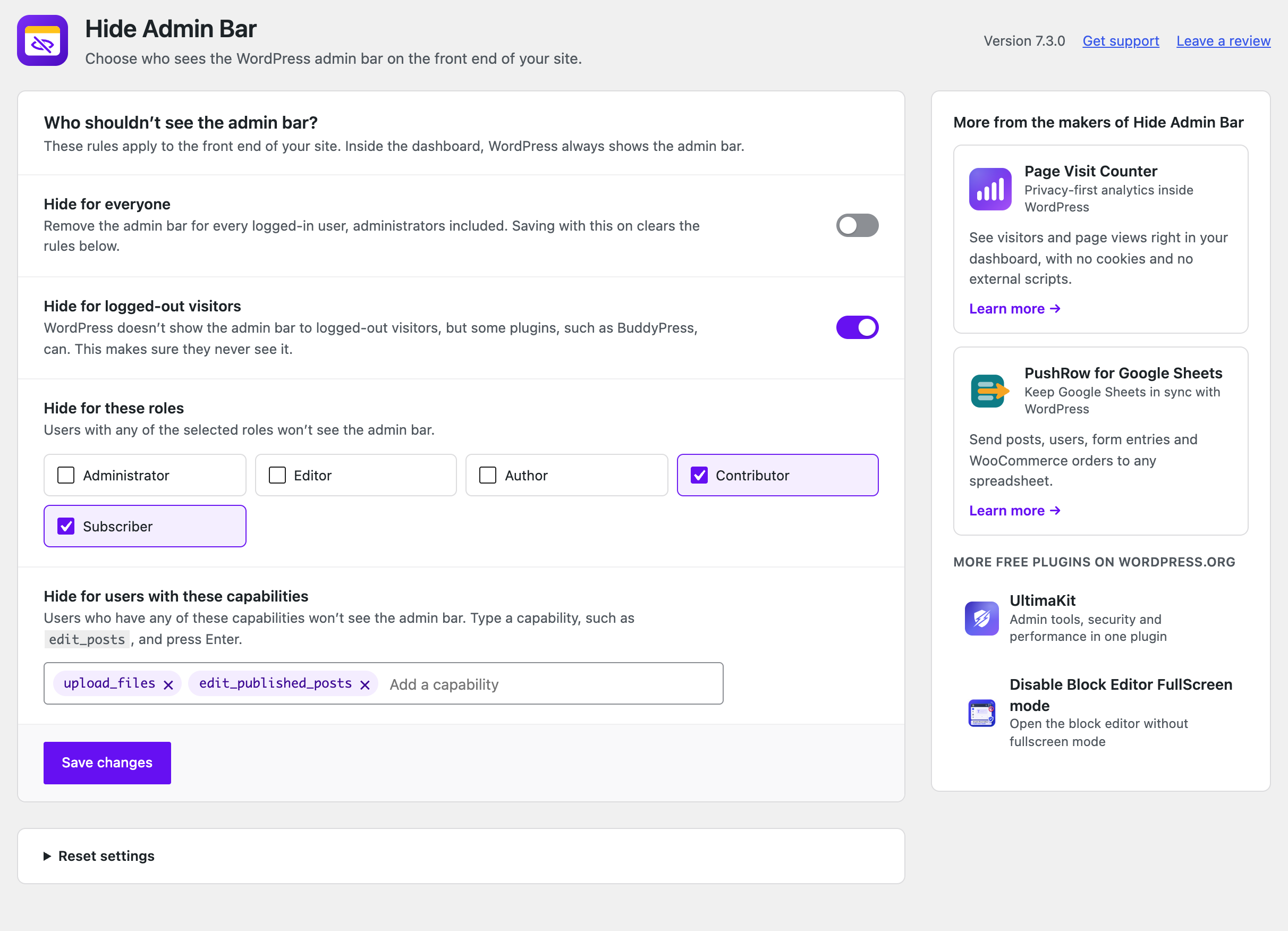 Choose who doesn't see the admin bar: everyone, logged-out visitors, specific roles, or users with certain capabilities.
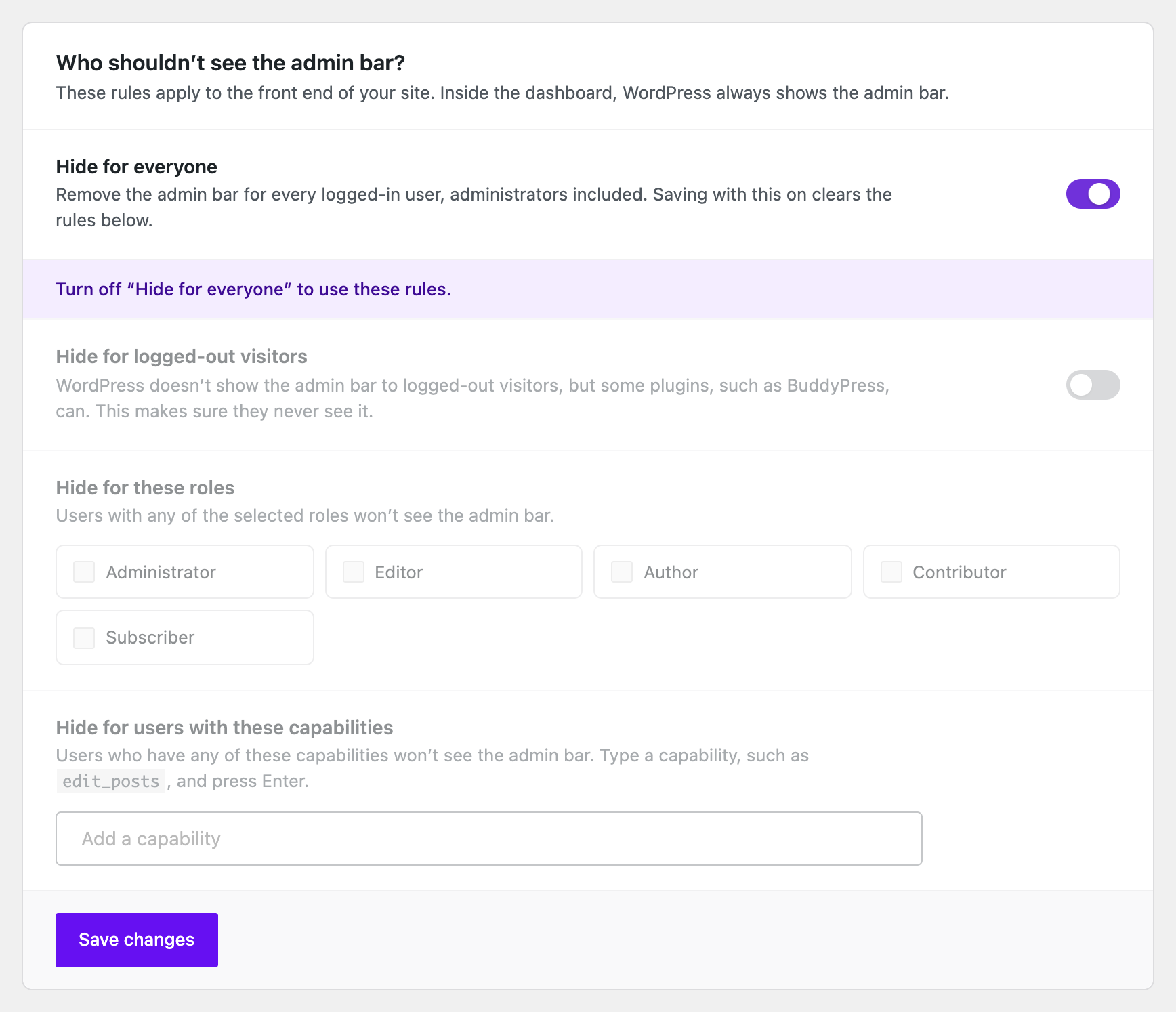 “Hide for everyone” removes the admin bar for every logged-in user.
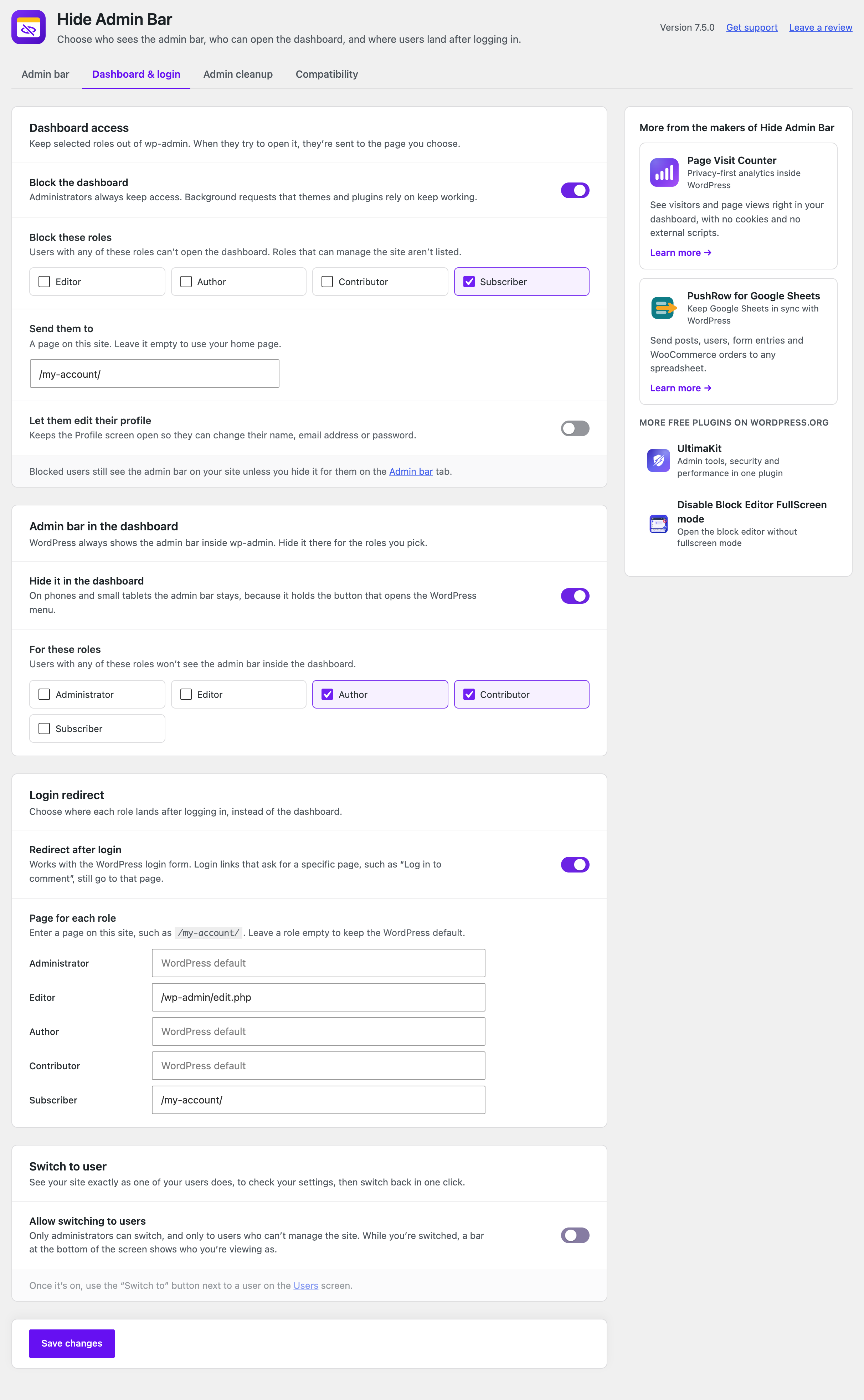 Dashboard & login: keep roles out of wp-admin, hide the admin bar inside the dashboard, and choose where each role lands after logging in.
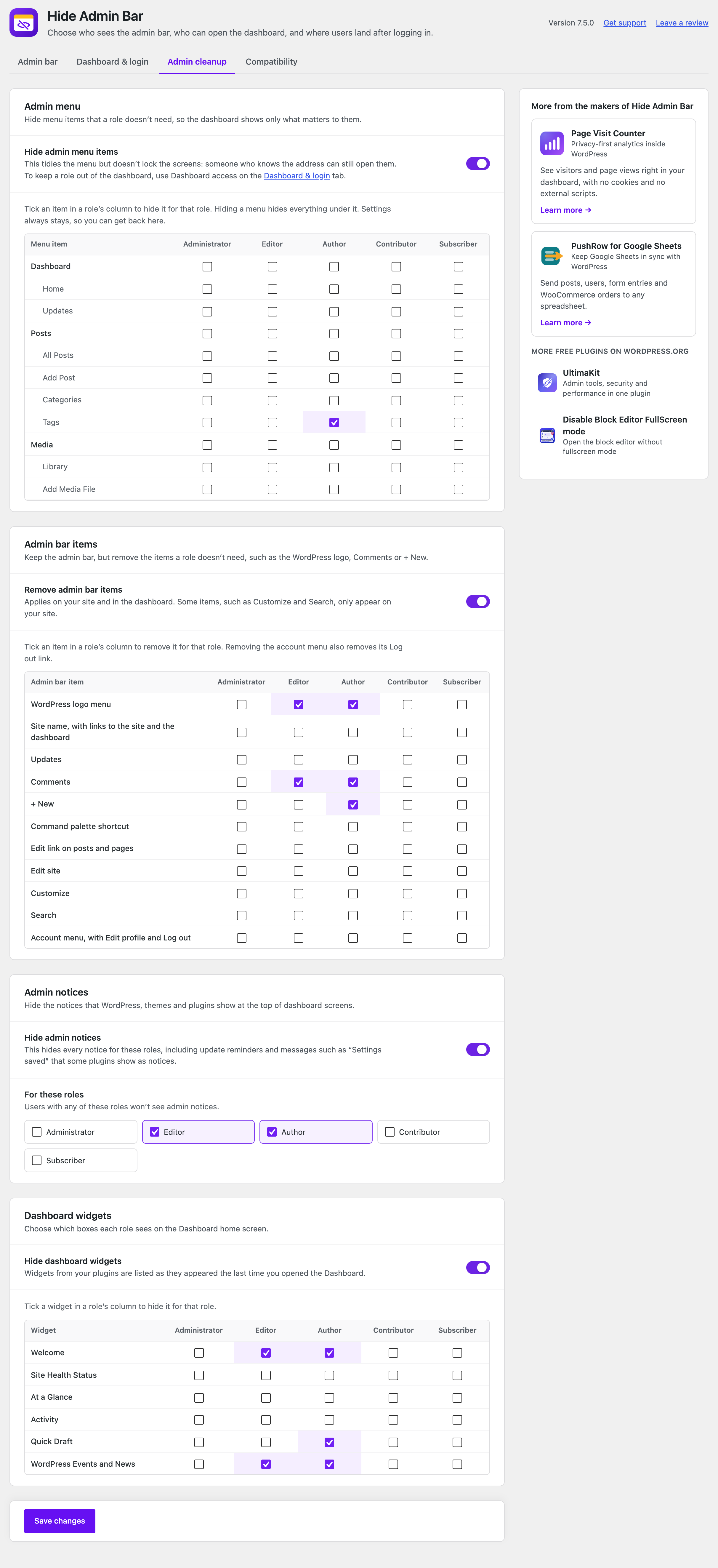 Admin cleanup: hide admin menu items, admin bar items, notices and dashboard widgets for each role.
Analytics
Live from WordPress.org, refreshed daily. Last refresh Oct 17, 2026.
- Downloads on a typical day are up 86% on the month before.
- The most installed of 15 tracked plugins tagged "Admin bar".
- Passes 3 of 4 health checks below.
Health checks
What a careful site owner looks at before installing.
- Actively maintained Last release 5 days ago
- Tested with current WordPress Tested up to 7.1.3
- Support questions answered Nothing open in the last two months
- Well rated 3.9 stars from 20 ratings
- Latest week
- 9,647
- Typical week
- 1,647
- Peak
- 12,258 Week of Nov 29, 2025
View as table
| Week | Downloads |
|---|---|
| Week of Oct 10 | 9,647 |
| Week of Oct 3 | 2,928 |
| Week of Sep 26 | 4,206 |
| Week of Sep 19 | 8,354 |
| Week of Sep 12 | 1,449 |
| Week of Sep 5 | 1,266 |
| Week of Aug 29 | 2,093 |
| Week of Aug 22 | 10,113 |
| Week of Aug 15 | 1,138 |
| Week of Aug 8 | 1,275 |
| Week of Aug 1 | 3,202 |
| Week of Jul 25 | 9,933 |
| Week of Jul 18 | 910 |
| Week of Jul 11 | 817 |
| Week of Jul 4 | 1,984 |
| Week of Jun 27 | 1,118 |
| Week of Jun 20 | 1,245 |
| Week of Jun 13 | 1,660 |
| Week of Jun 6 | 9,764 |
| Week of May 30 | 1,407 |
| Week of May 23 | 929 |
| Week of May 16 | 2,022 |
| Week of May 9 | 1,108 |
| Week of May 2 | 1,238 |
| Week of Apr 25 | 1,478 |
| Week of Apr 18 | 2,092 |
| Week of Apr 11 | 9,783 |
| Week of Apr 4 | 1,308 |
| Week of Mar 28 | 1,497 |
| Week of Mar 21 | 2,114 |
| Week of Mar 14 | 10,309 |
| Week of Mar 7 | 2,778 |
| Week of Feb 28 | 2,511 |
| Week of Feb 21 | 9,820 |
| Week of Feb 14 | 1,393 |
| Week of Feb 7 | 1,931 |
| Week of Jan 31 | 12,216 |
| Week of Jan 24 | 872 |
| Week of Jan 17 | 982 |
| Week of Jan 10 | 970 |
| Week of Jan 3 | 1,132 |
| Week of Dec 27, 2025 | 922 |
| Week of Dec 20, 2025 | 1,041 |
| Week of Dec 13, 2025 | 1,634 |
| Week of Dec 6, 2025 | 2,645 |
| Week of Nov 29, 2025 | 12,258 |
| Week of Nov 22, 2025 | 10,315 |
| Week of Nov 15, 2025 | 2,046 |
| Week of Nov 8, 2025 | 10,303 |
| Week of Nov 1, 2025 | 681 |
| Week of Oct 25, 2025 | 764 |
| Week of Oct 18, 2025 | 856 |
Gathering install data
WordPress.org only publishes today's install count, so WPFolks records it every day. The chart appears here once there is enough history to draw.
Reviews
From folks on WPFolks
No reviews from folks yet. Used it? Be the first to say how it went.