Element Shogun – Components & Section Templates for Elementor

- Last updated
- 3 months ago
- Version
- 1.0
- Tested up to
- WP 7.0.7
About this plugin
Element Shogun offers different website sections as ready-to-use Elementor templates. This plugin includes 27+ Elementor components for free. You just need to import and edit them.
Sections included: Header, Footer, Hero, Logos, Features, Gallery, Steps, Testimonials, Pricing, Teams, FAQs, CTA, and Contact us.
To access all 290+ templates, you can get the complete version on Element Shogun’s official website.
Key Features
- In-Editor 1-Click Import: Adds a custom Element Shogun cloud button right next to Elementor’s default folder icon. Open the modal, find your layout, and click “Insert” to drop it onto your canvas.
- Admin Dashboard Visual Browser: Explore the entire Element Shogun cloud library from a dedicated WordPress admin page (“Element Shogun” in your sidebar).
- Instant Lightbox Previews: Zoom in and inspect high-resolution preview images of templates before inserting them into your pages.
- Smart Category Filtering & Search: Find exact sections (e.g., Hero, FAQ, Pricing, Headers) using instant category tabs and live keyword search.
Third-Party & External Services
This plugin relies on an external cloud service provided by Element Shogun (elementshogun.com) to deliver the template library catalog and import layouts directly into your WordPress installation.
-
What the service is and what it is used for:
The plugin connects to the Element Shogun Cloud servers (elementshogun.com) to retrieve the visual catalog of Elementor section templates, thumbnail images, and downloadable Elementor JSON layout payloads. This allows you to browse and import pre-designed templates without needing to manually download and upload files. -
What data is sent and when:
No personal user data, site analytics, tracking information, or administrative data is sent or stored. The connection is strictly read-only and only transmits standard HTTP request headers (such as your server’s IP address and user-agent string) inherently required by the internet to transfer the requested files.
Service Terms & Privacy:
Screenshots
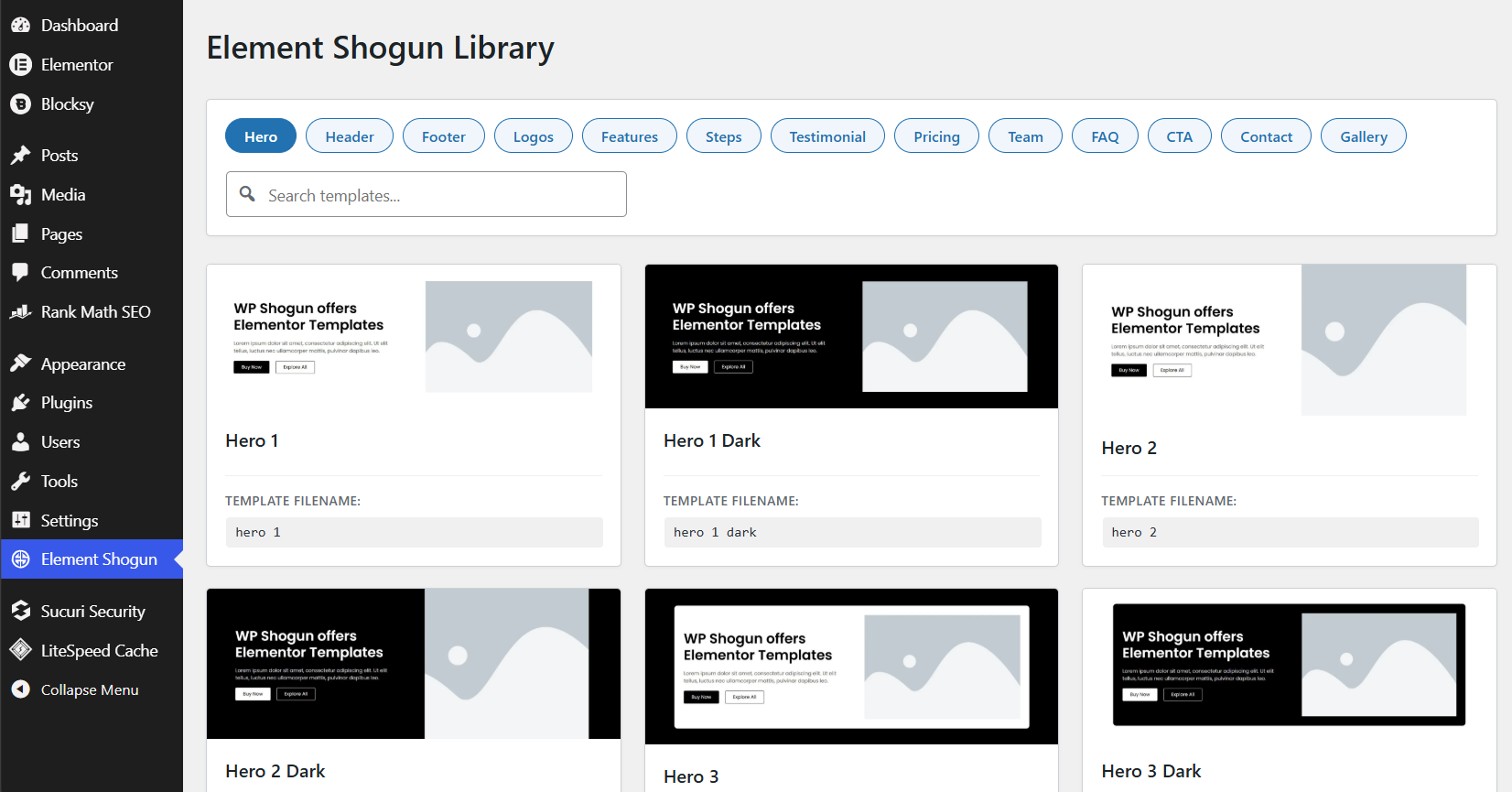 Admin Catalog Browser: Browse, filter, and search the complete template library directly from your WordPress Admin Dashboard.
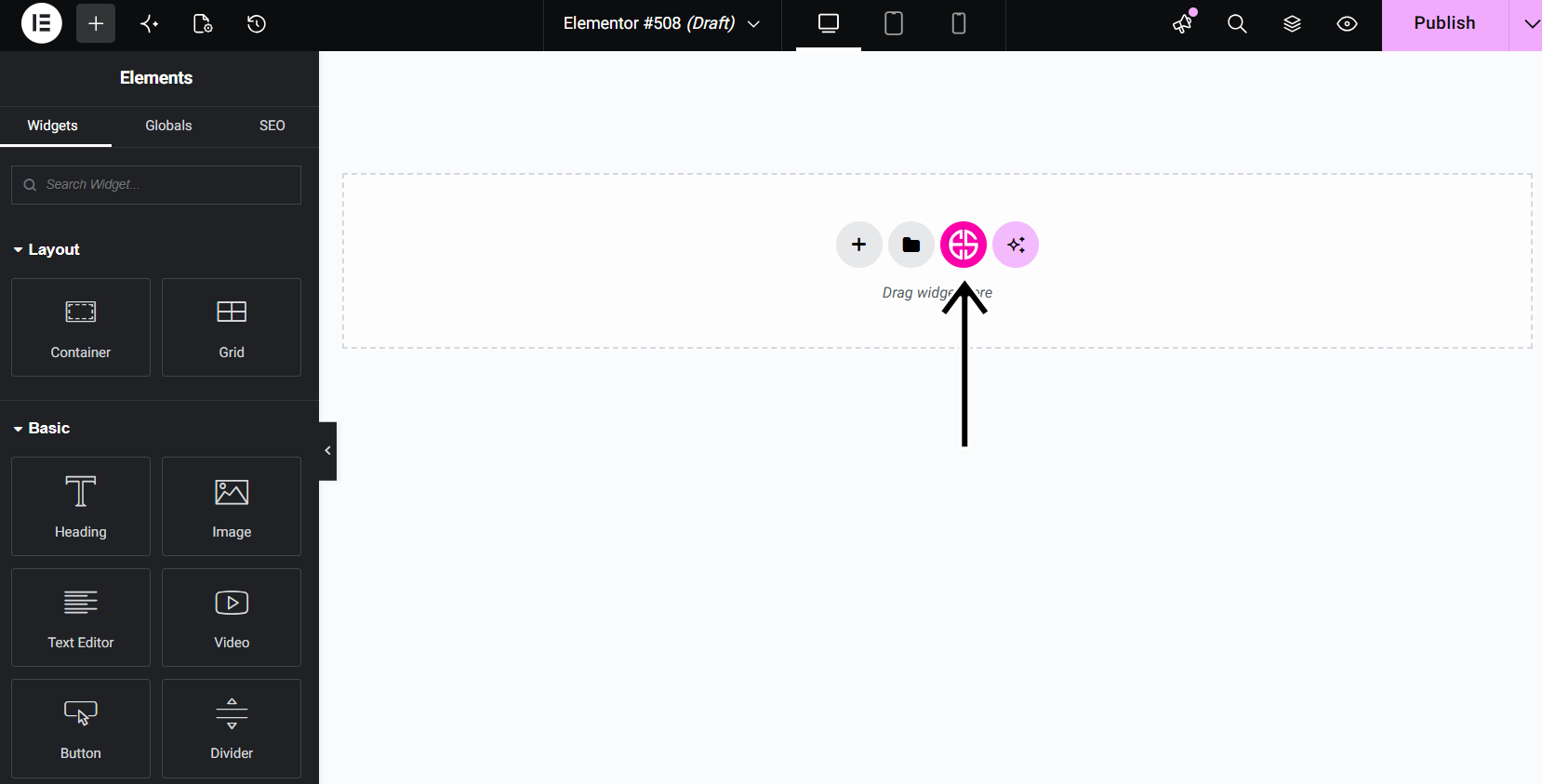 Elementor Canvas Button: The custom Shogun Cloud button integrates seamlessly into the Elementor section creation area.
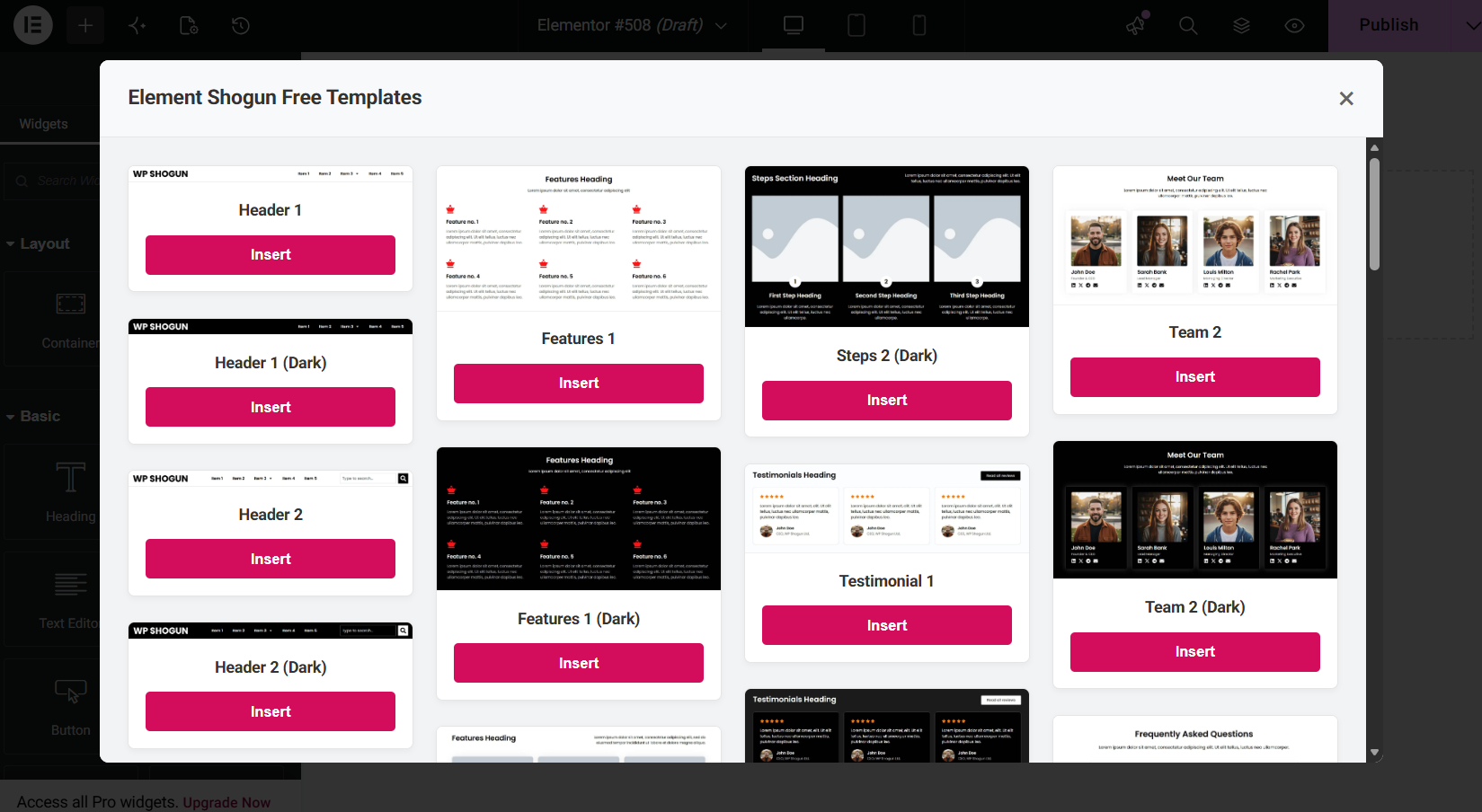 In-Editor Modal: Select and insert any template directly onto your active Elementor canvas with a single click.
Analytics
Live from WordPress.org, refreshed daily. Last refresh Oct 17, 2026.
- Passes every health check below.
Health checks
Everything a careful site owner looks at before installing.
- Actively maintained Last release 3 months ago
- Tested with current WordPress Tested up to 7.0.7
- Support questions answered Nothing open in the last two months
- Well rated No ratings yet
- Latest week
- 19
- Typical week
- 12
- Peak
- 19 Week of Oct 10
View as table
| Week | Downloads |
|---|---|
| Week of Oct 10 | 19 |
| Week of Oct 3 | 14 |
| Week of Sep 26 | 18 |
| Week of Sep 19 | 15 |
| Week of Sep 12 | 17 |
| Week of Sep 5 | 9 |
| Week of Aug 29 | 12 |
| Week of Aug 22 | 9 |
| Week of Aug 15 | 9 |
| Week of Aug 8 | 14 |
| Week of Aug 1 | 10 |
| Week of Jul 25 | 12 |
| Week of Jul 18 | 12 |
Not ranked yet. Install, download and rating ranks cover the 5,000 most popular plugins on WordPress.org, and Trending needs about 100 downloads on a typical day.
Gathering install data
WordPress.org only publishes today's install count, so WPFolks records it every day. The chart appears here once there is enough history to draw.
Reviews
From folks on WPFolks
No reviews from folks yet. Used it? Be the first to say how it went.