
- Active installs
- 1k+
- 3 ratings
- 2.7
- Last updated
- 2 months ago
- Version
- 1.1.14
- Tested up to
- WP 7.1.3
About this plugin
Easy Post Types and Fields makes it quick and easy to add custom post types, custom fields, and taxonomies to your WordPress website.
There are lots of reasons why WordPress site owners need to add extra content types to the CMS:
-
Create dedicated areas for each type of content within the WordPress admin (these are called ‘custom post types’). For example, if you’re adding ‘Resources’ to your site then it’s best to create a ‘Resources’ custom post type and manage the resources separately from your pages and posts.
-
Add extra fields (called ‘custom fields’) to your pages, posts, or any custom post type. These are useful for storing and displaying information in a structured way. For example, you might add a ‘Modified Date’ field to your Resources post type.
-
Create extra ways of categorizing and organizing your website content (these are called ‘custom taxonomies’). These are like categories and tags in WordPress, but the difference is that you can have as many as you like – for any post type. For example, you might create an ‘Industries’ taxonomy in order to group your Resources by industry.
Developed by leading UK-based plugin company Barn2, Easy Post Types and Fields is intentionally simpler and easier to use than other plugins. It has all the essential features that you need to create custom post types, custom fields, and custom taxonomies – without any unnecessary complexity.
How to add custom post types, fields, and taxonomies to WordPress
Simply create any type of content using a simple and intuitive wizard. You can create brand new custom post types, or add custom fields and taxonomies to existing post types. Either way, it’s incredibly straightforward.
Once you have created your custom post types, fields, and taxonomies, it’s easy to add the extra information to the WordPress CMS. Each custom post type has its own section on the left of the WordPress admin. Your custom fields and taxonomies appear on the ‘Add/Edit’ screen for each post.
View the full plugin documentation in our knowledge base.
Can I display the custom content on the front end of my website?
By default, your theme will display your custom post types using the same templates as the blog. This will list custom posts in the same way as blog posts, and won’t include your custom fields or taxonomies. This may not be the best way to present your custom content, so we recommend displaying it in a table using the Posts Table Pro plugin.
Posts Table Pro is a dynamic WordPress table plugin that lists any type of content from your website in a searchable table. As well as displaying any custom post type, you can choose which columns of information to show in the table – including your custom fields and custom taxonomies. See below for screenshots.
Your users will view the information in a table on the front end of your site. They can use the search box, sortable columns, and filter dropdowns to find exactly what they’re looking for.
This is how it displays the information from Easy Post Types and Fields:
-
Create a table listing any or all of the posts from your custom post type. For example, you can list all the custom posts, or list posts with a specific ID, custom field value, custom taxonomy term, published date, etc.
-
Display each custom field as a separate column in the table. Users can sort the table by custom field.
-
Display each custom taxonomy as a separate column in the table. Users can sort by taxonomy terms, and also click on a term to filter the table. In addition, you can add each taxonomy as a filter dropdown above the table. That way, users can instantly find custom posts by taxonomy.
This free WordPress custom post type plugin includes:
-
Custom post types:
-
Create an unlimited number of custom post types. Each custom post type has its own section in the WordPress admin, so you can manage your custom content separately from other WordPress post types.
-
Extend existing post types.
-
-
Custom fields:
-
Add custom fields to any WordPress post type – either the post types that are built into WordPress itself (pages, posts, media attachments, etc.), content types created using Easy Post Types and Fields, or any other custom post type (e.g. post types created using other plugins such as Document Library Pro and WooCommerce Product Table.
-
2 custom field types: Plain text or WYSIWYG (Visual Editor).
-
-
Custom taxonomies:
-
Add custom taxonomies to any post type.
-
Choose between hierarchical taxonomies (similar to WordPress categories) or non-hierarchical taxonomies (similar to WordPress tags).
-
Each taxonomy is unique to a specific post type, so you can manage the taxonomy terms separately from other categories and taxonomies.
-
What doesn’t it include?
Easy Post Types and Fields includes the features that the majority of WordPress site owners use when they create custom post types, custom fields, and taxonomies. It intentionally does not include more advanced features that only a small proportion of users need, such as:
-
Additional custom field types such as date picker, checkbox, and color picker fields (remember, you can add dates, numbers, images, etc. to a Visual Editor custom field in Easy Post Types and Fields).
-
Privacy options to restrict which user roles can see each field.
-
Relationship and repeater fields.
-
Advanced Content Types (ACTs) that get their own database tables.
If you need these features then we recommend using a different custom post type plugin (e.g. Pods, Custom Post Type UI, or ACF). There are some excellent options available if you are happy with the added complexity.
Restrict access to custom post types and make them private
Some people want to control who can access some or all of their custom posts. You can do this by using Easy Post Types and Fields with our other plugin, WordPress Password Protected Categories. This adds privacy options to your hierarchical custom taxonomies.
Simply restrict each one to specific logged-in users or user roles, or to anyone with the password. All the posts/custom posts in that taxonomy will then be private and hidden from view.
Screenshots
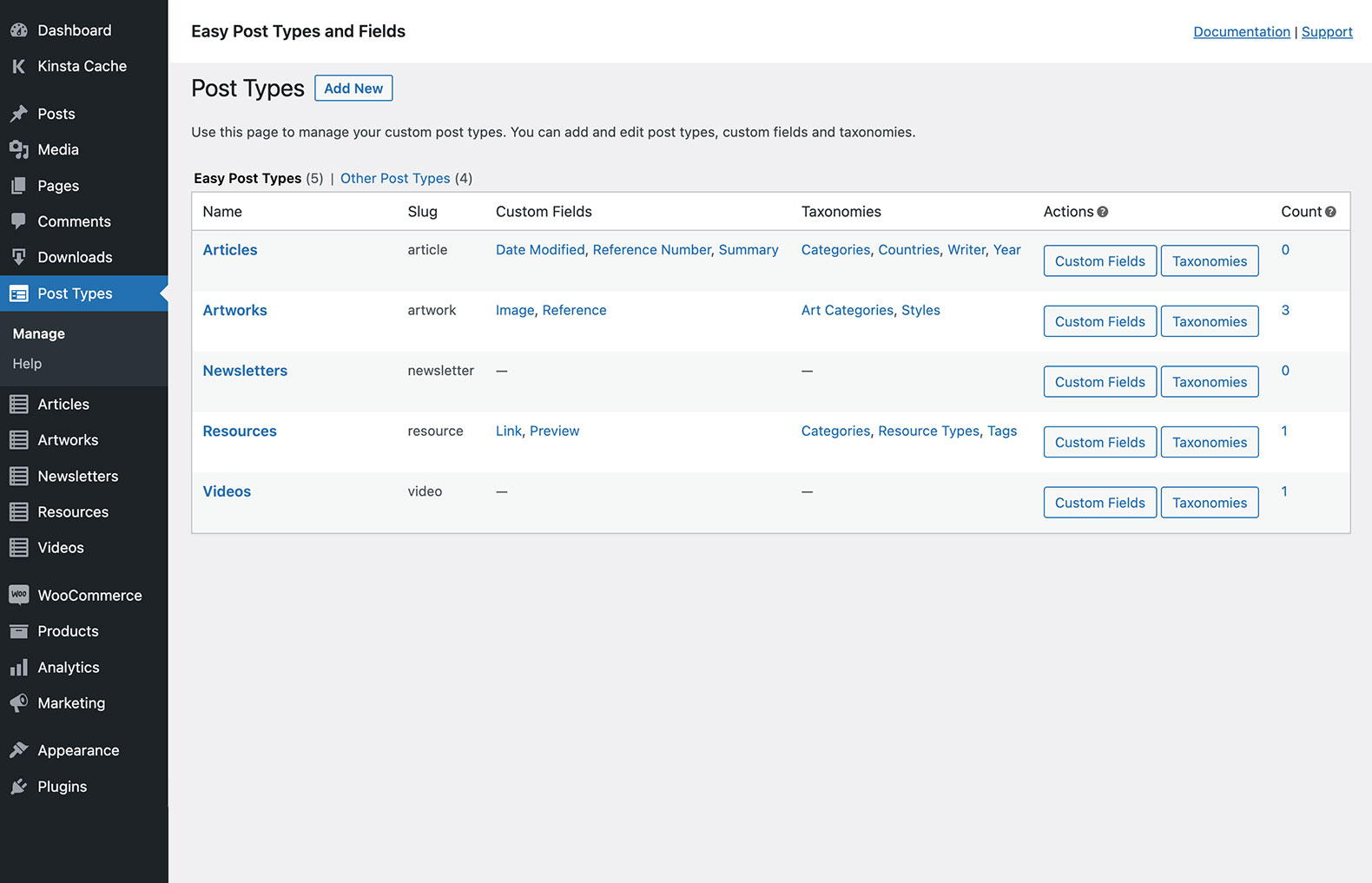 Create an unlimited number of post types and easily view and manage them centrally.
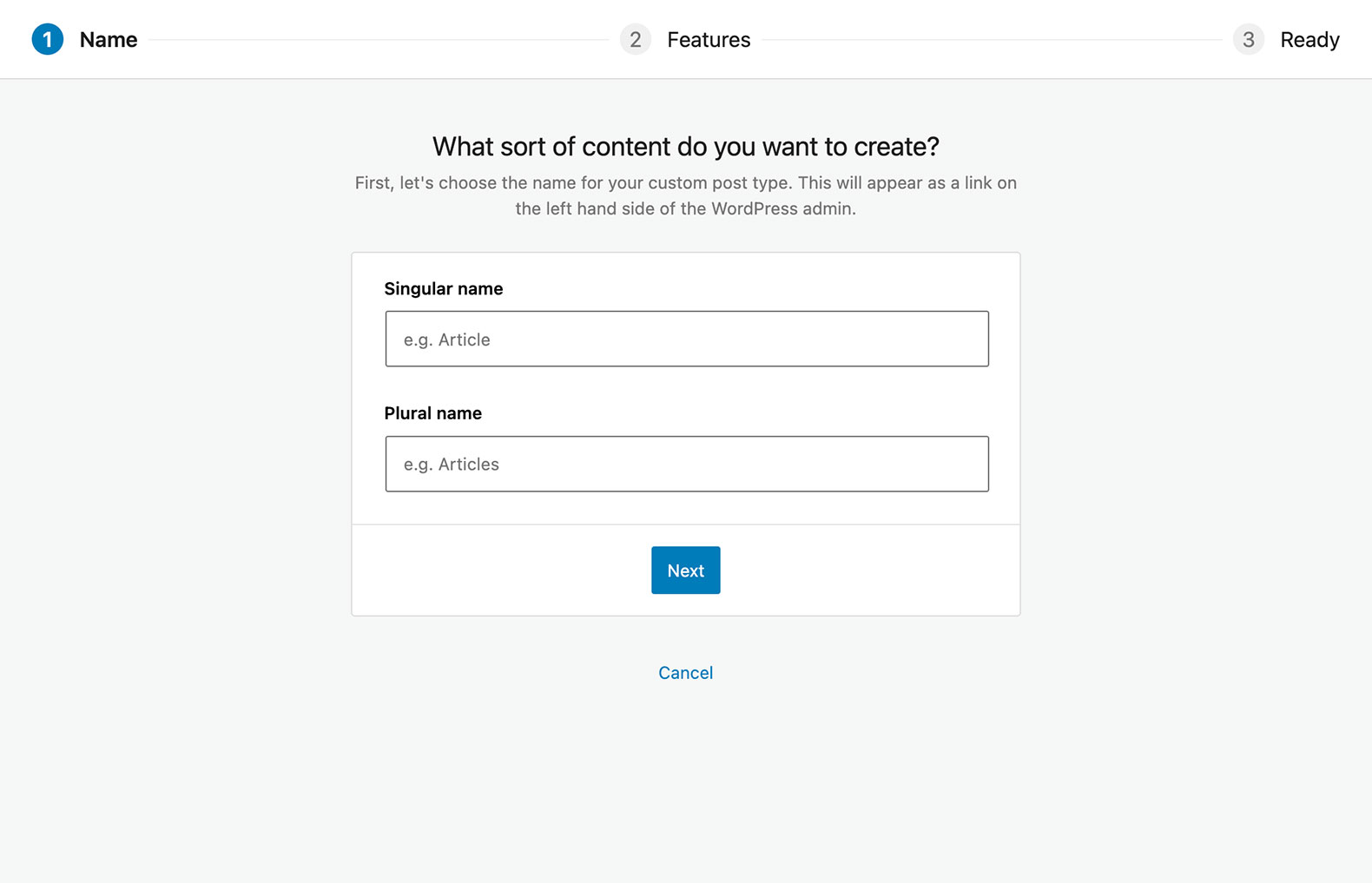 Simple, user-friendly interface to create WordPress custom post types in seconds.
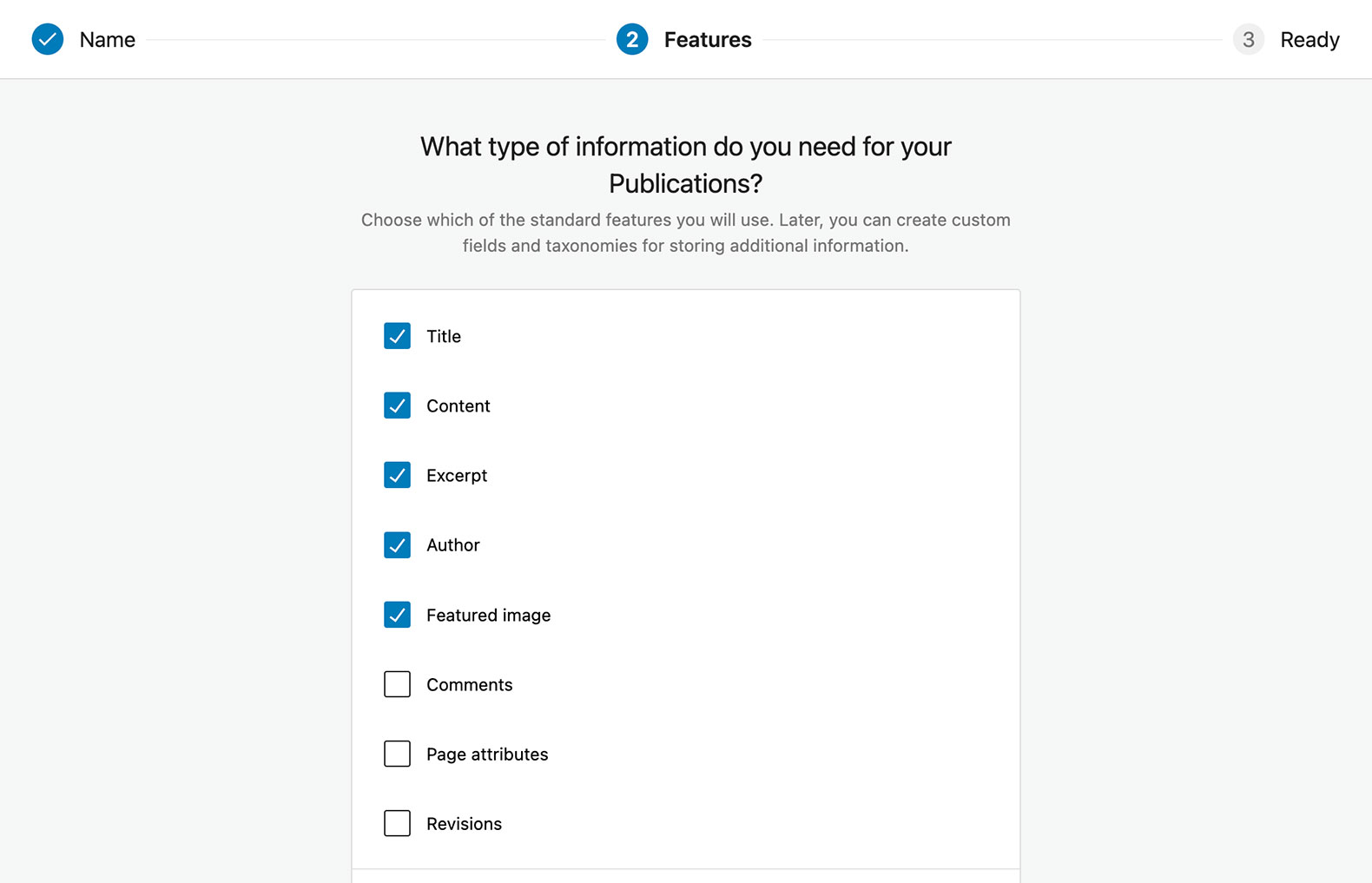 Select which features and default fields you wish to include for each WordPress custom post type.
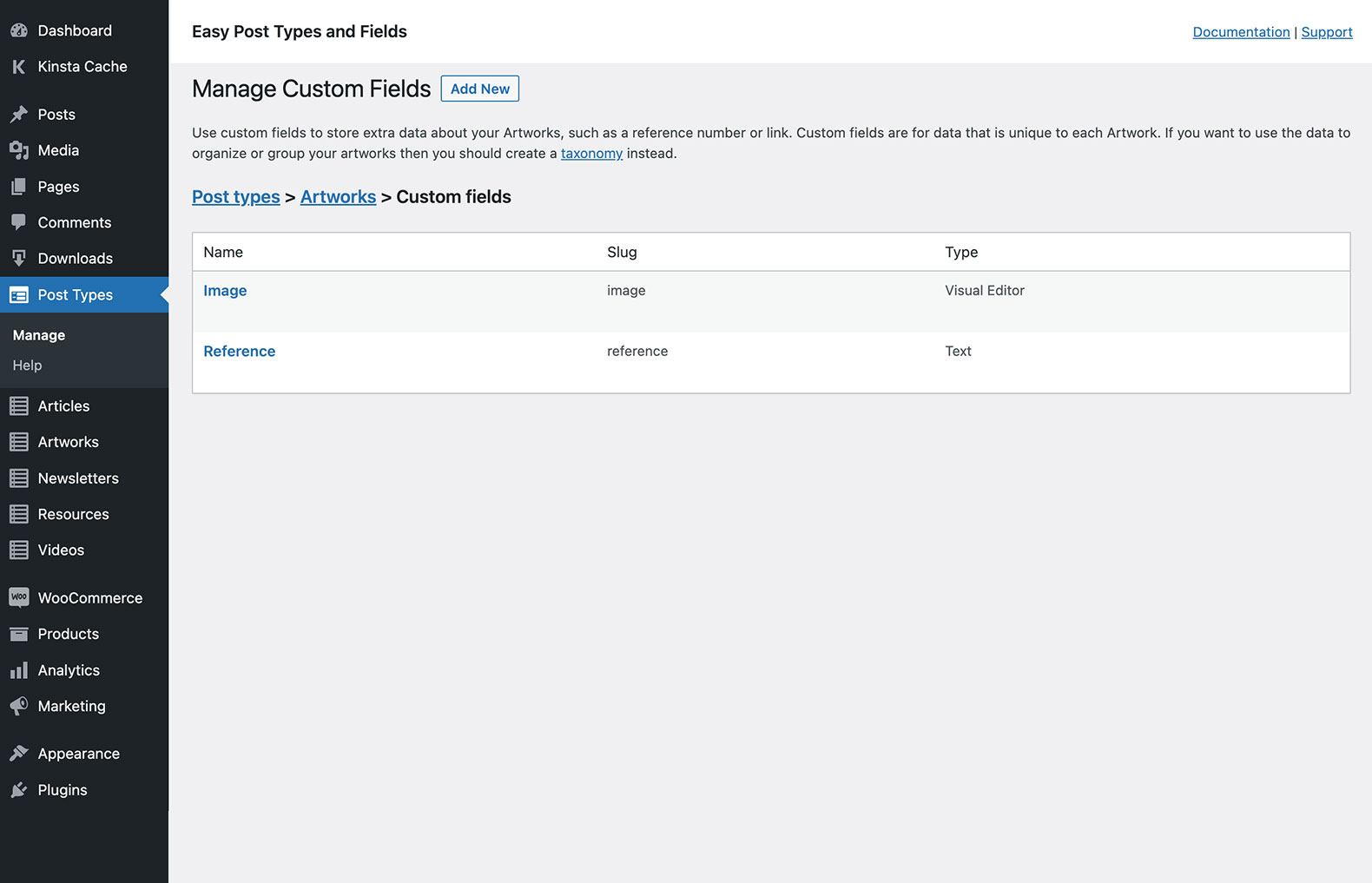 Easily manage all the custom fields for the WordPress custom post types that you have created.
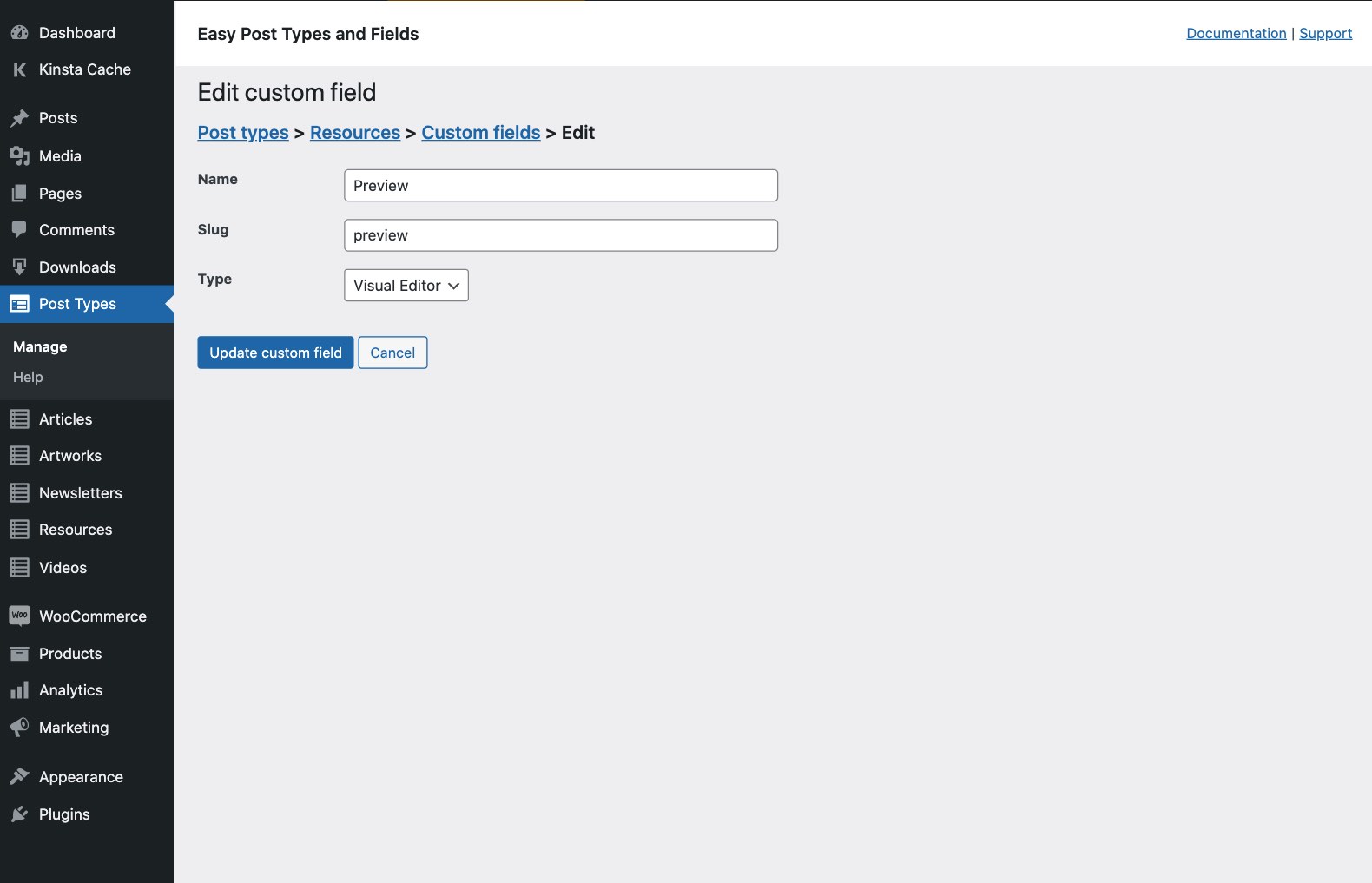 Need to store extra information for your post types? Easily add as many custom fields as you like.
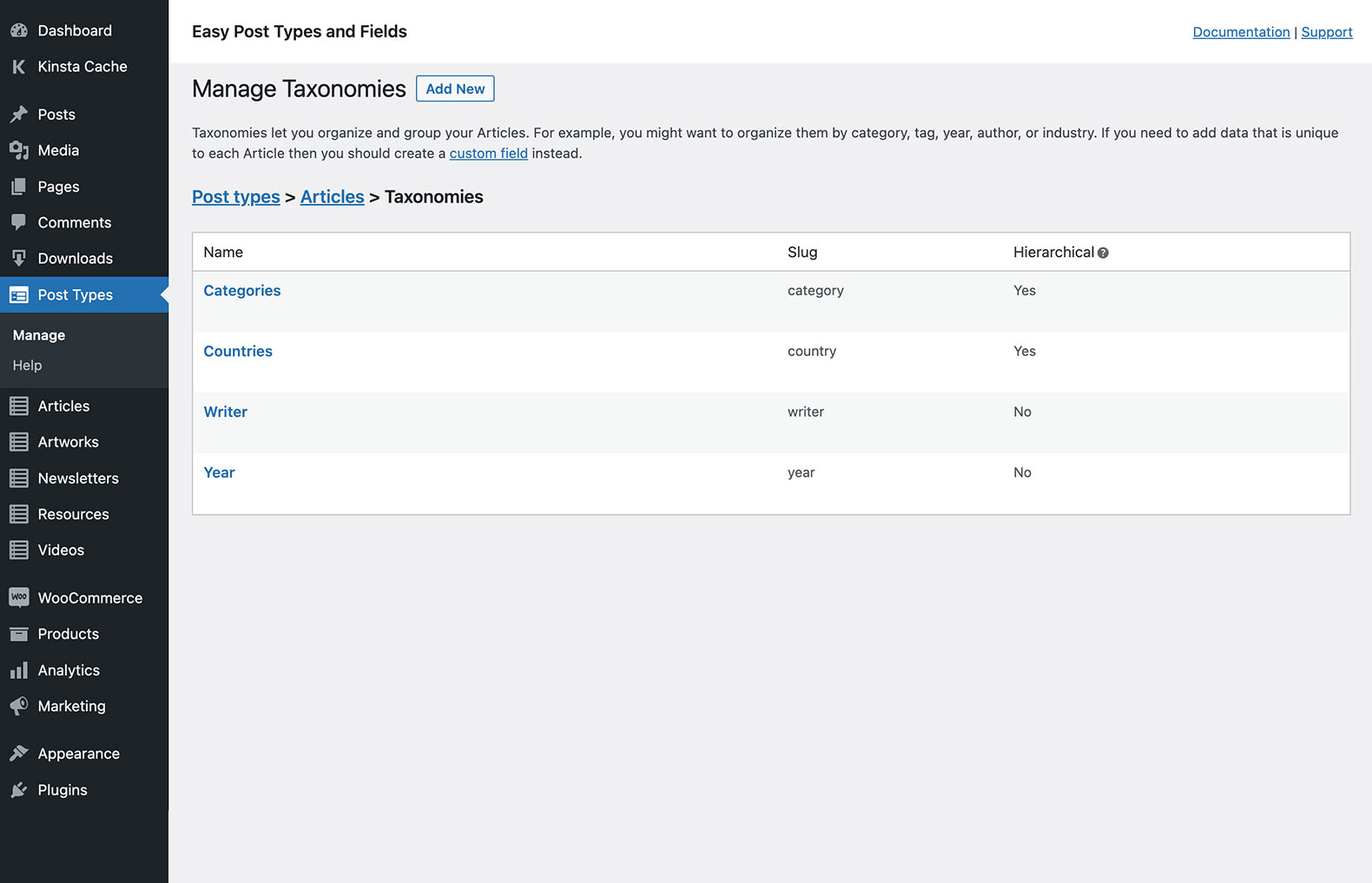 You can also add custom taxonomies, designed for grouping and sorting your post types.
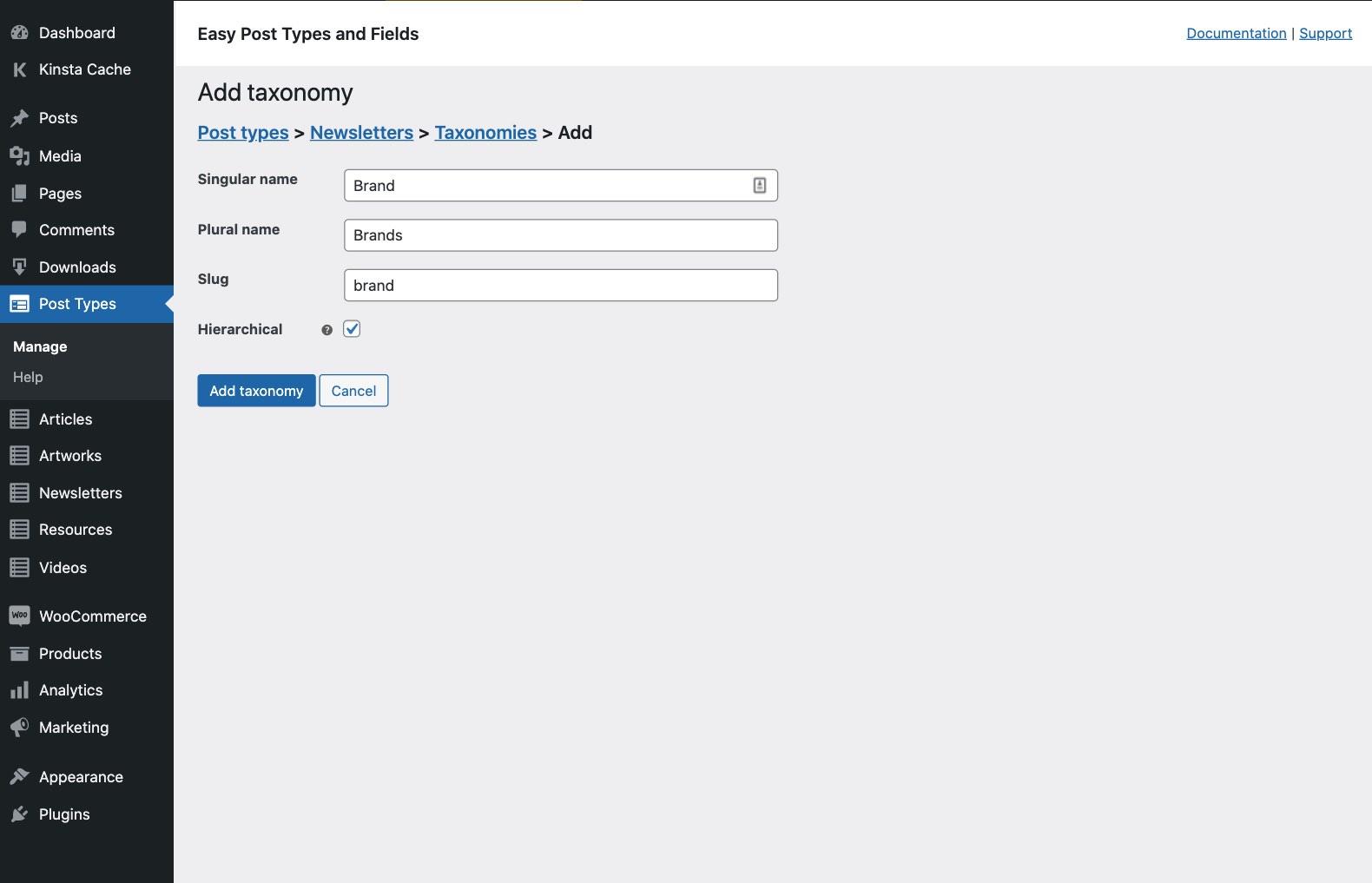 Create WordPress custom taxonomies quickly and easily - just add the basic details and you’re done!
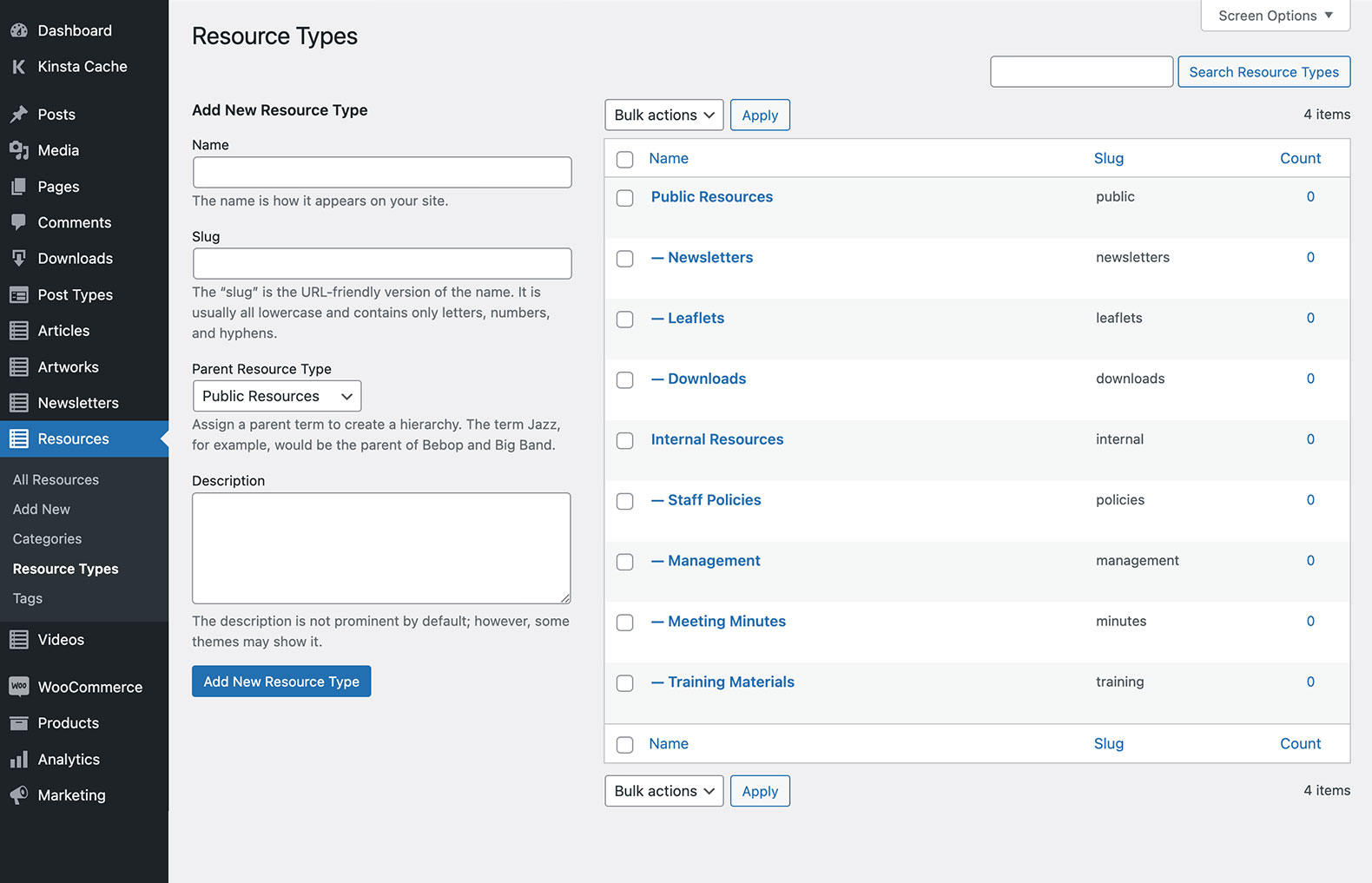 Use taxonomy terms to structure and group your custom posts (just like WordPress categories).
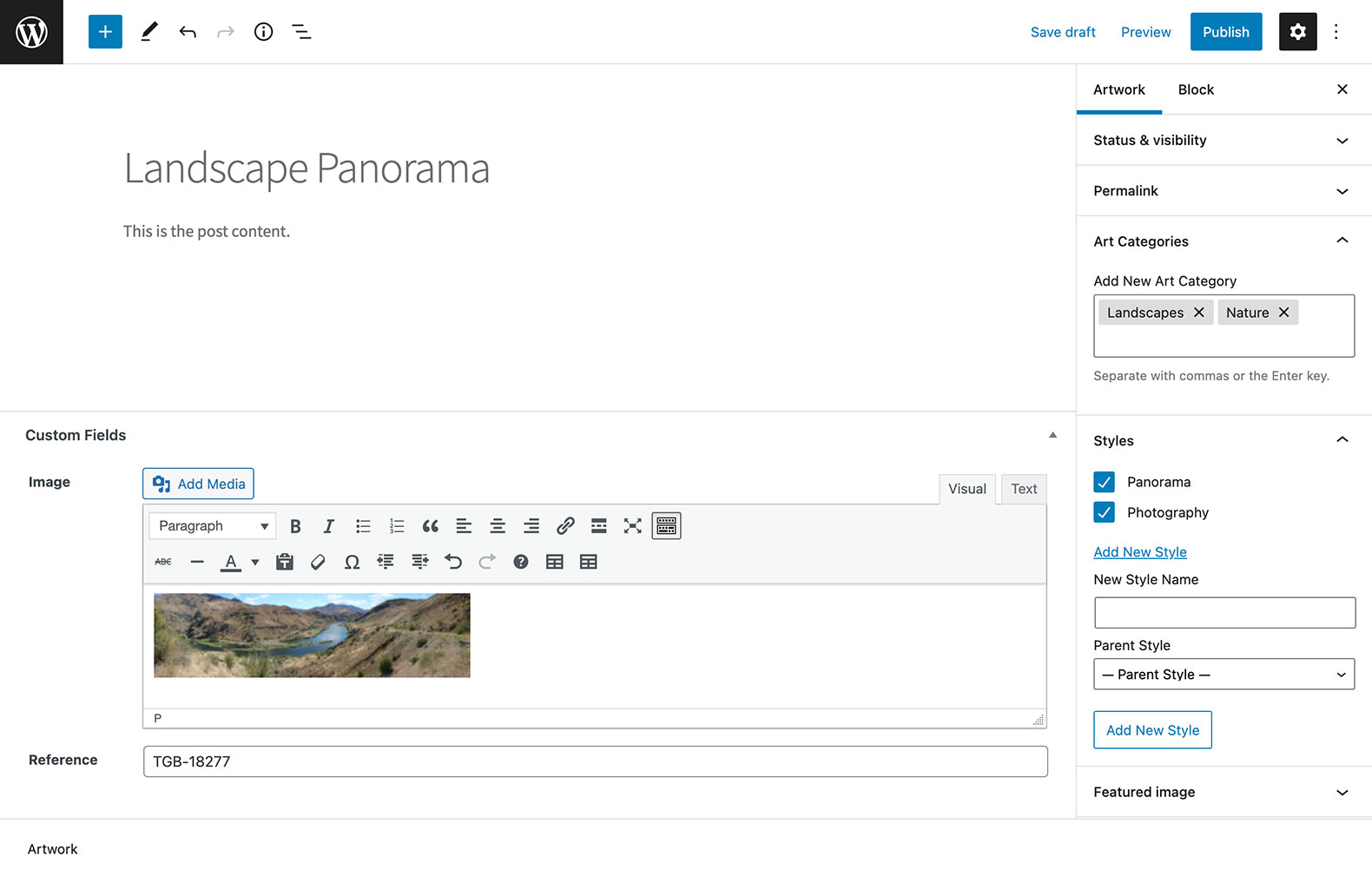 Adding posts to your new post type is just like adding a page or post in WordPress.
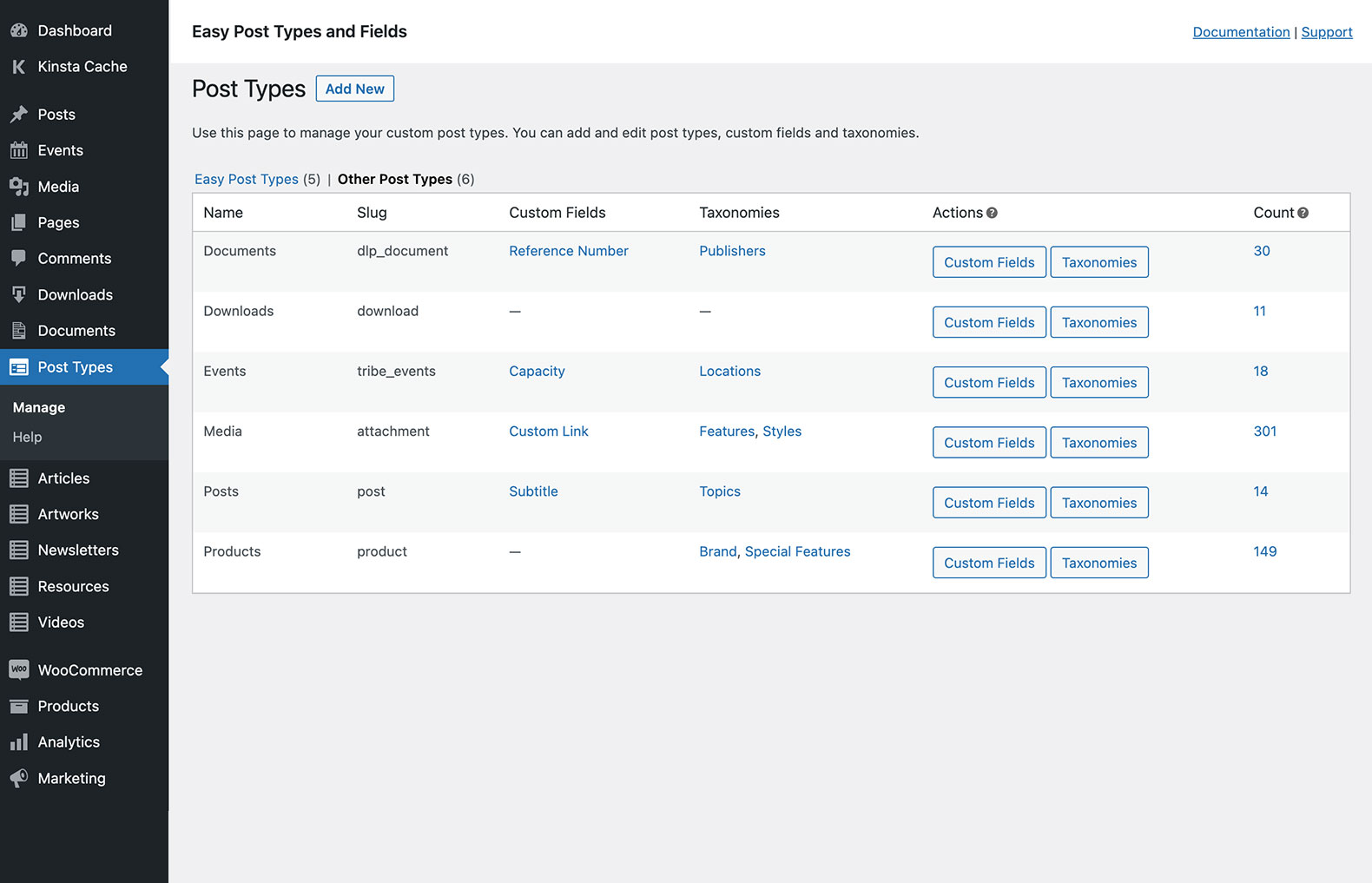 You can also add fields and taxonomies to post types created with other plugins (e.g. products or events).
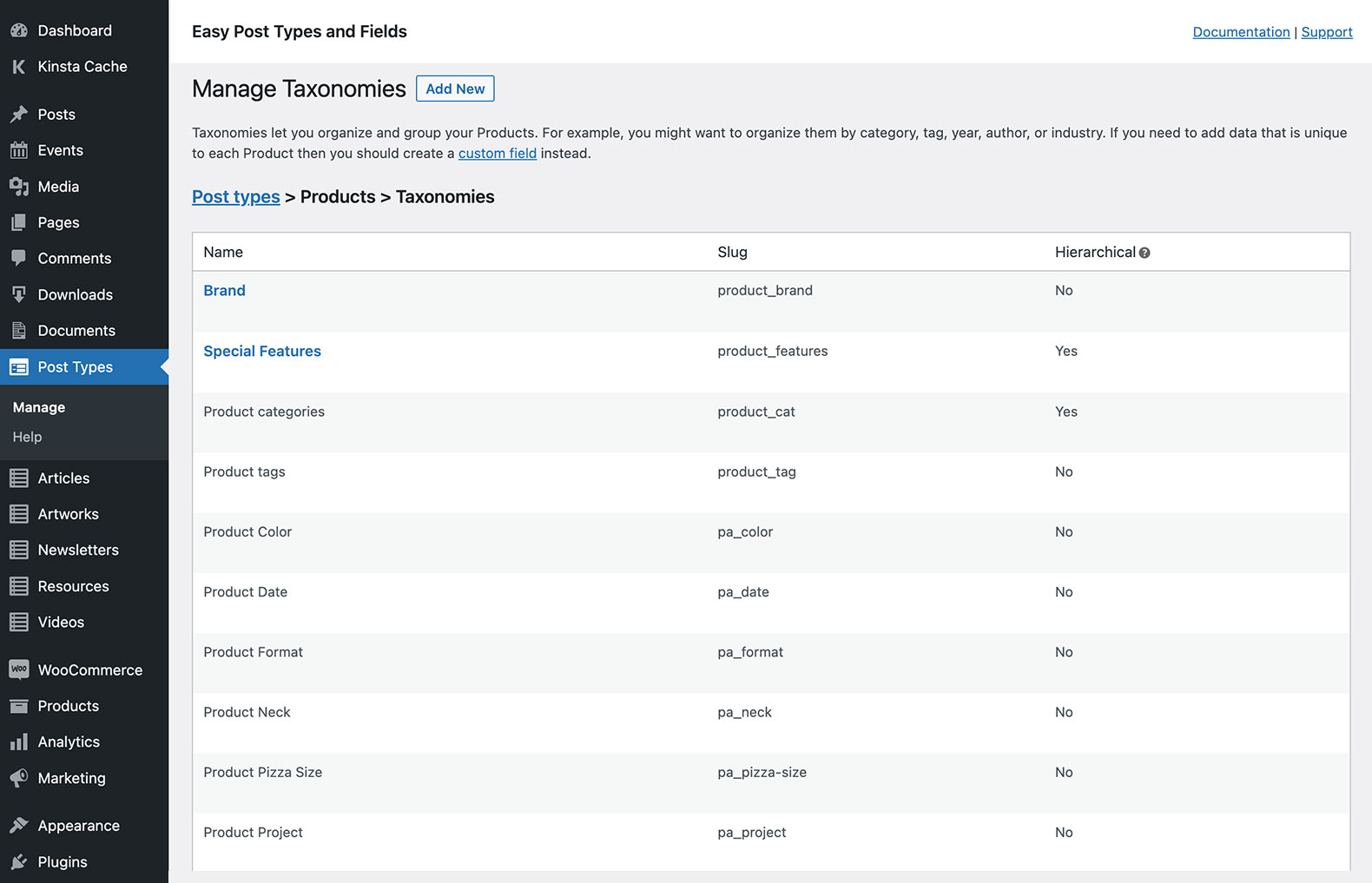 Extend any post type with custom fields and taxonomies, including WooCommerce products.
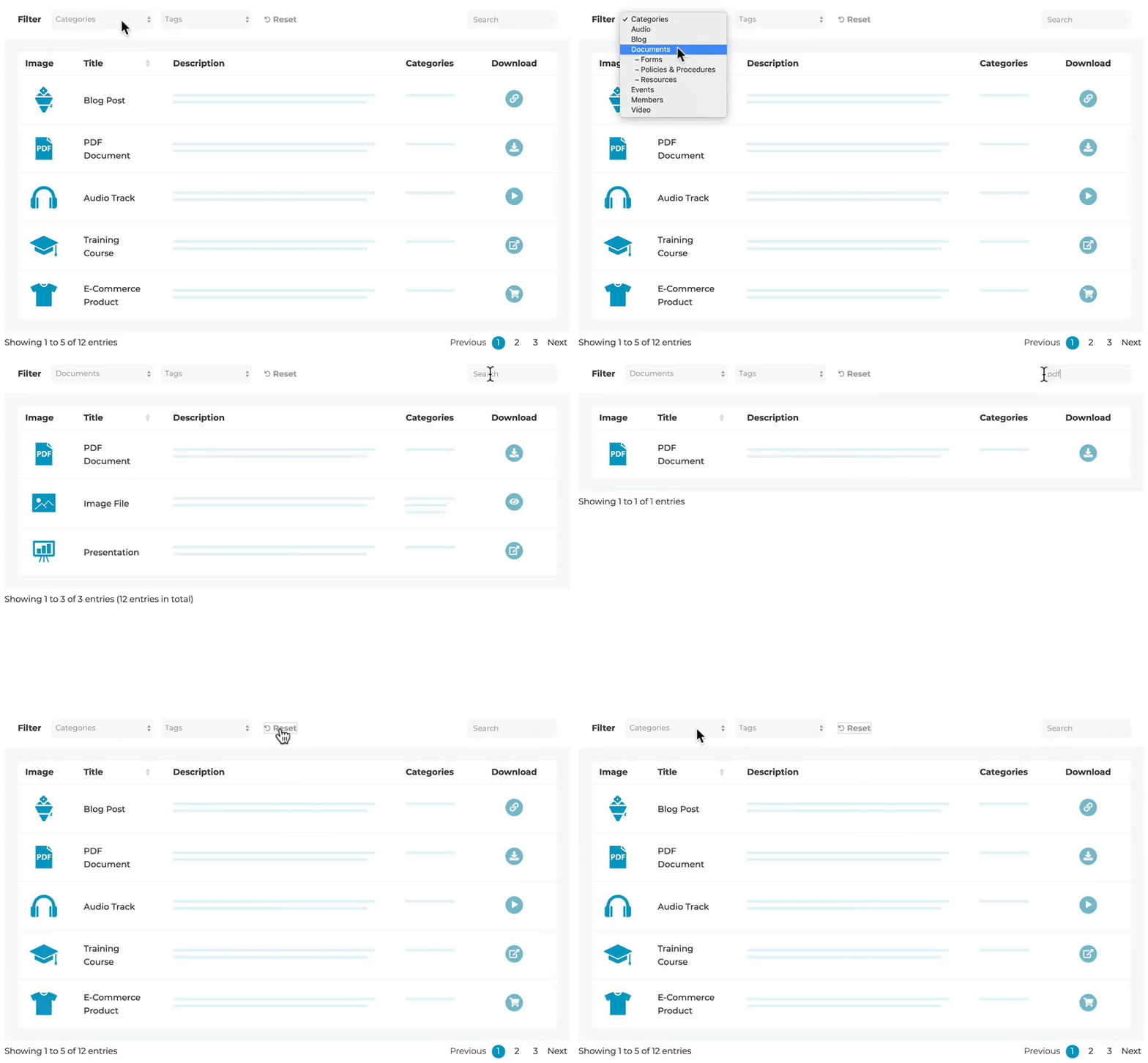 Recommended: Display your custom posts, fields and taxonomies using the Posts Table Pro plugin.
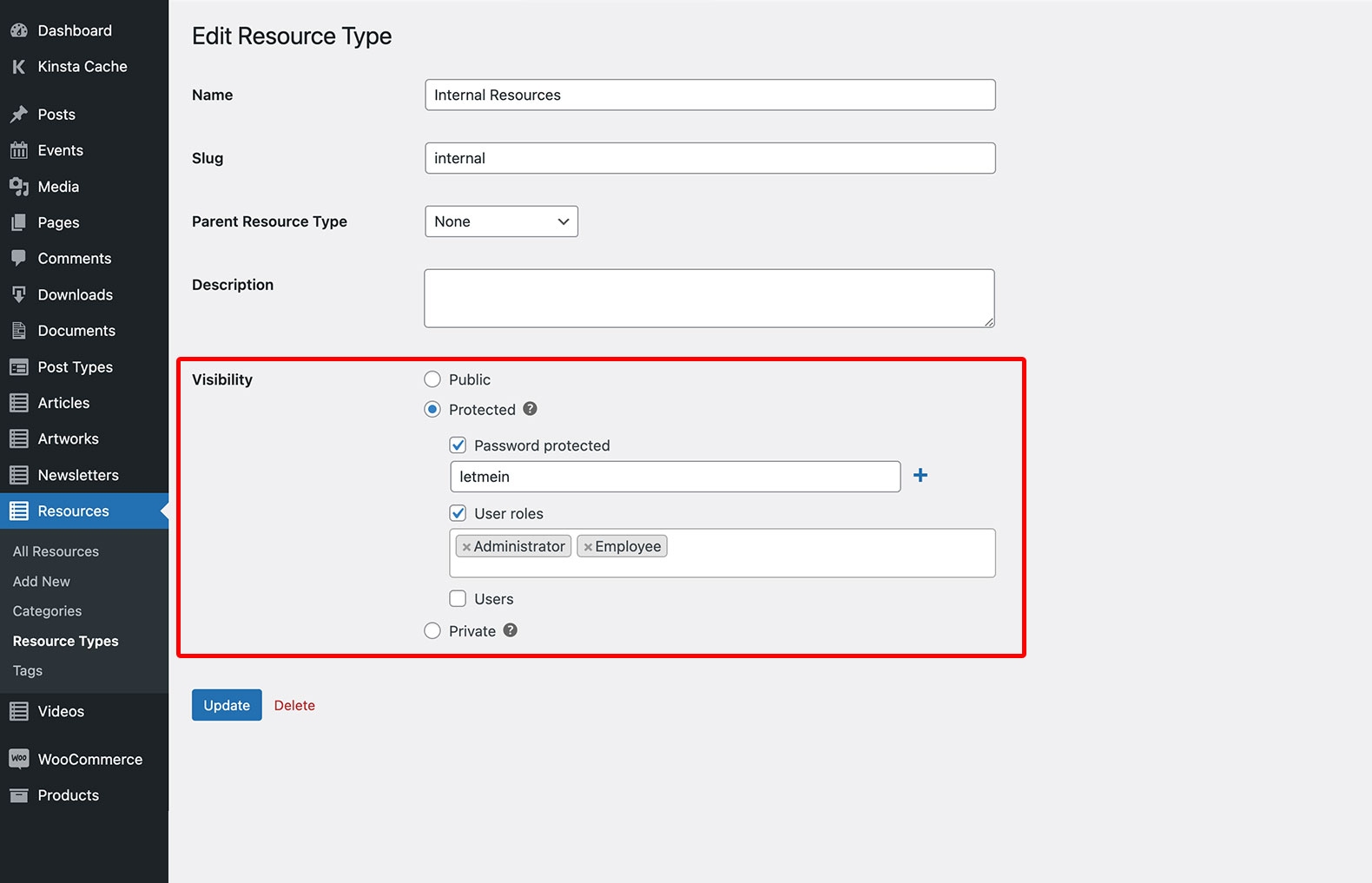 Recommended: Restrict access to your custom posts with the Password Protected Categories plugin.
Analytics
Live from WordPress.org, refreshed daily. Last refresh Oct 17, 2026.
- Downloads on a typical day are up 10% on the month before.
- Passes every health check below.
Health checks
Everything a careful site owner looks at before installing.
- Actively maintained Last release 2 months ago
- Tested with current WordPress Tested up to 7.1.3
- Support questions answered Nothing open in the last two months
- Well rated Only 3 ratings so far
- Latest week
- 75
- Typical week
- 46
- Peak
- 106 Week of Aug 22
View as table
| Week | Downloads |
|---|---|
| Week of Oct 10 | 75 |
| Week of Oct 3 | 83 |
| Week of Sep 26 | 68 |
| Week of Sep 19 | 90 |
| Week of Sep 12 | 83 |
| Week of Sep 5 | 60 |
| Week of Aug 29 | 61 |
| Week of Aug 22 | 106 |
| Week of Aug 15 | 67 |
| Week of Aug 8 | 54 |
| Week of Aug 1 | 60 |
| Week of Jul 25 | 52 |
| Week of Jul 18 | 41 |
| Week of Jul 11 | 36 |
| Week of Jul 4 | 29 |
| Week of Jun 27 | 31 |
| Week of Jun 20 | 29 |
| Week of Jun 13 | 73 |
| Week of Jun 6 | 47 |
| Week of May 30 | 38 |
| Week of May 23 | 51 |
| Week of May 16 | 33 |
| Week of May 9 | 38 |
| Week of May 2 | 53 |
| Week of Apr 25 | 45 |
| Week of Apr 18 | 43 |
| Week of Apr 11 | 49 |
| Week of Apr 4 | 43 |
| Week of Mar 28 | 44 |
| Week of Mar 21 | 36 |
| Week of Mar 14 | 39 |
| Week of Mar 7 | 50 |
| Week of Feb 28 | 46 |
| Week of Feb 21 | 46 |
| Week of Feb 14 | 42 |
| Week of Feb 7 | 43 |
| Week of Jan 31 | 46 |
| Week of Jan 24 | 30 |
| Week of Jan 17 | 38 |
| Week of Jan 10 | 46 |
| Week of Jan 3 | 41 |
| Week of Dec 27, 2025 | 38 |
| Week of Dec 20, 2025 | 29 |
| Week of Dec 13, 2025 | 39 |
| Week of Dec 6, 2025 | 46 |
| Week of Nov 29, 2025 | 55 |
| Week of Nov 22, 2025 | 38 |
| Week of Nov 15, 2025 | 56 |
| Week of Nov 8, 2025 | 54 |
| Week of Nov 1, 2025 | 73 |
| Week of Oct 25, 2025 | 84 |
| Week of Oct 18, 2025 | 80 |
Not ranked yet. Install, download and rating ranks cover the 5,000 most popular plugins on WordPress.org, and Trending needs about 100 downloads on a typical day.
Gathering install data
WordPress.org only publishes today's install count, so WPFolks records it every day. The chart appears here once there is enough history to draw.
Reviews
From folks on WPFolks
No reviews from folks yet. Used it? Be the first to say how it went.