Bug
Shipped
Community Feed Editor Tabs Overlap Post Content While Scrolling
Hi Team,
I found a UI issue on the Community page:
https://wpfolks.org/community/
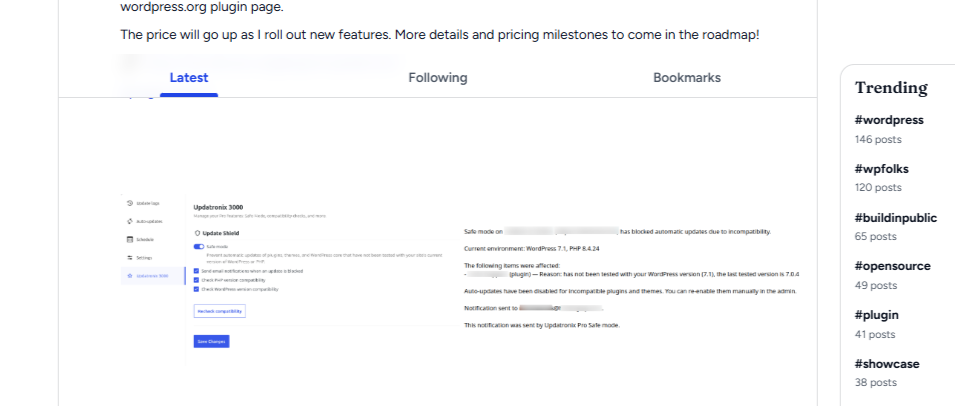
When scrolling down the page, the editor navigation bar (Latest / Following / Bookmarks) remains sticky and overlaps the community post content. As shown in the attached screenshot, the post text appears behind the sticky tabs, which affects readability and the overall UI.
The sticky section should maintain proper spacing/offset while scrolling so that it does not cover the post content.
Please check the attached screenshot for reference.
Thanks 🙌