


- Last updated
- 3 weeks ago
- Version
- 1.0.0
- Tested up to
- WP 7.1.4
About this plugin
Card Elements for Divi is an effective and user-friendly way to showcase your team profiles, testimonials, posts, tours and listings in multiple ways with a unique card-style design. It adds new modules to the Divi Builder and is compatible with both the legacy Divi 4 builder and the native Divi 5 builder.
The Card Elements for Divi plugin comes bundled with five carefully designed modules that help you showcase and decorate your website content with card styling. More modules will be added in future versions.
Where is the Card Elements for Divi plugin useful?
- You can decorate your blog post in various styles.
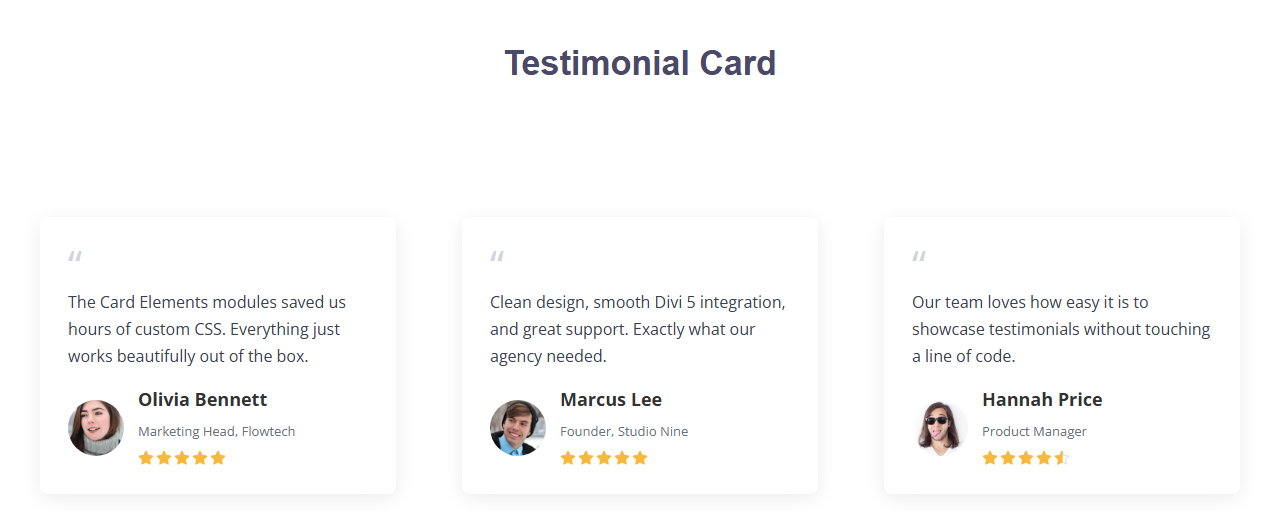
- Showcase your customer reviews in attractive ways.
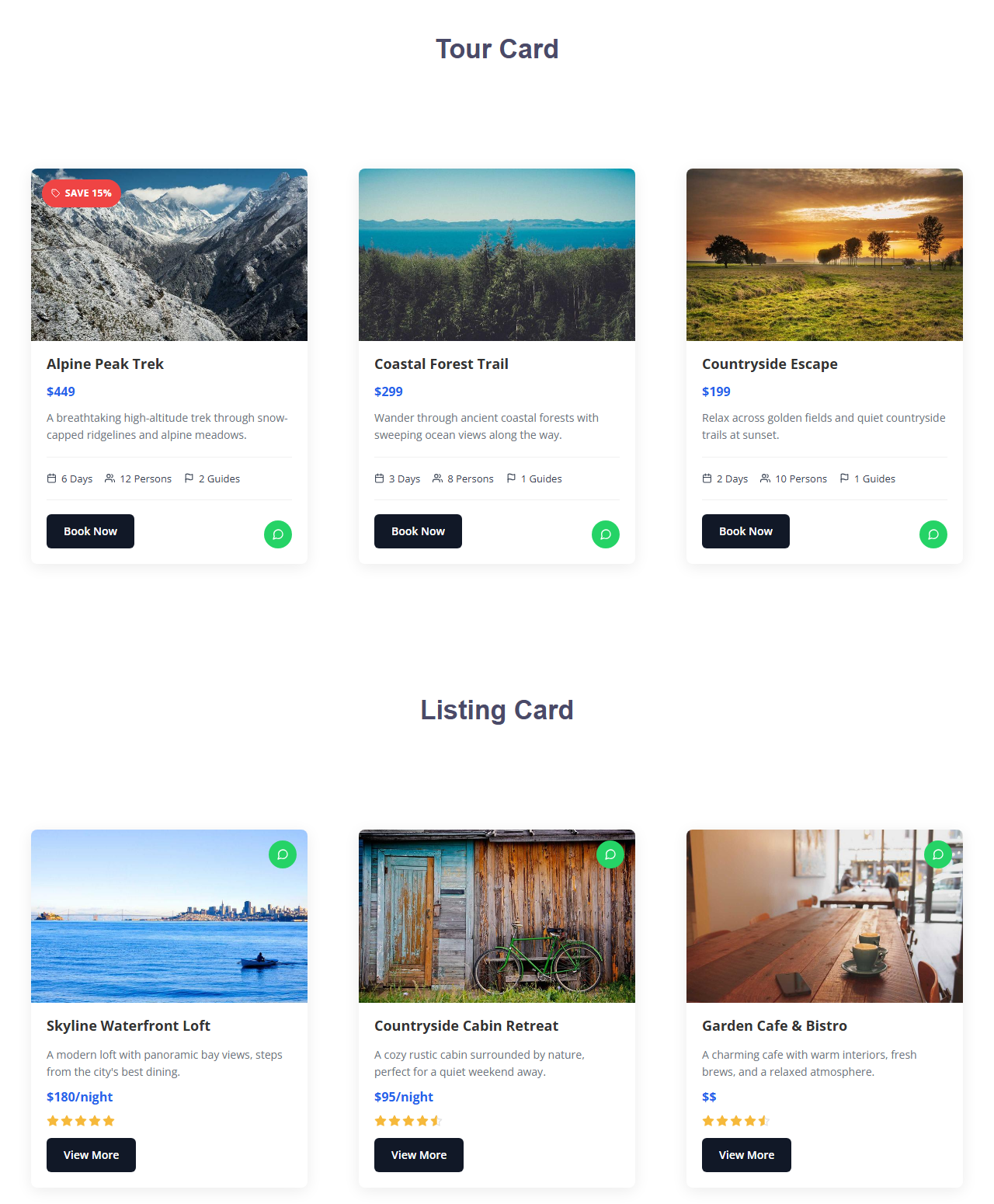
- Decorate your tour and travel packages differently.
- Present your listing card in unique ways.
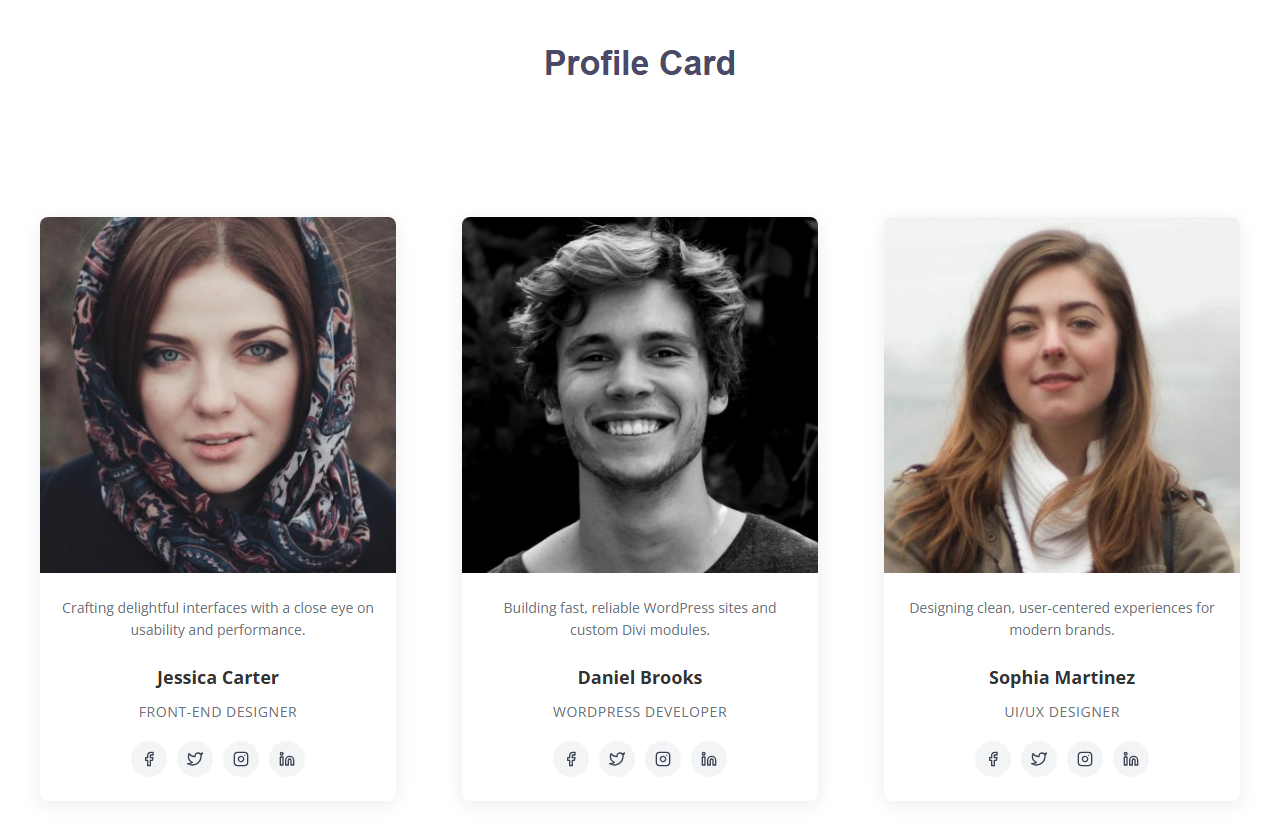
- Various profile card styles to show your team in unique ways.
Ready-made Card Modules
- Profile Card
- Testimonial Card
- Post Card
- Tour Card
- Listing Card
How to Use
- Edit any page or post with the Divi Builder.
- Click the “+” icon to add a new module to a row.
- Search for and select one of the card modules: Profile Card, Testimonial Card, Post Card, Tour Card or Listing Card.
- Fill in the content (image, title, text, links, etc.) in the module’s Content tab.
- Optionally adjust spacing, borders and other styling using the standard Divi Design and Advanced tabs.
- Save the page to publish your card.
No extra configuration or settings page is required; the modules are available as soon as the plugin is activated.
External services
This plugin links to the following third-party service:
WhatsApp (share button)
The Tour Card and Listing Card modules can display a “Share on WhatsApp” button so visitors can share the current page with their contacts. The button is a plain link to https://api.whatsapp.com/send, provided by WhatsApp LLC (Meta Platforms, Inc.).
- What data is sent: the full URL of the page on which the card is displayed (passed as the
textparameter of the link). No other site or visitor data is added by this plugin. - When it is sent: only when a visitor clicks the WhatsApp share button. Nothing is sent to WhatsApp when the page loads or when the card is displayed. Clicking the button opens WhatsApp in a new browser tab, and from then on the visitor’s interaction is with WhatsApp directly.
- How to disable it: the button is enabled by default. To hide it, open the Tour Card or Listing Card module settings and turn off the “Show WhatsApp Share” option in the Content tab. This option is available in both the Divi 4 and Divi 5 builders. When it is turned off, no WhatsApp link is added to the page.
WhatsApp Terms of Service: https://www.whatsapp.com/legal/terms-of-service
WhatsApp Privacy Policy: https://www.whatsapp.com/legal/privacy-policy
Source Code and Build Tools
The compiled JavaScript files in includes/divi5/build/ (profile-card.js, testimonial-card.js, post-card.js, tour-card.js and listing-card.js) are generated with webpack and Babel from the human-readable source files included in this plugin:
- Source:
includes/divi5/modules/{module-name}/index.jsxand the matchingmodule.jsonfile in each module folder. - Build configuration:
webpack.config.js,package.jsonandpackage-lock.jsonin the root of the plugin’s source repository.
The compiled files are already included in the plugin, so you do NOT need Node.js or npm to use it. Only if you want to modify the source and regenerate them, run npm install and then npm run build from the plugin source folder (Node.js 18 or later). Use npm start to rebuild automatically while editing.
Screenshots
Analytics
Live from WordPress.org, refreshed daily. Last refresh Nov 3, 2026.
- Passes every health check below.
Health checks
Everything a careful site owner looks at before installing.
- Actively maintained Last release 3 weeks ago
- Tested with current WordPress Tested up to 7.1.4
- Support questions answered Nothing open in the last two months
- Well rated No ratings yet
- Latest day
- 2
- Typical day
- 6
- Peak
- 39 Oct 16
View as table
| Day | Downloads |
|---|---|
| Nov 2 | 2 |
| Nov 1 | 3 |
| Oct 31 | 2 |
| Oct 30 | 4 |
| Oct 29 | 2 |
| Oct 28 | 3 |
| Oct 27 | 2 |
| Oct 26 | 8 |
| Oct 25 | 5 |
| Oct 24 | 6 |
| Oct 23 | 5 |
| Oct 22 | 9 |
| Oct 21 | 7 |
| Oct 20 | 6 |
| Oct 19 | 8 |
| Oct 18 | 12 |
| Oct 17 | 25 |
| Oct 16 | 39 |
Not ranked yet. Install, download and rating ranks cover the 5,000 most popular plugins on WordPress.org, and Trending needs about 100 downloads on a typical day.
Reviews
From folks on WPFolks
No reviews from folks yet. Used it? Be the first to say how it went.