Bug
Open
No Edit/Delete option on comments under snippets
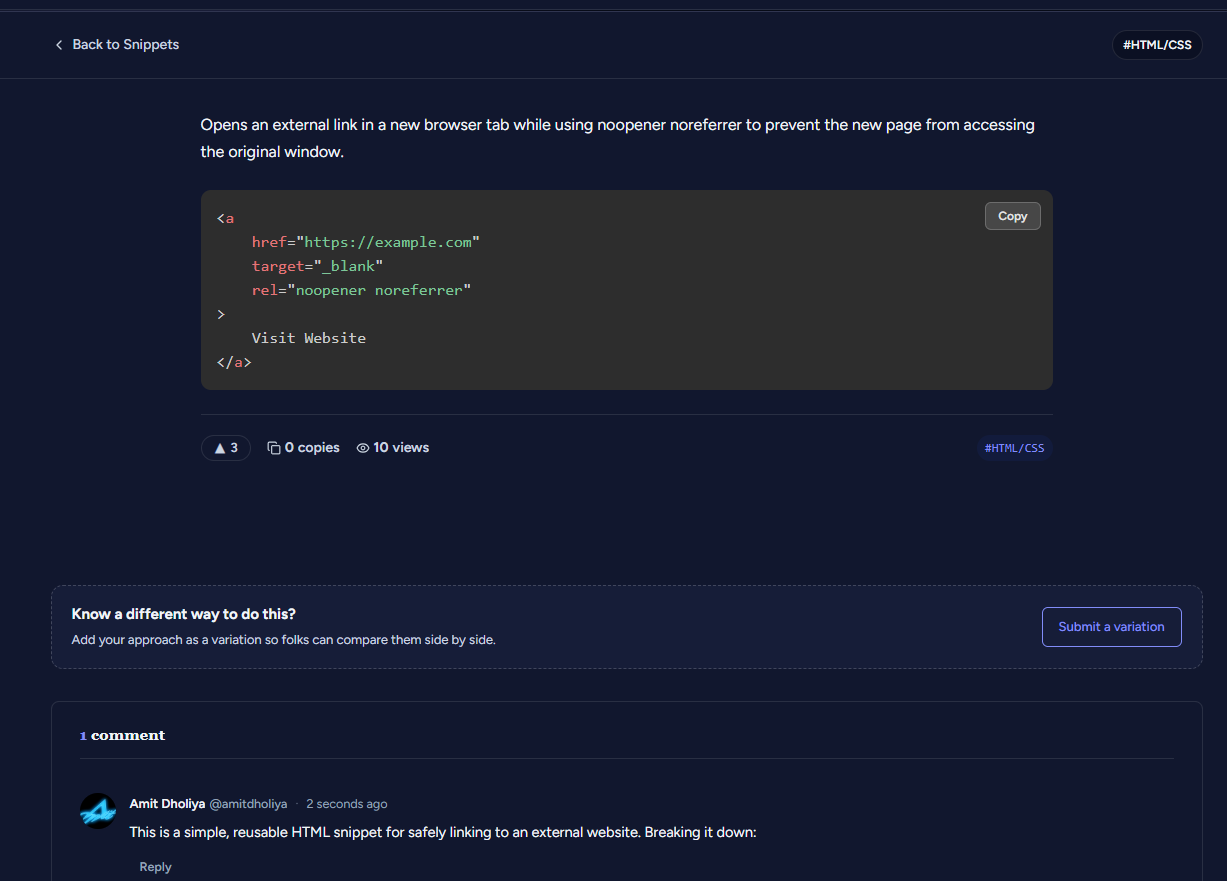
On a snippet detail page (e.g. the “external link” HTML/CSS snippet page), after posting a comment, there is no Edit or Delete option available for the comment author to manage their own comment — only a “Reply” link is shown.
Steps to reproduce:
1. Open any snippet detail page
2. Post a comment
3. Look for options to edit or delete the comment you just posted
4. Observe only “Reply” is available — no Edit or Delete option
Expected: Comment authors should be able to edit or delete their own comments, similar to standard comment functionality elsewhere.