Bug
Open
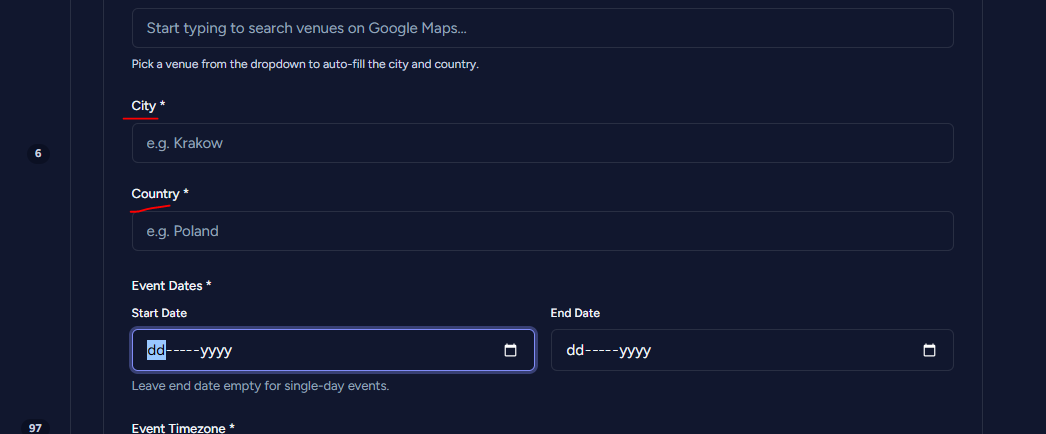
City/Country fields marked required but not validated on form submission
On the Submit Event page (https://wpfolks.org/submit-event/), the “City” and “Country” fields are marked with a red asterisk (*) indicating they’re required, but the form does not actually validate this — it’s possible to submit the form while leaving these fields empty, with no error shown.
Steps to reproduce:
1. Go to https://wpfolks.org/submit-event/
2. Leave “City” and “Country” fields empty (don’t select a venue from the Google Maps autocomplete either)
3. Fill in the rest of the form and click Submit
4. Observe the form submits successfully with no validation error for the missing required fields
Expected: If “City” and “Country” are marked as required, the form should block submission and show a validation error when they’re left empty.