Bug
Open
Category/language label badges text overflowing/cut off on Snippets page
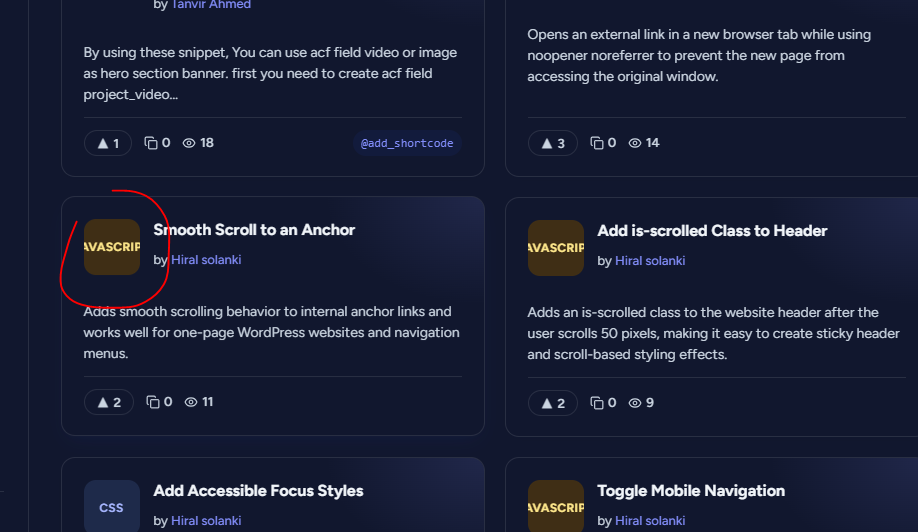
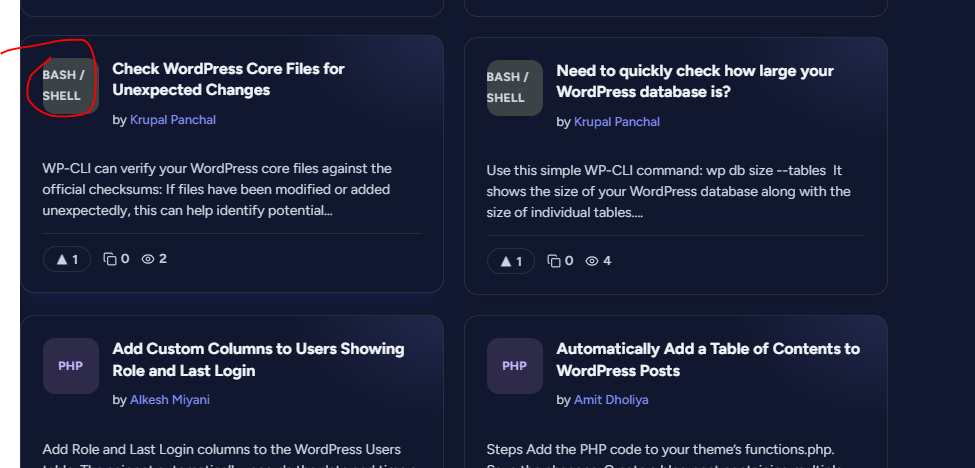
On the Snippets listing page (https://wpfolks.org/snippets), the language/category badge on each snippet card (e.g. “BASH / SHELL,” “JAVASCRIPT”) doesn’t fit properly inside its container — the text is too large or the badge is too small, causing the label to be cut off/truncated (e.g. “JAVASCRIPT” showing as “AVASCRIP”).
Steps to reproduce:
1. Go to https://wpfolks.org/snippets
2. Look at snippet cards with longer category labels, e.g. “Bash / Shell” or “JavaScript”
3. Observe the badge text is clipped/cut off instead of fitting fully or wrapping
Expected: Badge text should either fit fully within the badge (via auto-sizing/font-scaling) or wrap properly, without being visibly cut off.