Feature
Shipped
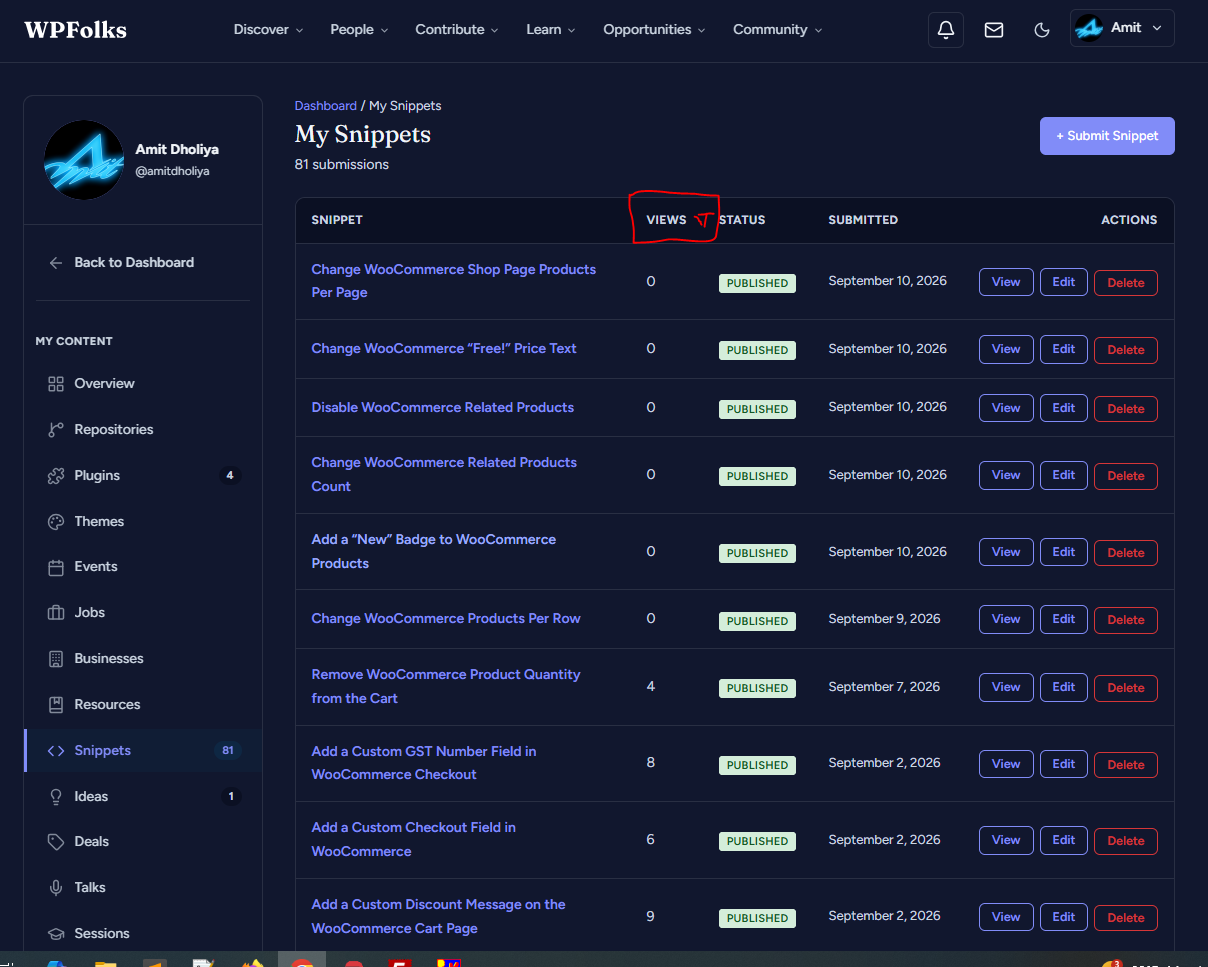
Add sort (ascending/descending) for “Views” column on My Snippets page
On the “My Snippets” page (Dashboard > My Snippets), the “VIEWS” column has a sort icon but clicking it doesn’t appear to sort the list by view count.
Requesting: clicking the “VIEWS” column header should sort the snippets by view count, toggling between ascending and descending order, so it’s easy to see which snippets have the most/least views.
Steps to reproduce / current behavior:
1. Go to Dashboard > My Snippets
2. Click the sort icon next to “VIEWS”
3. Observe the list order does not change
Expected: Clicking “VIEWS” should sort snippets from highest-to-lowest (or lowest-to-highest) views, with the icon indicating current sort direction.