About This Plugin
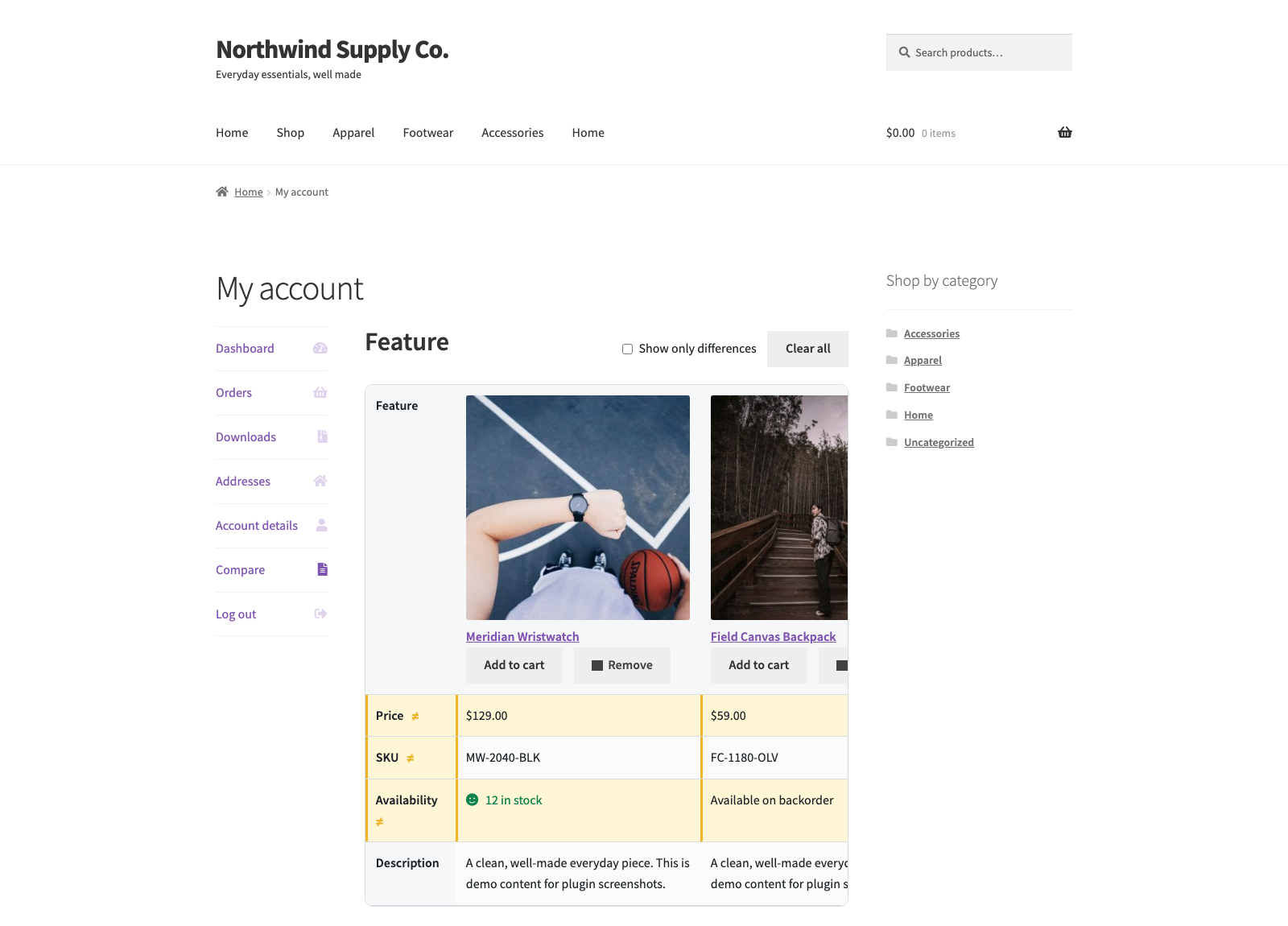
Versus adds a “Compare” button to your WooCommerce shop, archive and single product pages. Shoppers compare products side by side in a WooCommerce comparison table, with product data kept inside your store.
Versus is developed in the open. The code, and a place to report bugs or request features, live at github.com/wppoland/plogins-versus.
The table shows the product image, name, price, SKU, availability and short description, plus a row for every product attribute (colour, size, material and more). Rows whose values differ between products are highlighted, and a single toggle hides everything that is identical so the real differences stand out.
Documentation and links
- Documentation: plogins.com/plogins-versus/docs/
- Plugin page: plogins.com/plogins-versus/
- Source code: github.com/wppoland/plogins-versus
- Bug reports and feature requests: github.com/wppoland/plogins-versus/issues
Built for speed and accessibility
- No jQuery in the plugin’s own front-end code, the script is vanilla JS, deferred and loaded in the footer.
- No layout shift (CLS). The comparison table scrolls horizontally inside its own wrapper, so adding columns never reflows the page.
- Keyboard friendly. The compare buttons are real buttons with
aria-pressedstate that updates over AJAX. - Guests and customers. Logged-out visitors build a comparison stored per browser; logged-in customers get a “Compare” tab in My Account, and a guest list is merged into the account on login.
Settings
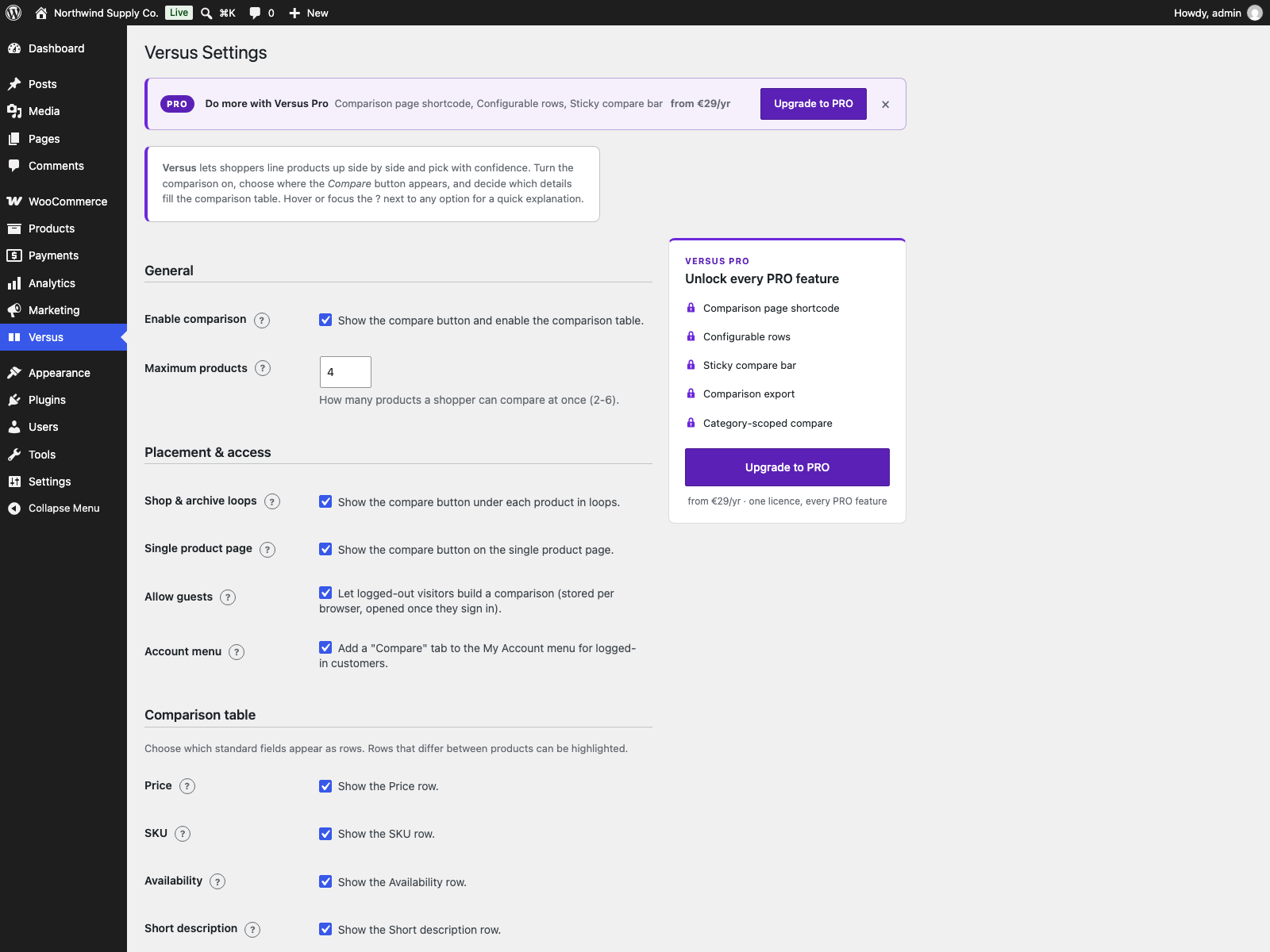
A WooCommerce-capability settings page (Versus menu) lets you:
- Enable or disable comparison and set how many products can be compared at once (2-6).
- Choose where the compare button appears (loops, single product) and whether guests can use it.
- Choose which standard fields appear as rows (price, SKU, availability, short description) and whether to include product attributes.
- Toggle difference highlighting, the “differences only” default, and the image / add-to-cart / remove controls in each column header.
- Customise the front-end strings, the compare button, remove button, compare link, differences toggle, clear-all button and empty-list message, or leave them on their translated defaults.
Translation ready
All strings are translatable through the versus text domain, and a versus.pot template ships in /languages. Deleting the plugin removes its options and the comparison table.
How it works
Adding or removing a product is a single nonce-verified AJAX request; no full page reload. Guest selections are kept in a per-browser cookie for six months and merged into the account on login. The CSS and JavaScript are enqueued only on pages that actually show the compare button or the table.
External Services
Versus does not connect to, or send any data to, any external service or third-party server. It bundles no SDK, API client, web font, map tile, CDN asset or analytics call, everything runs on your own site.
Comparison data stays inside your WordPress database: a custom {prefix}versus_compare_items table holds the compared product IDs, the plugin settings live in the versus_settings option (with versus_db_version tracking the schema), and a guest’s selection is kept in a first-party cookie in their own browser. Adding or removing a product is a same-origin AJAX request to your site’s own admin-ajax.php; no outbound HTTP request is ever made. Deleting the plugin removes those options and drops the table.
Translations
Versus is fully translatable and ships the plogins-versus.pot template. Translations are delivered by WordPress.org language packs from translate.wordpress.org, which is where Polish, German and Spanish are being contributed; the package itself carries no compiled translation files.