

Krupal Media Stats
This can help to quickly find how many images, videos, audios and document files we have in our media.
- Last updated
- 5 days ago
- Version
- 1.0.1
- Tested up to
- WP 7.1.4
About this plugin
Overview of your media
Krupal Media Stats shows how many files your Media Library holds, grouped by type. The stats appear at the top of the Media Library screen, right below the “Add Media File” button, so you see them every time you manage your media.
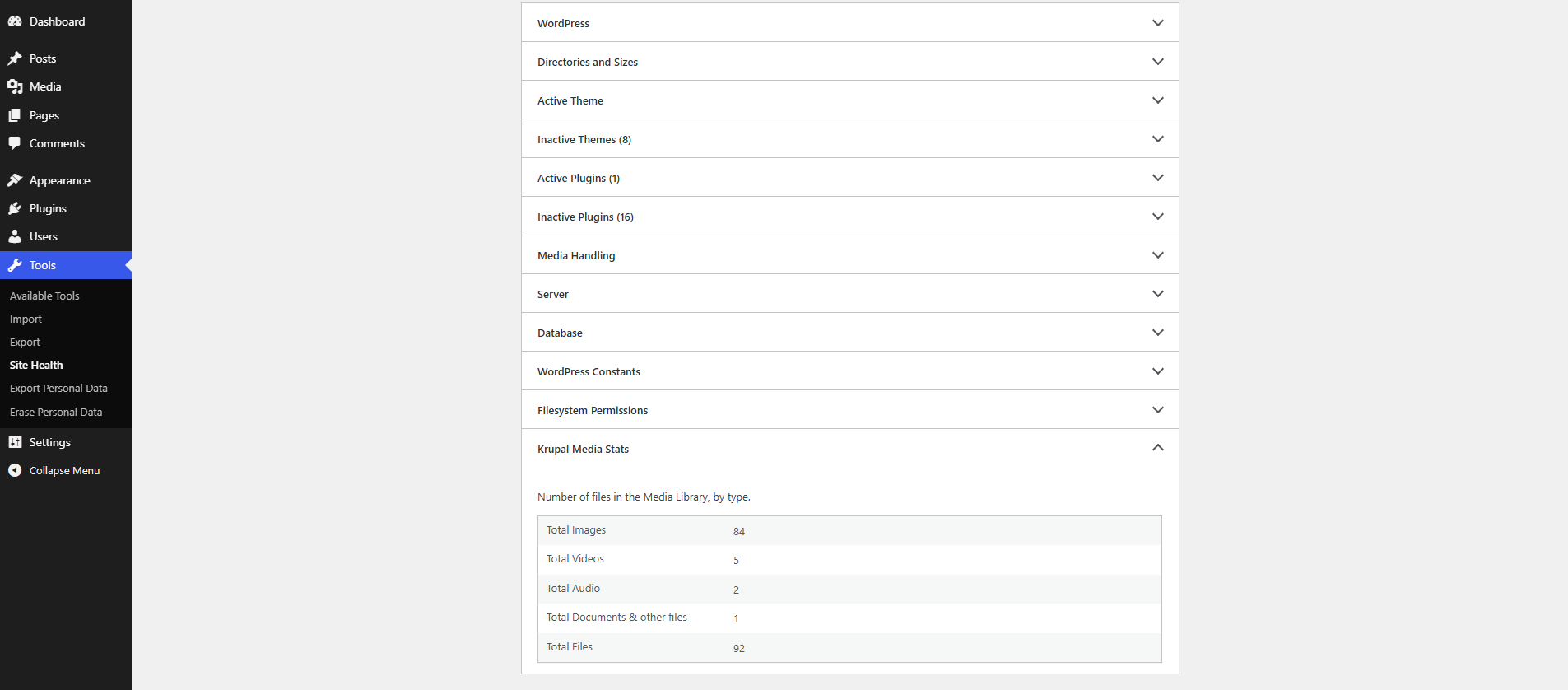
The same stats are also added to Tools > Site Health > Info in a new “Krupal Media Stats” section. They are included when you use “Copy site info to clipboard”, which makes them easy to share with your developer or support team.
The plugin has no settings. Activate it and the stats are ready.
Features
- Count of images, videos, audio files, and documents & other files.
- Total count of all files in the Media Library.
- Stats shown on the Media Library screen, in both list and grid view.
- New “Krupal Media Stats” section in Tools > Site Health > Info.
- Trashed files are not counted.
- Shown only to users who can upload files.
- Uses the WordPress admin look with built-in Dashicons. Its small stylesheet loads only on the Media Library screen.
- Lightweight: uses the WordPress core attachment count, with no custom database tables or options.
Support
Krupal Media Stats is developed and supported by Krupal Panchal. If you find a bug or have a suggestion, feel free to get in touch.
Screenshots

Analytics
Live from WordPress.org, refreshed daily. Last refresh Oct 29, 2026.
- Passes every health check below.
Health checks
Everything a careful site owner looks at before installing.
- Actively maintained Last release 5 days ago
- Tested with current WordPress Tested up to 7.1.4
- Support questions answered Nothing open in the last two months
- Well rated No ratings yet
- Latest day
- 3
- Typical day
- 12
- Peak
- 46 Oct 24
View as table
| Day | Downloads |
|---|---|
| Oct 28 | 3 |
| Oct 27 | 10 |
| Oct 26 | 14 |
| Oct 25 | 25 |
| Oct 24 | 46 |
| Oct 23 | 1 |
Not ranked yet. Install, download and rating ranks cover the 5,000 most popular plugins on WordPress.org, and Trending needs about 100 downloads on a typical day.
Gathering install data
WordPress.org only publishes today's install count, so WPFolks records it every day. The chart appears here once there is enough history to draw.
Reviews
From folks on WPFolks
No reviews from folks yet. Used it? Be the first to say how it went.