- Active installs
- 3k+
- 116 ratings
- 4.8
- Last updated
- 2 months ago
- Version
- 1.9.1
- Tested up to
- WP 7.1.3
About this plugin
NOTICE:
You need below things to work Facebook Event Importing using API.
- Facebook app (Here is how to create FB app)
- Your site need to HTTPS (SSL certificate)
- You need to mark events as interested or going on facebook to get imported
facebook import, facebook events, the events calendar, event import, events manager, import events, event, import event, my calendar, eventon, all in one event calendar, timely, event organiser, event management, event calendar, event manager, facebook-events-importer
Import Facebook Events into WordPress :
Import Social Events allows you to import Facebook events into your WordPress site automatically. Automate your Event Marketing using Import Social Events plug-in. Import Events from Facebook Page, Facebook Event and all your events marked as Interested/Going.
You can schedule event import so it will be imported/synchronized automatically [Pro]
Using This plugin you can import facebook event into below listed leading Event Management Plug-ins, which allows you to run imports from facebook right from your dashboard. Import Facebook Events bridges the gap between your website and your Facebook events making event management easier and it is one of the leading facebook events importers.
Import Facebook Events into
- The Events Calendar – Supported with the latest version 6.0.
- Events manager
- Event Organiser
- EventON
- EventPrime
- My Calendar
- Event Espresso
- In-built Events
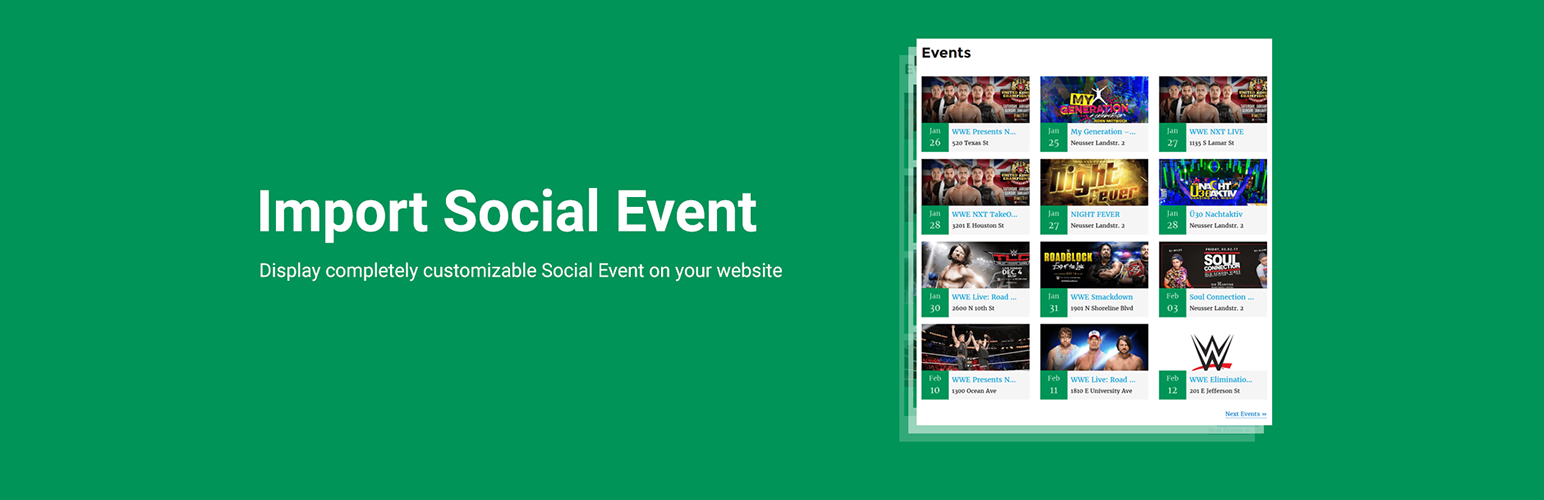
You can use [facebook_events] for display in-built facebook events list.
Full short-code example:
Full Shortcode Example:
[facebook_events col="2" posts_per_page="12" category="cat1,cat2" past_events="yes" order="desc" orderby="post_title" start_date="2017-12-25" end_date="2018-12-25"]
Additional PRO Add-on Features
- Scheduled import events.
- Upcoming Events Widget On Elementor Editor
- Upcoming Events New Grid View Style
- Import events from the facebook page
- Import events from Facebook Event
- Import My Events will import all events you marked as Interested/Going
- Sync events with facebook automatically
- Import multiple events easily
- Show events from facebook page into WordPress
- Upcoming Events widget
- Works with WPBackery Page Builder. Support for more page builders is on the way 🙂
New All in one Event Import Tool!
We’ve developed bulk event imports tool. This add-on service for The Events Calendar allows you import events from your favorite sources like Facebook, Meetup, Eventbrite, iCalendar, and ICS.Check out WP Event Aggregator now.
Our Plugins for importing events!
Screenshots
 Front-end: Grid View – Display events in a modern, responsive grid layout.
 Front-end: List View – A clean, classic list view for displaying upcoming events.
 Front-end: Masonry View (Pro) – Create a dynamic, Pinterest-style masonry layout.
 Front-end: Minimal List (Pro) – A sleek, space-saving minimal list design.
 Front-end: Compact List (Pro) – Display maximum event details in a compact format.
 Front-end: Timeline View (Pro) – Showcase events beautifully in a vertical chronological timeline.
 Front-end: Ticket View (Pro) – A specialized view highlighting event tickets and dates.
 Feed Dashboard – Manage all your live event feeds from one central list.
 Multiple Sources (Pro) – Fetch events seamlessly from Facebook Pages, Groups, Event IDs, or iCal links.
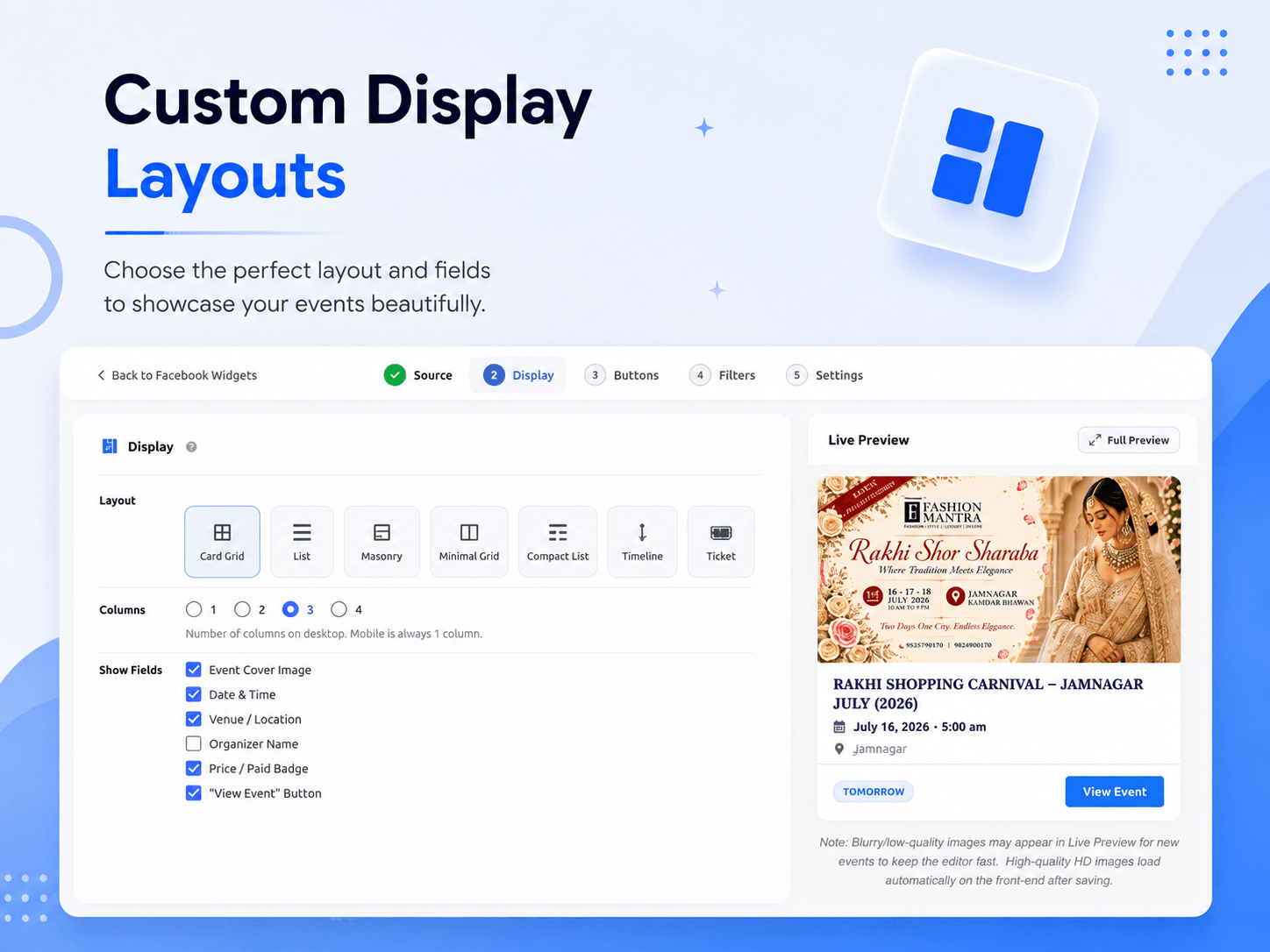 Multiple Layouts – Choose from a variety of stunning layouts with real-time hover previews.
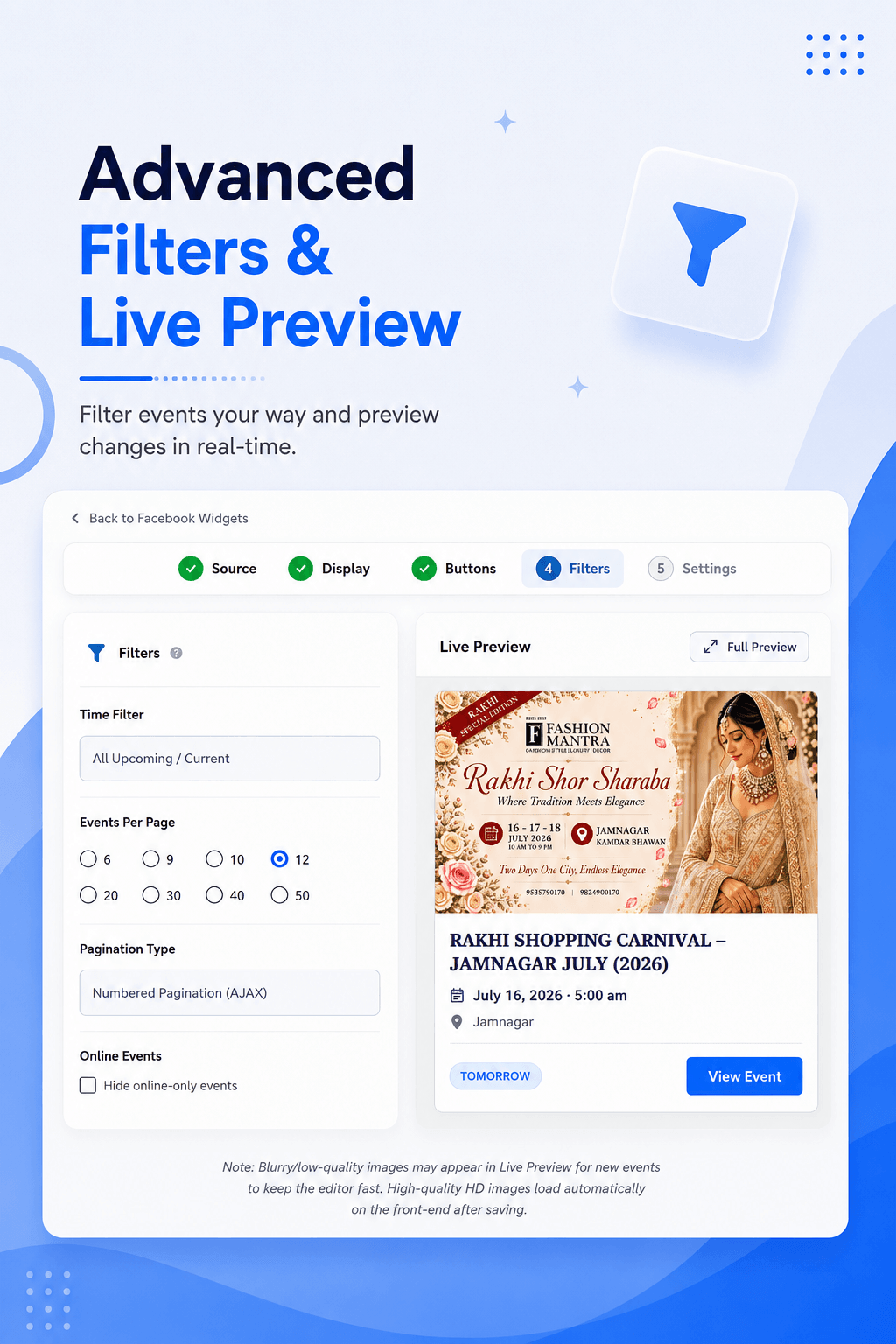 Advanced Filters – Filter your events by past, upcoming, or specific date ranges.
 Feed Settings – Customize pagination, event limits, cache duration, and more.
![Events Shortcode – Default Layout – Display upcoming Facebook events on any page using the [facebook_events] shortcode.](https://ps.w.org/import-facebook-events/assets/screenshot-13.png?rev=3629526) Events Shortcode – Default Layout – Display upcoming Facebook events on any page using the [facebook_events] shortcode.
Events Shortcode – Default Layout – Display upcoming Facebook events on any page using the [facebook_events] shortcode.
 Events Shortcode – Style 2 Layout – Display events using the alternate layout="style2" design.
 Events Shortcode – Style 3 & 4 Layout – Display events using the alternate layout="style3" design.
 Single Event Page – A dedicated page layout showing full details of an individual event.
 Upcoming Events Widget – Backend (Pro) – Manage the upcoming events widget from the admin dashboard.
 Upcoming Events Widget – Front-end (Pro) – Display upcoming events in the sidebar, with or without event images.
 Import Events by Event ID – Import specific Facebook events using their Event IDs.
 Import Events by Organization/Page ID (Pro) – Bulk import all events from a Facebook Page or Organization.
 Import Events via .ics File (Pro) – Import events directly from an .ics calendar file.
 Scheduled Imports (Pro) – Automatically sync and import new events on a set schedule.
 Import History – Track and review all past event import activity.
 Plugin Settings – Configure general plugin behavior and options.
 Facebook Events Gutenberg Block – Add and configure Facebook events directly inside the Block Editor.
 Plugin Shortcode Options – Overview of available shortcode parameters and usage.
Analytics
Live from WordPress.org, refreshed daily. Last refresh Oct 16, 2026.
- Downloads on a typical day are down 16% on the month before.
- Passes every health check below.
Health checks
Everything a careful site owner looks at before installing.
- Actively maintained Last release 2 months ago
- Tested with current WordPress Tested up to 7.1.3
- Support questions answered Nothing open in the last two months
- Well rated 4.8 stars from 116 ratings
- Latest week
- 257
- Typical week
- 185
- Peak
- 1,964 Week of Jul 31
View as table
| Week | Downloads |
|---|---|
| Week of Oct 9 | 257 |
| Week of Oct 2 | 267 |
| Week of Sep 25 | 272 |
| Week of Sep 18 | 237 |
| Week of Sep 11 | 260 |
| Week of Sep 4 | 234 |
| Week of Aug 28 | 305 |
| Week of Aug 21 | 512 |
| Week of Aug 14 | 1,886 |
| Week of Aug 7 | 397 |
| Week of Jul 31 | 1,964 |
| Week of Jul 24 | 189 |
| Week of Jul 17 | 215 |
| Week of Jul 10 | 197 |
| Week of Jul 3 | 155 |
| Week of Jun 26 | 204 |
| Week of Jun 19 | 208 |
| Week of Jun 12 | 250 |
| Week of Jun 5 | 258 |
| Week of May 29 | 322 |
| Week of May 22 | 545 |
| Week of May 15 | 1,869 |
| Week of May 8 | 102 |
| Week of May 1 | 111 |
| Week of Apr 24 | 114 |
| Week of Apr 17 | 134 |
| Week of Apr 10 | 180 |
| Week of Apr 3 | 143 |
| Week of Mar 27 | 143 |
| Week of Mar 20 | 136 |
| Week of Mar 13 | 147 |
| Week of Mar 6 | 128 |
| Week of Feb 27 | 131 |
| Week of Feb 20 | 144 |
| Week of Feb 13 | 175 |
| Week of Feb 6 | 162 |
| Week of Jan 30 | 294 |
| Week of Jan 23 | 179 |
| Week of Jan 16 | 263 |
| Week of Jan 9 | 373 |
| Week of Jan 2 | 1,780 |
| Week of Dec 26, 2025 | 79 |
| Week of Dec 19, 2025 | 71 |
| Week of Dec 12, 2025 | 115 |
| Week of Dec 5, 2025 | 209 |
| Week of Nov 28, 2025 | 141 |
| Week of Nov 21, 2025 | 121 |
| Week of Nov 14, 2025 | 119 |
| Week of Nov 7, 2025 | 123 |
| Week of Oct 31, 2025 | 162 |
| Week of Oct 24, 2025 | 137 |
| Week of Oct 17, 2025 | 148 |
Building the install history
WordPress.org only publishes today's install count, so WPFolks records it daily. The chart appears after two weeks.
Day 3 of 14Reviews
From folks on WPFolks
No reviews from folks yet. Used it? Be the first to say how it went.