
- Active installs
- 700+
- 29 ratings
- 4.9
- Last updated
- 1 week ago
- Version
- 6.1.0
- Tested up to
- WP 7.1.3
About this plugin
Highlight and Share is a lightweight and unobtrusive social network WordPress plugin designed to help readers share meaningful parts of your content. Instead of placing large social sharing buttons throughout your website, Highlight and Share appears only when users interact with your content. This keeps pages clean while still encouraging natural social sharing.
Visitors can highlight text, share images, copy quotes, or link directly to headlines. Sharing options appear exactly when they are needed, allowing readers to share interesting passages, statistics, or insights without interrupting the reading experience.
Highlight and Share works great for content sharing, social highlights, image sharing, headline sharing, and for those wanting a comprehensive Click to Share block/shortcode with inline highlighting supported.
The plugin is built with flexibility and performance in mind. Most features are optional and can be enabled or disabled depending on your needs. This makes Highlight and Share a great solution for blogs, news sites, documentation sites, and long-form content where readers may want to reference specific sections or quickly copy and share passages.
- Show social media networks upon text selection (a text highlighter). This provides an unobtrusive way to allow content highlighting without getting in a user’s way. With shortcuts like Copy and Email, Highlight and Share can become part of an essential timesaving workflow for a user who needs quick shortcuts to common items like Web Share and other content highlighter shortcuts.
- Show Pinterest and Webshare on images. With image sharing enabled, Highlight and Share will seamlessly integrate Pinterest and Webshare on any found images. With features like skipping the leading image, you’ll find that Image Sharing is intuitive and useful for your users.
- Show sharing options with headline sharing. Headline sharing allows users to bookmark certain headlines and revisit them later. Additional networks like Webshare or X can provide additional context such as sharing the headline itself.
- A Click to Share Block/Shortcode is included. An easy-to-use Click to Share block is included, with setup available in seconds. The Content Sharing networks display above the share box when clicked, providing an easy way to share the quote.
- Set up email sharing with easy spam protection integration. Set up emails with spam protection from Akismet, Cloudflare Turnstile, and Google reCAPTCHA Enterprise.
Launch a free, fully-featured demo via InstaWP.
Quick Links
Comprehensive Documentation | Sponsor Us | Support | Homepage
If you have a feature request, please leave a support request..
Available Features
Highlight and Share at its core is a content highlighter, but it has many other sharing features, most of which are opt-in.
- Show social networks on text highlight (content highlight).
- Add an inline highlight to text and show social networks on click. An optional tooltip shows on hover explaining the highlight.
- An easy to use Click to Share block is included, and can be disabled if needed.
- A comprehensive Click to Share shortcode is included.
- Image sharing via Pinterest and the Web Share API is included. You can select which post types it’s enabled for, and also enable it on a per post basis via a post’s sidebar settings.
- Enable or disable individual networks for content sharing. Reorder the networks, change the theme, or even choose a custom theme for matching your site’s design.
- Use advanced selectors to choose how content highlighting works, which makes Highlight and Share a powerful tool when combined with your favorite page builder.
- Customize the appearance of inline highlighting, including the background and text colors.
- Enable social networks in the comments section when highlighting text.
- Enable or disable on main content and excerpts. Selectively disable on a per post type basis, or enable in a post’s sidebar settings.
- Translate the labels and tooltips into your language, or just change up the text.
- Customize the Twitter/X username used.
- Enable hashtags on posts/pages
- Email protection via Akismet, Cloudflare Turnstile, and reCAPTCHA Enterprise
integrations
- Block Editor: Native support for Adobe Fonts with free Custom Adobe Fonts plugin.
- Block Editor: Native support for Local Google Fonts via free Custom Fonts plugin.
- Block Editor: Compatible with Blocksy Companion Pro Local Google Fonts and Adobe Fonts extensions.
- Block Editor: Compatible With SimpleTOC.
Launch a free, fully-featured demo via InstaWP.
❤️ A TON of work has gone into making this plugin great. Please share your appreciation by leaving a rating/review and by telling others about the plugin.
Screenshots
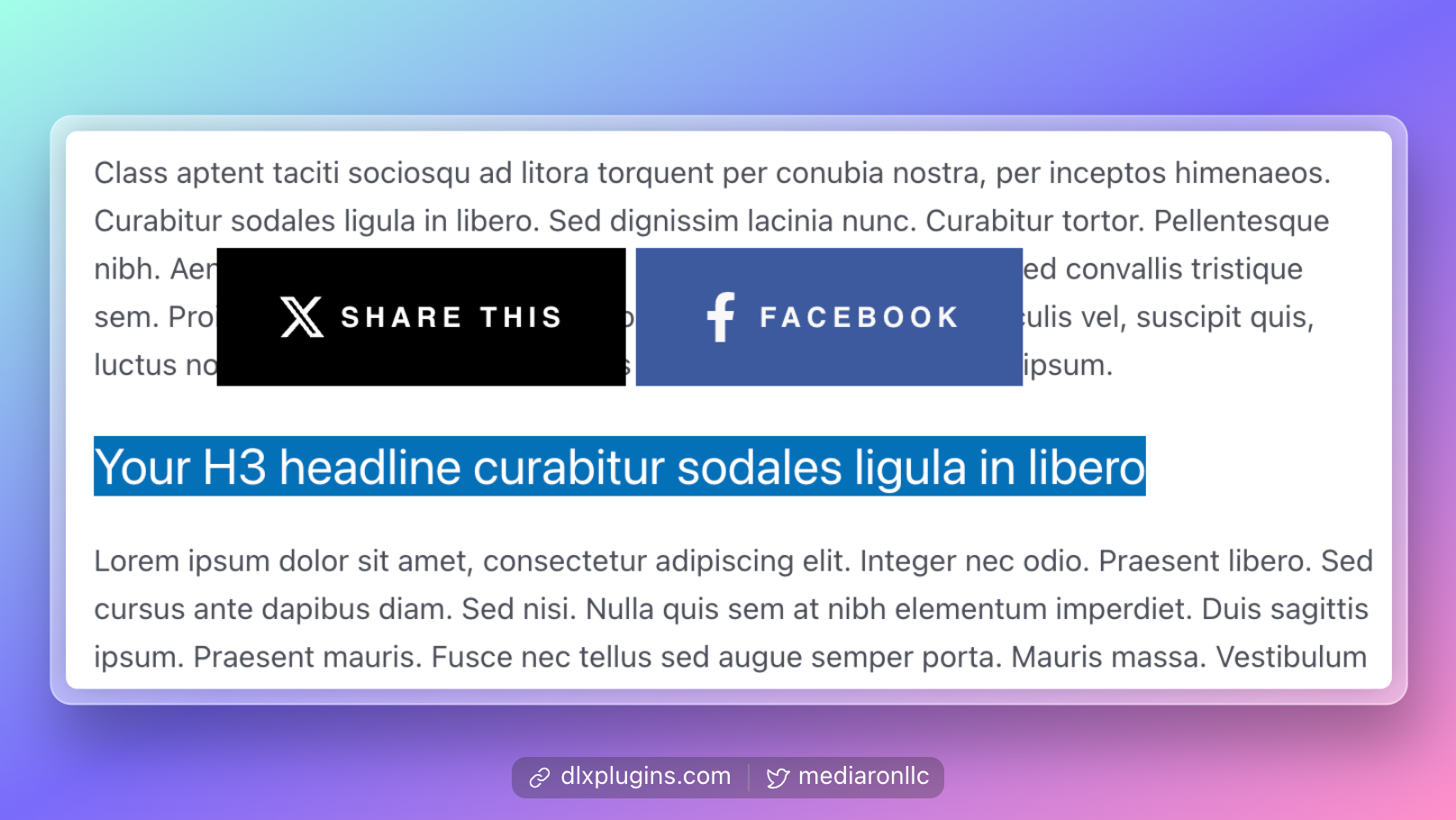 Social Networks are shown when selecting text.
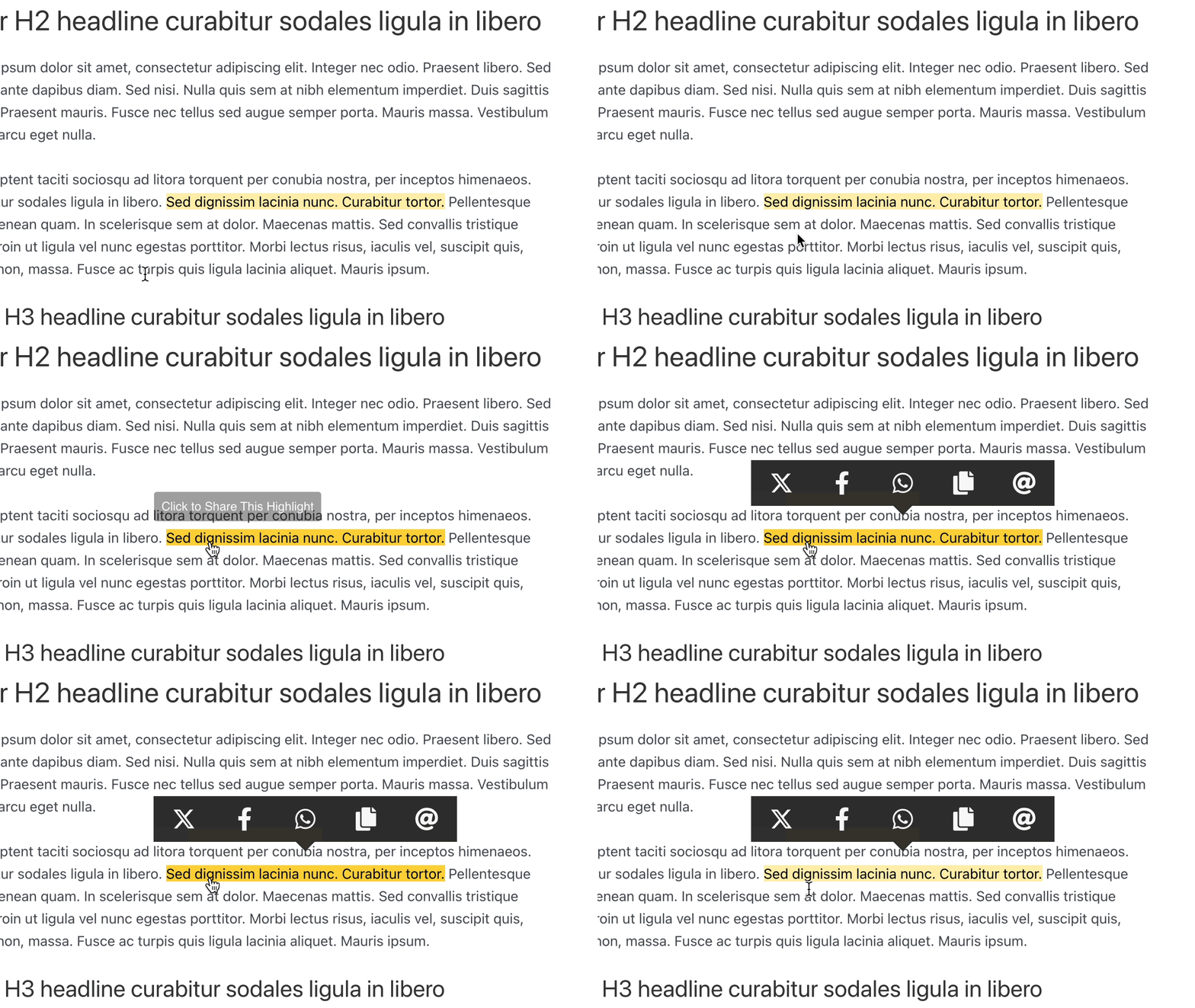 Use Inline Highlighting to break up text and show the Social Networks on click.
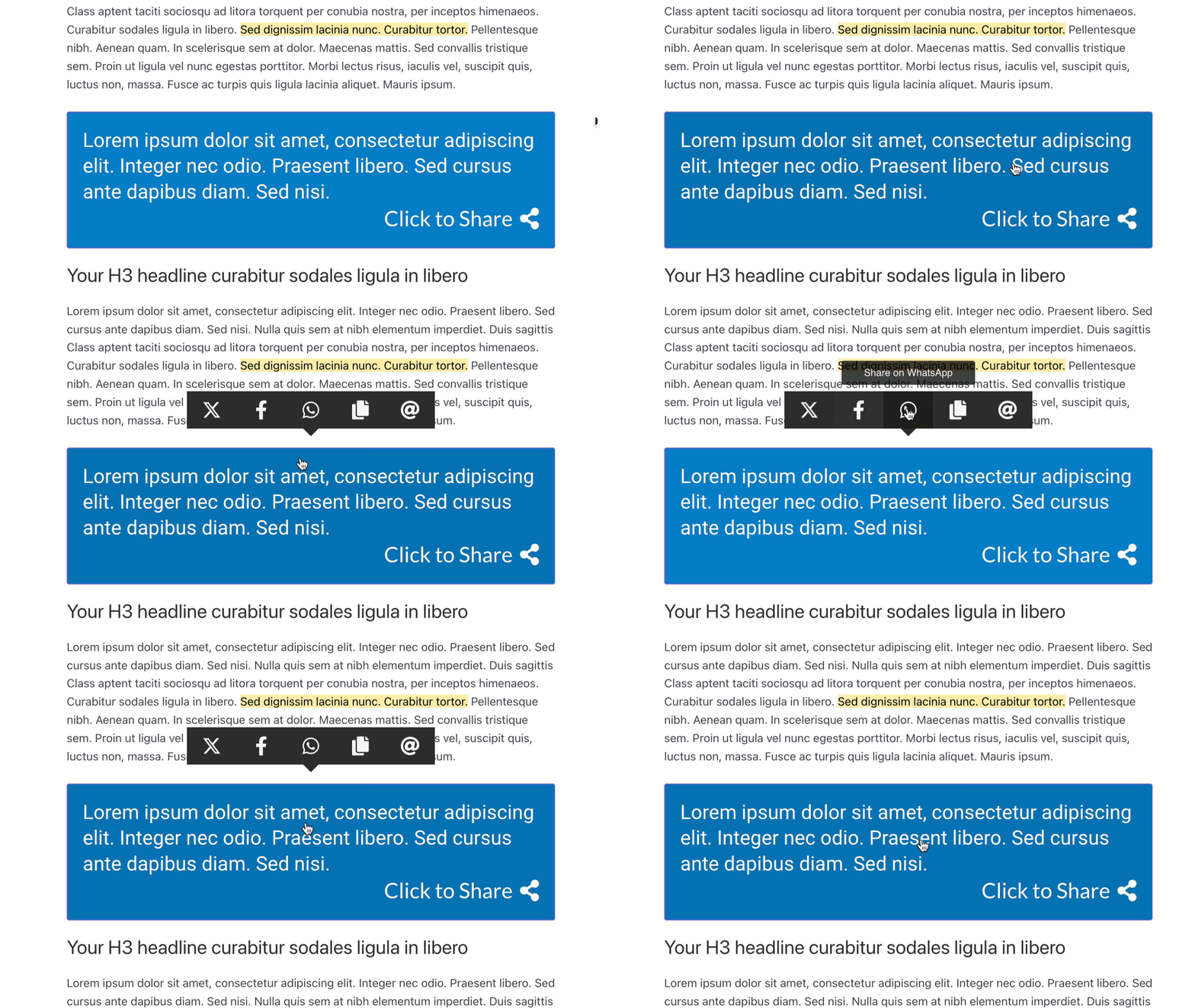 Use the Click to Share block to show Social Networks on click.
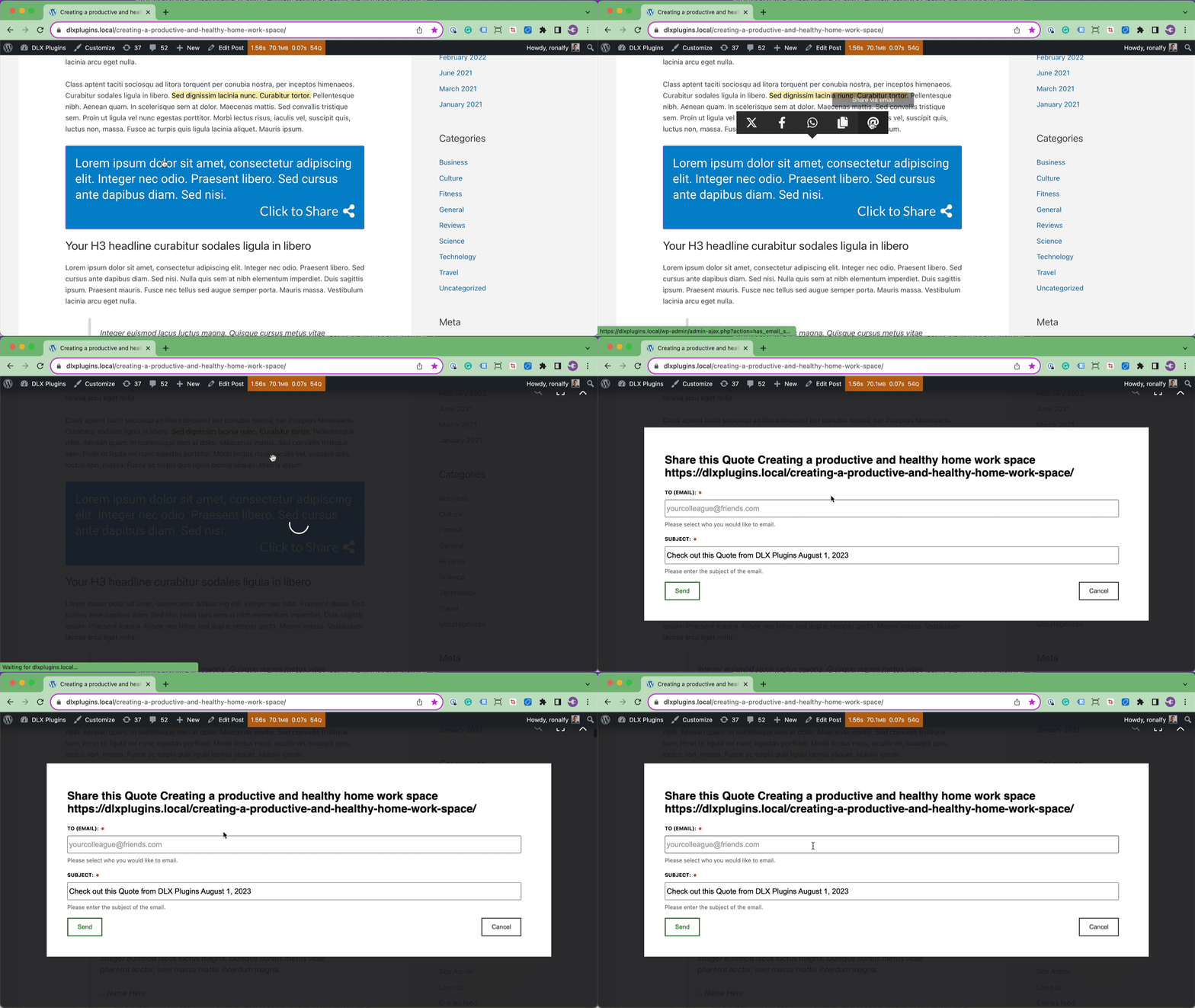 Allow users to email a highlight, quote, or text selection.
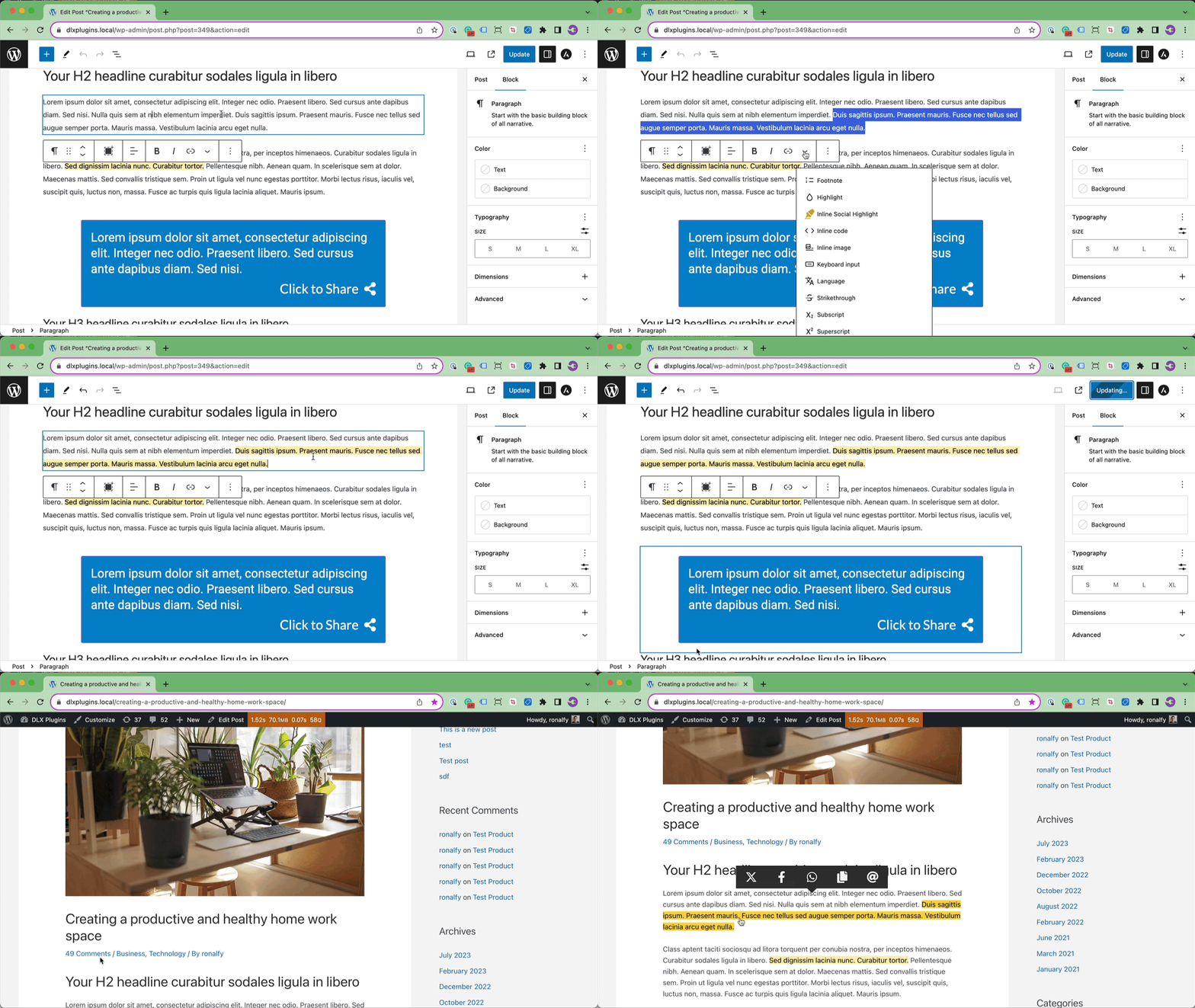 Inline Highlight text using the Block Editor formatting options.
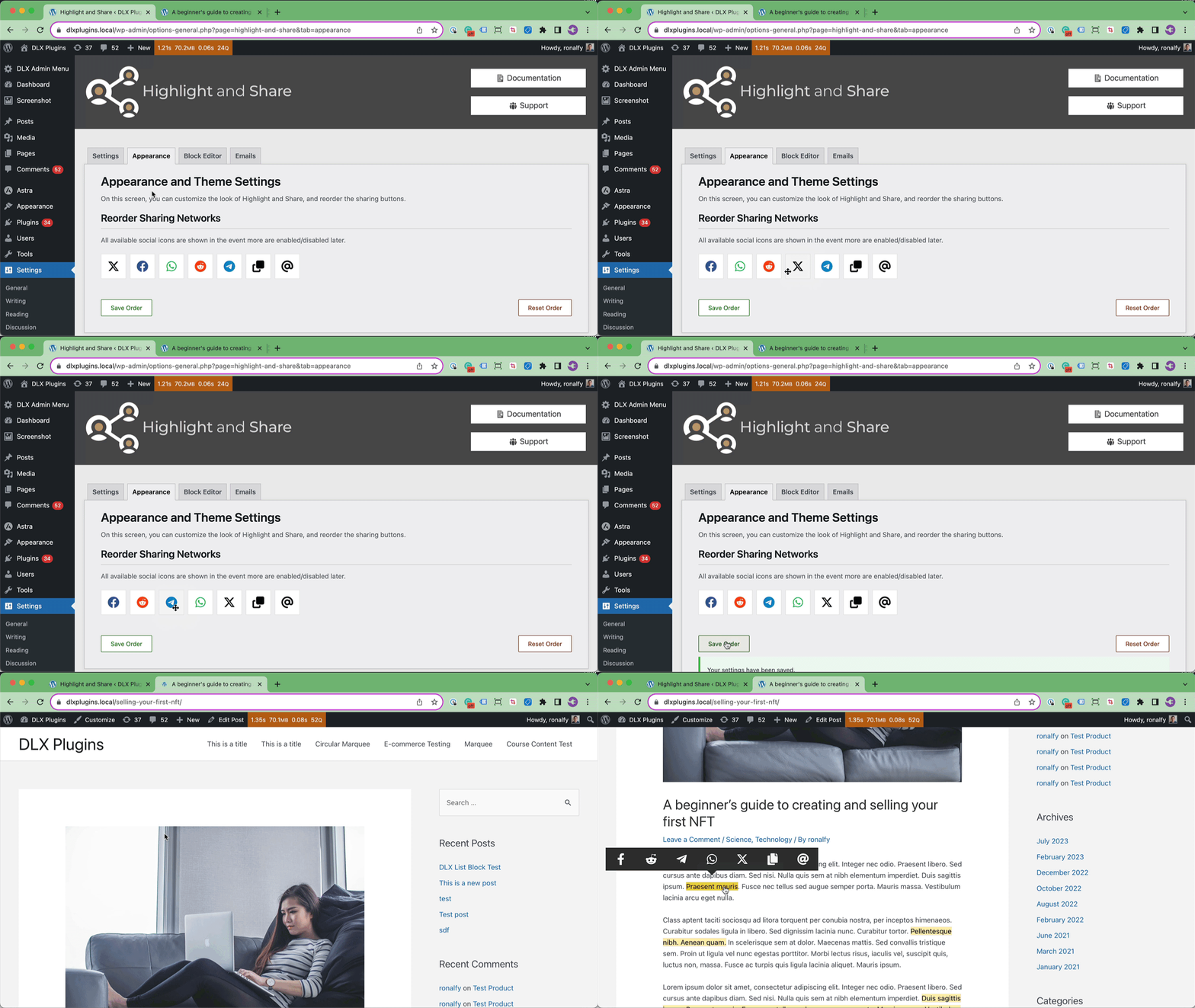 Reorder the Social Networks in the admin settings.
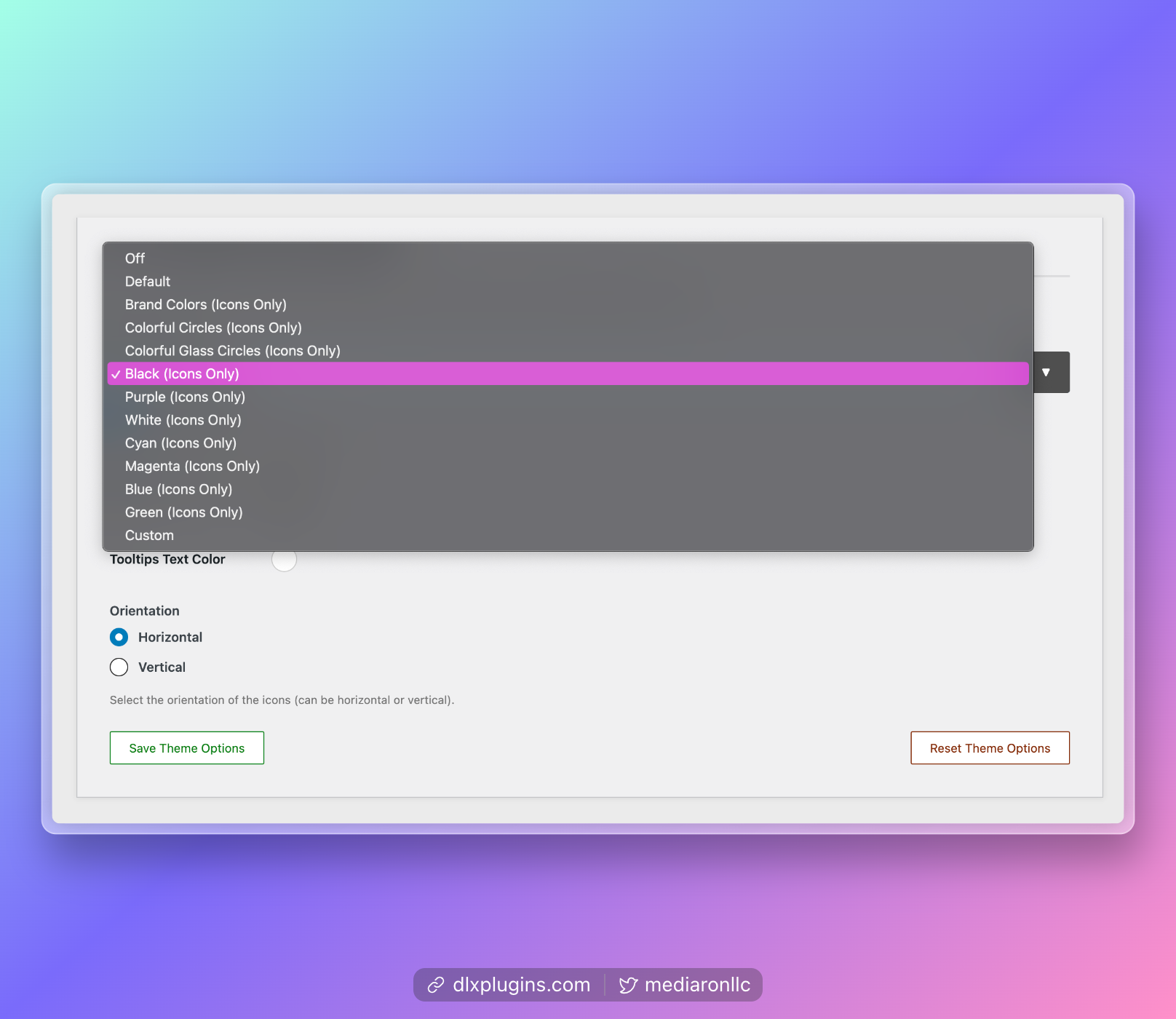 Choose between several built-in themes or customize your own.
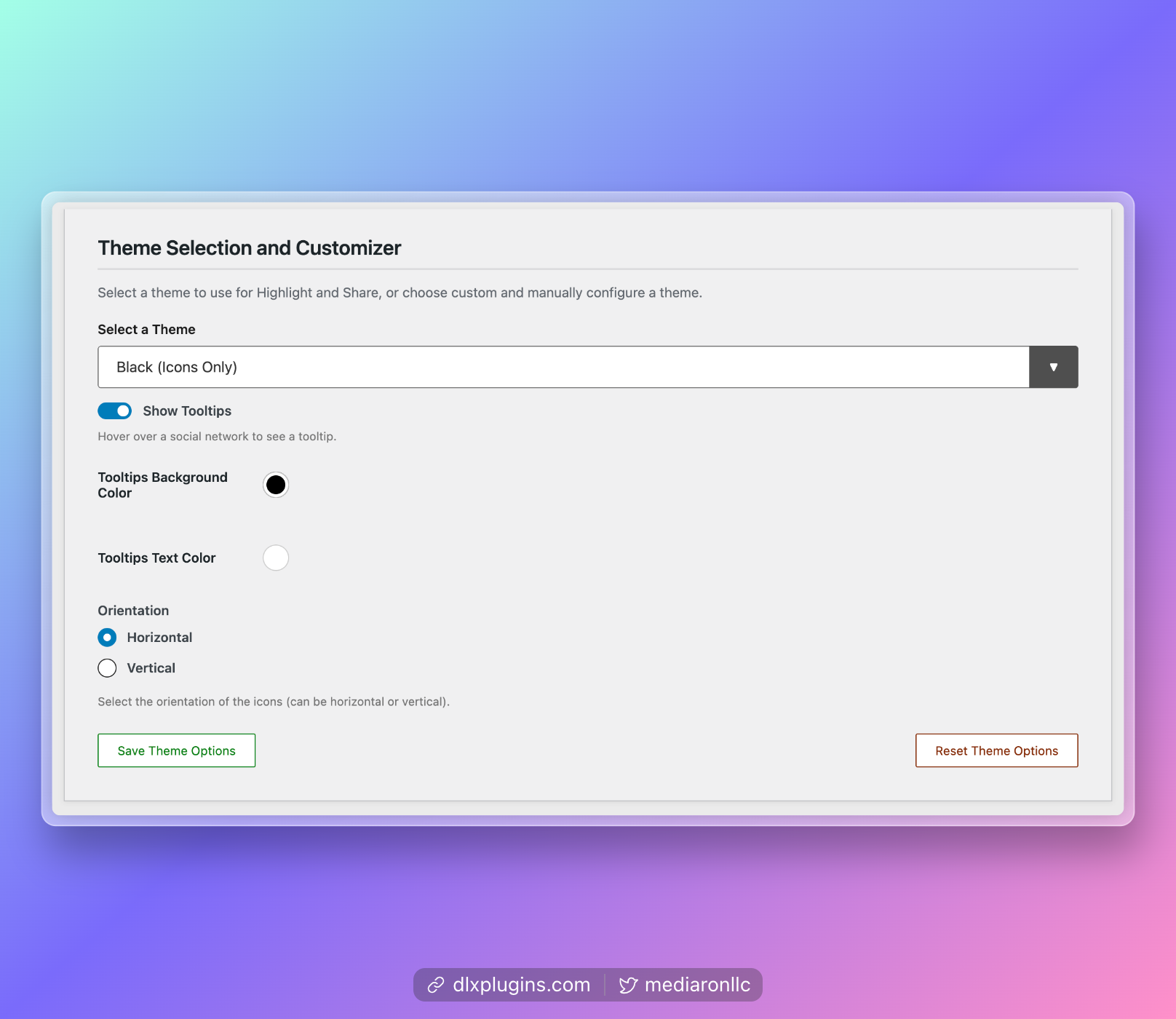 Configure a custom theme.
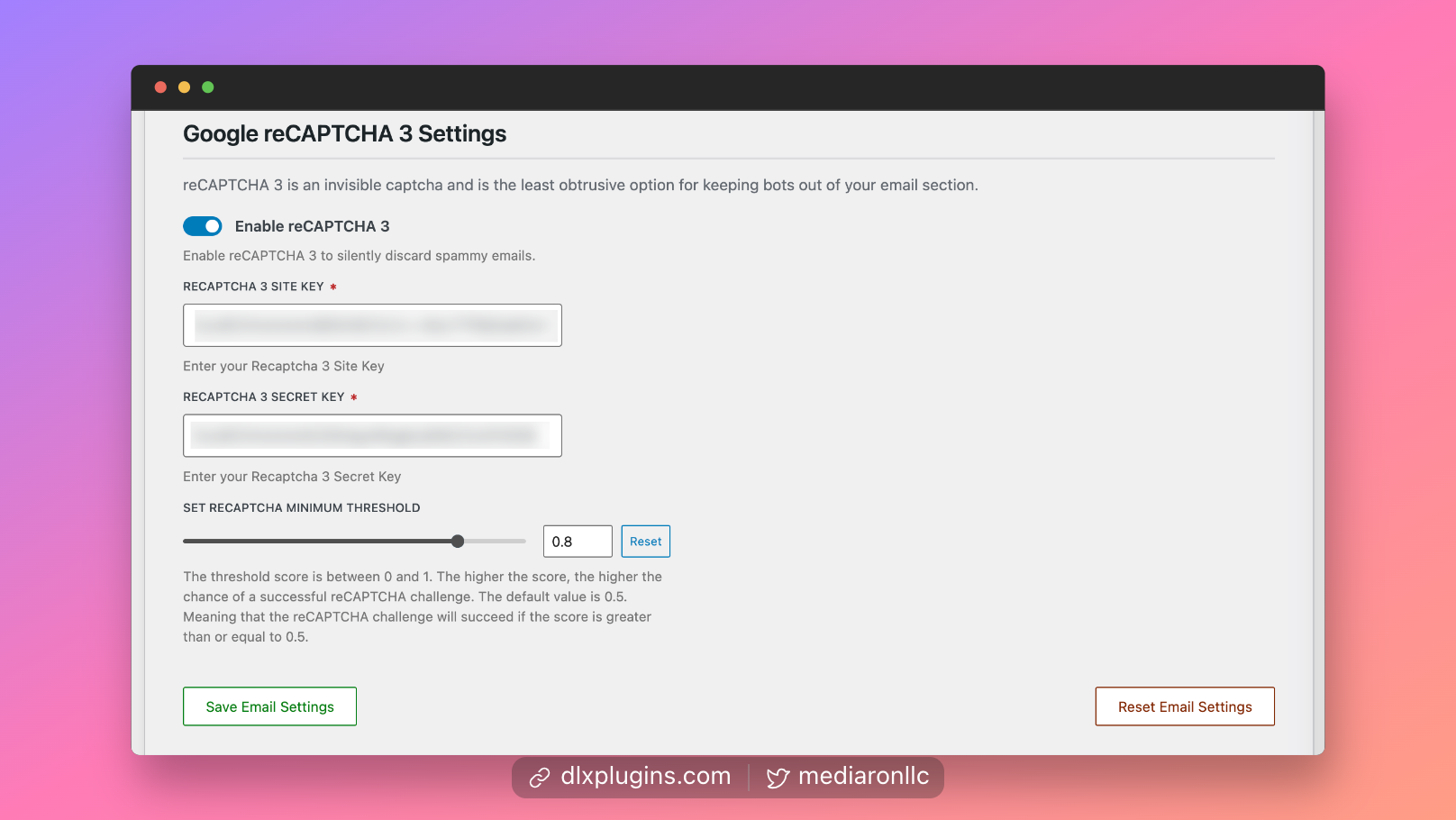 Use reCAPTCHA 3 for spam protection if emails are enabled.
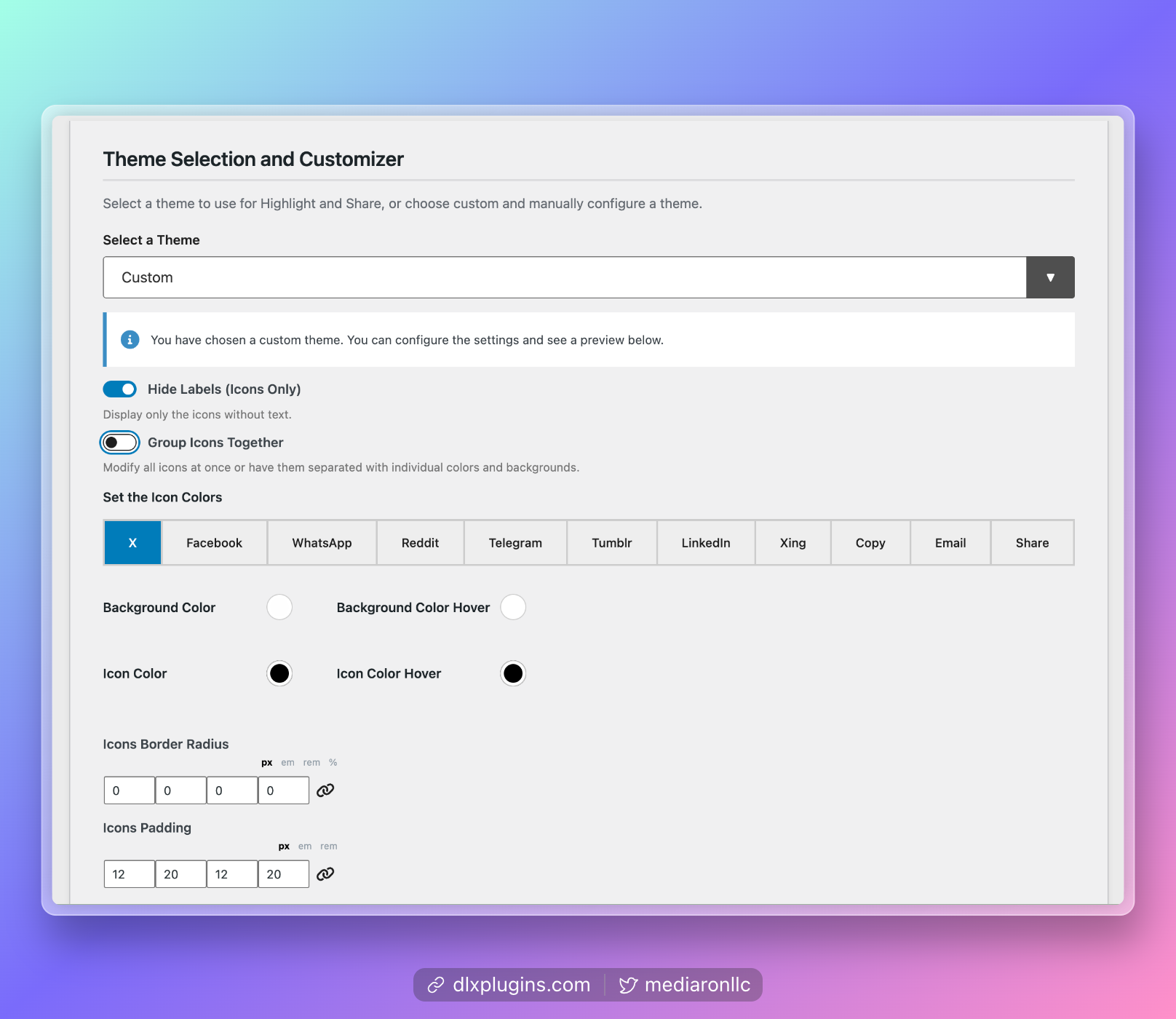 Customize each icon's colors if a custom theme is selected.
Analytics
Live from WordPress.org, refreshed daily. Last refresh Oct 16, 2026.
- Downloads on a typical day are up 36% on the month before.
- Passes every health check below.
Health checks
Everything a careful site owner looks at before installing.
- Actively maintained Last release 1 week ago
- Tested with current WordPress Tested up to 7.1.3
- Support questions answered Nothing open in the last two months
- Well rated 4.9 stars from 29 ratings
- Latest week
- 599
- Typical week
- 103
- Peak
- 984 Week of Mar 6
View as table
| Week | Downloads |
|---|---|
| Week of Oct 9 | 599 |
| Week of Oct 2 | 96 |
| Week of Sep 25 | 99 |
| Week of Sep 18 | 90 |
| Week of Sep 11 | 106 |
| Week of Sep 4 | 63 |
| Week of Aug 28 | 76 |
| Week of Aug 21 | 85 |
| Week of Aug 14 | 83 |
| Week of Aug 7 | 99 |
| Week of Jul 31 | 82 |
| Week of Jul 24 | 65 |
| Week of Jul 17 | 78 |
| Week of Jul 10 | 65 |
| Week of Jul 3 | 57 |
| Week of Jun 26 | 67 |
| Week of Jun 19 | 65 |
| Week of Jun 12 | 67 |
| Week of Jun 5 | 52 |
| Week of May 29 | 70 |
| Week of May 22 | 79 |
| Week of May 15 | 85 |
| Week of May 8 | 77 |
| Week of May 1 | 86 |
| Week of Apr 24 | 130 |
| Week of Apr 17 | 103 |
| Week of Apr 10 | 86 |
| Week of Apr 3 | 109 |
| Week of Mar 27 | 180 |
| Week of Mar 20 | 139 |
| Week of Mar 13 | 164 |
| Week of Mar 6 | 984 |
| Week of Feb 27 | 78 |
| Week of Feb 20 | 110 |
| Week of Feb 13 | 96 |
| Week of Feb 6 | 109 |
| Week of Jan 30 | 128 |
| Week of Jan 23 | 107 |
| Week of Jan 16 | 102 |
| Week of Jan 9 | 108 |
| Week of Jan 2 | 150 |
| Week of Dec 26, 2025 | 134 |
| Week of Dec 19, 2025 | 184 |
| Week of Dec 12, 2025 | 697 |
| Week of Dec 5, 2025 | 188 |
| Week of Nov 28, 2025 | 367 |
| Week of Nov 21, 2025 | 612 |
| Week of Nov 14, 2025 | 659 |
| Week of Nov 7, 2025 | 108 |
| Week of Oct 31, 2025 | 116 |
| Week of Oct 24, 2025 | 107 |
| Week of Oct 17, 2025 | 113 |
Not ranked yet. Install, download and rating ranks cover the 5,000 most popular plugins on WordPress.org, and Trending needs about 100 downloads on a typical day.
Building the install history
WordPress.org only publishes today's install count, so WPFolks records it daily. The chart appears after two weeks.
Day 3 of 14Reviews
From folks on WPFolks
No reviews from folks yet. Used it? Be the first to say how it went.