About This Plugin
CatCraft for WooCommerce is a Gutenberg block plugin by WPCraftHub that lets you showcase product categories in responsive grid or slider layouts with advanced filtering and sorting options.
The block shows a live preview inside the editor — exactly as it will appear on the frontend — so you always know what your visitors will see.
CatCraft for WooCommerce is not affiliated with or endorsed by WooCommerce or Automattic.
Key Features
- Grid Layout — Responsive grid with 1-6 columns
- Slider Layout — Touch-enabled carousel with navigation and pagination
- Live Editor Preview — See real categories directly in the block editor
- Category Limit — Show all or limit to a specific number
- Sort Options — Sort by name, count, ID, or slug
- Order Control — Ascending or descending
- Product Count — Show/hide product count per category
- Hide Empty Categories — Toggle categories with no products
- Fully Responsive — Mobile, tablet, and desktop optimised
- Native Gutenberg — No page builder required
- Lightweight — Swiper.js bundled locally, no CDN dependency
- SEO Friendly — Clean semantic HTML with lazy-loaded images
- Translation Ready — Fully internationalised (i18n)
Customisation
CSS classes for custom styling:
.cat-display-block— Main container.cat-display-layout-grid— Grid layout.cat-display-layout-slider— Slider layout.cat-display-item— Individual category card.cat-display-title— Category name.cat-display-count— Product count
Source Code & Build Instructions
The full source code for this plugin is publicly available on GitHub:
https://github.com/jenish-wordpress/catcraft-for-woocommerce
The build/index.js file is compiled from the source files in the src/ directory using @wordpress/scripts (webpack).
To build from source:
- Clone the repository
- Run
npm install - Run
npm run build
The src/ directory contains all human-readable source files:
src/index.js— Block registration entry pointsrc/edit.js— Block editor component (JSX)src/style.scss— Frontend stylessrc/editor.scss— Editor-only stylessrc/block.json— Block metadatasrc/render.php— PHP server-side render callback
Third Party Libraries
Swiper.js — bundled locally inside /assets/
* Purpose: Slider / carousel functionality
* License: MIT
* Homepage: https://swiperjs.com
No data is sent to any external server. Swiper is served from the plugin’s own asset folder.
Screenshots
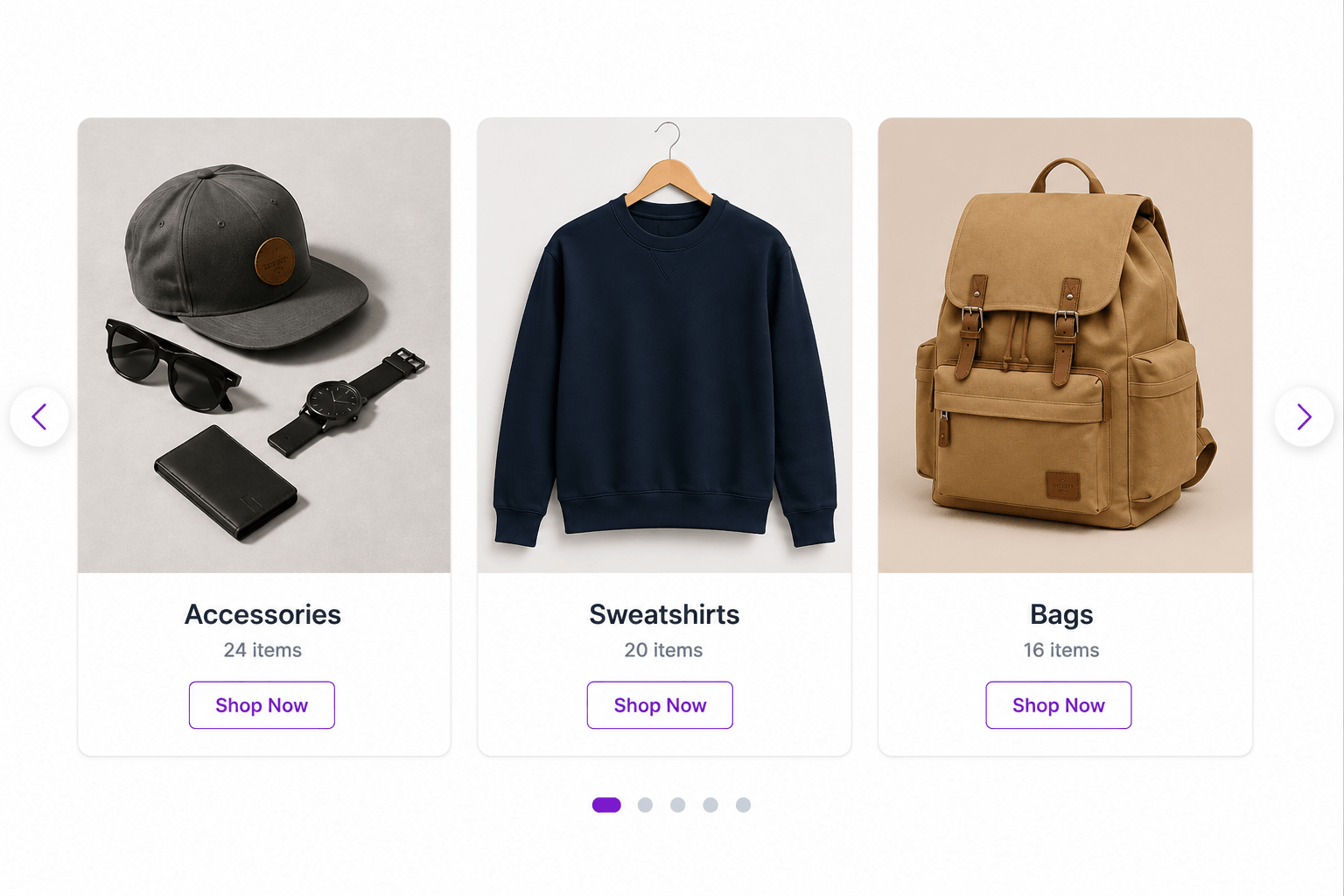 Standard Card grid layout on the frontend
 Icon Card grid layout for category navigation
 Overlay Card grid with gradient text on the image
 Cards Carousel slider with pagination and hover arrows
 Overlay Banner hero slider with call-to-action button
 Split Banner slider with text on one side and image on the other