

BuyGet — Quantity Offers for WooCommerce
- 2 ratings
- 5.0
- Last updated
- 4 weeks ago
- Version
- 0.9.7
- Tested up to
- WP 7.1.4
About this plugin
BuyGet adds quantity-based offers to WooCommerce product pages. Set a fixed total for each quantity, show the regular total and savings, and let shoppers add the selected bundle in one step. Clear prices help shoppers compare options during a time-sensitive promotion and explain the value of buying more for everyday offers. A campaign landing page can link directly to the product offer; BuyGet does not build landing pages.
BuyGet brings three parts together in one offer: independent variation choices for each bundle item, optional gifts tied to quantity rules, and a native WooCommerce coupon. For variable products, shoppers can mix available sizes, colors, or other attributes in the same bundle instead of being limited to identical variations. BuyGet checks that each selection is available and purchasable before adding the offer to the cart.
Each saved campaign creates a standard WooCommerce coupon, so WooCommerce records its use and discount on the order. BuyGet normally applies the campaign when the shopper adds an offer; if automatic application is unavailable, the coupon code is shown for the cart or checkout. Store owners can review the coupon in WooCommerce and use BuyGet’s campaign report to see attributed orders and product-line sales. Optional gifts can be attached to quantity rules. A gift is added as a separate free cart item, is not included in the bundle price, and must be a simple product.
Review campaign orders, BuyGet product-line sales, coupon discounts, order links, and daily totals in BuyGet’s analytics screen. Filter results by date and order status. The report uses WooCommerce order data and supports HPOS. Store owners can also customize BuyGet’s customer-facing messages.
Use quantity offers for flash sales, product launches, seasonal campaigns, or everyday multi-item pricing. Showing the final bundle price and savings before checkout can make a promotion easier to understand and act on. The same product offer can be linked from a landing page, while the page design and setup remain with your site builder or theme. Results depend on the offer, audience, pricing, and campaign execution.
BuyGet includes compatibility handling for the Caddy side cart and CheckoutWC Lite checkout templates. Compatibility can vary with the active theme and other extensions, so test the complete purchase flow on your store before launching an offer.
Features
- Configure quantity rules and a fixed total bundle price for a simple or variable product.
- Show the regular total, offer total, and savings on product-page offer cards.
- Let shoppers select an available variation separately for every item in a bundle.
- Check variation stock and purchasability before adding an offer to the cart.
- Attach an optional simple-product gift to a quantity rule; the gift is added separately from the bundle price.
- Create a standard WooCommerce coupon for each saved campaign and use it to apply the configured offer discount.
- Review campaign orders, BuyGet line sales, coupon discounts, and daily totals in the analytics screen.
- Customize storefront labels and messages.
- Integrate with Caddy side-cart behavior and CheckoutWC Lite checkout templates.
Screenshots
 Compare quantity offers, bundle prices, and savings on a product page.
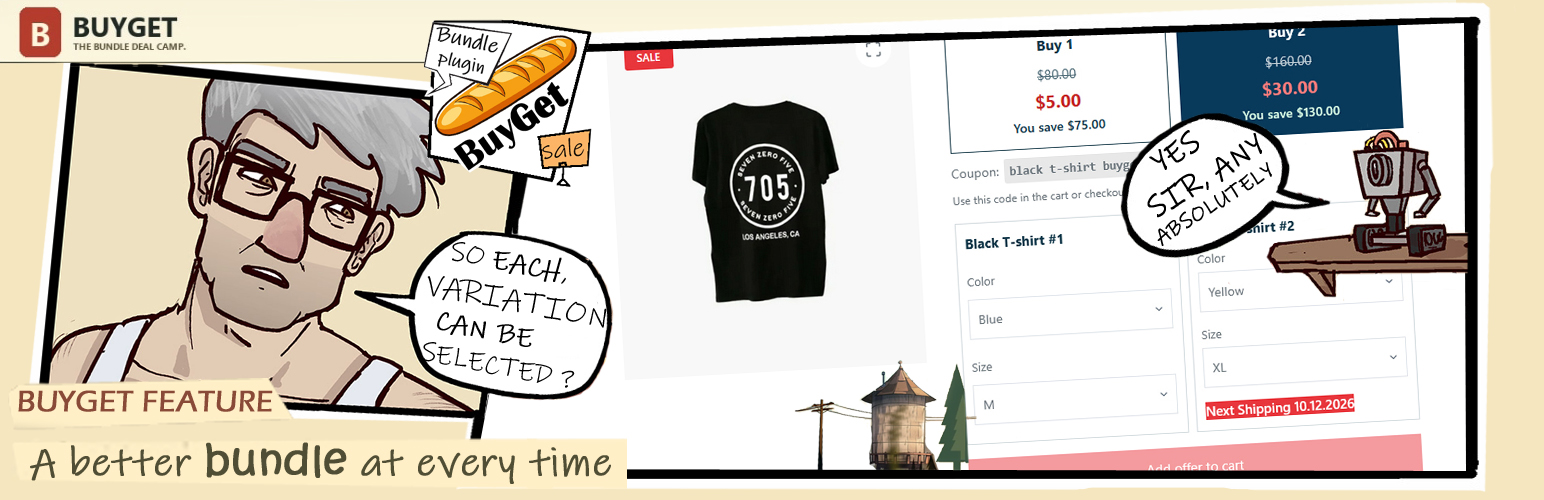
 Select product variations for each bundle item and review the offer and gift in the Caddy side cart.
 Configure campaign rules, bundle prices, and an optional gift in the product editor.
 Review campaign orders, attributed product sales, coupon discounts, and daily totals in BuyGet Analytics.
 Review selected variations, the campaign discount, and the optional gift at checkout.
Analytics
Live from WordPress.org, refreshed daily. Last refresh Nov 12, 2026.
- Passes every health check below.
Health checks
Everything a careful site owner looks at before installing.
- Actively maintained Last release 4 weeks ago
- Tested with current WordPress Tested up to 7.1.4
- Support questions answered Nothing open in the last two months
- Well rated Only 2 ratings so far
- Latest day
- 5
- Typical day
- 4
- Peak
- 34 Oct 15
View as table
| Day | Downloads |
|---|---|
| Nov 11 | 5 |
| Nov 10 | 5 |
| Nov 9 | 2 |
| Nov 8 | 3 |
| Nov 7 | 4 |
| Nov 6 | 7 |
| Nov 5 | 0 |
| Nov 4 | 4 |
| Nov 3 | 3 |
| Nov 2 | 6 |
| Nov 1 | 2 |
| Oct 31 | 3 |
| Oct 30 | 3 |
| Oct 29 | 2 |
| Oct 28 | 2 |
| Oct 27 | 4 |
| Oct 26 | 7 |
| Oct 25 | 3 |
| Oct 24 | 5 |
| Oct 23 | 8 |
| Oct 22 | 10 |
| Oct 21 | 4 |
| Oct 20 | 4 |
| Oct 19 | 9 |
| Oct 18 | 11 |
| Oct 17 | 9 |
| Oct 16 | 21 |
| Oct 15 | 34 |
Not ranked yet. Install, download and rating ranks cover the 5,000 most popular plugins on WordPress.org, and Trending needs about 100 downloads on a typical day.
Gathering install data
WordPress.org only publishes today's install count, so WPFolks records it every day. The chart appears here once there is enough history to draw.
Reviews
From folks on WPFolks
No reviews from folks yet. Used it? Be the first to say how it went.
Latest on WordPress.org
hey is it possible to have shortcode for elementor with the same logic buy1..N and design, do U plan this stuff?
A great free option for woo bundles with variotions and for LPs promo, thanks