Bullet Forms
Bullet Forms lets you build and publish professional forms without writing code. Create your form in the built-in builder, insert it anywhere with a shortcode,
- Last updated
- 3 months ago
- Version
- 1.1.6
- Tested up to
- WP 7.0.8
About this plugin
Bullet Forms lets you build and publish professional forms without writing code. Create your form in the built-in builder, insert it anywhere with a shortcode, and manage entries from the submissions screen.
Key Features
- Create multi-step forms with a simple visual editor
- Add common field types such as text, email, textarea, select, radio, checkbox, phone, number, and date
- Set required fields and option lists directly in the builder
- Use the shortcode
[bfmsf_form id="1"]to display a form on any page or post - Review submissions, view entry details, and export data to CSV
- Works with the WordPress admin interface and responsive front-end layout
External Services
This plugin relies on the following third-party / external services to function:
- hCaptcha (https://www.hcaptcha.com)
- Purpose: Provides spam and abuse protection for form submissions.
- Data Sent: When a visitor submits a form containing an hCaptcha field, the user’s captcha response token and browser properties (collected by the hCaptcha widget) are sent to hCaptcha to verify the submission’s legitimacy.
- Terms of Service: https://www.hcaptcha.com/terms
- Privacy Policy: https://www.hcaptcha.com/privacy
- Google reCAPTCHA v2 (https://www.google.com/recaptcha)
- Purpose: Provides spam and abuse protection for form submissions.
- Data Sent: When a visitor submits a form containing a reCAPTCHA field, the user’s captcha verification response token and browser interaction data (collected by Google reCAPTCHA) are sent to Google for validation.
- Terms of Service: https://policies.google.com/terms
- Privacy Policy: https://policies.google.com/privacy
- Cloudflare Turnstile (https://www.cloudflare.com/products/turnstile)
- Purpose: Provides user-friendly, non-intrusive spam protection for form submissions.
- Data Sent: When a visitor submits a form containing a Cloudflare Turnstile field, the user’s captcha response token and telemetry/challenge data (collected by Turnstile) are sent to Cloudflare to check validity.
- Terms of Service: https://www.cloudflare.com/website-terms/
- Privacy Policy: https://www.cloudflare.com/privacypolicy/
- Stripe (https://stripe.com)
- Purpose: Processes payments for payment-enabled forms.
- Data Sent: If Stripe is selected as the payment gateway and configured by the administrator, the form’s payment amount, currency, and name are sent to Stripe’s APIs to construct a secure checkout session.
- Terms of Service: https://stripe.com/terms
- Privacy Policy: https://stripe.com/privacy
- PayPal (https://www.paypal.com)
- Purpose: Redirects users to PayPal to complete payments for payment-enabled forms.
- Data Sent: If PayPal is selected as the payment gateway and configured, payment details (amount, currency, item name, business email) are sent via redirect parameters to PayPal’s checkout server to complete the transaction.
- Terms of Service: https://www.paypal.com/webapps/mpp/ua/legalhub-full
- Privacy Policy: https://www.paypal.com/webapps/mpp/ua/privacy-full
- Google Fonts (https://fonts.google.com)
- Purpose: Used to style typography in the admin dashboard panel.
- Data Sent: When loading the plugin’s form builder in the WordPress admin panel, the browser requests the ‘Inter’ font family from Google’s content delivery servers (fonts.googleapis.com).
- Terms of Service: https://policies.google.com/terms
- Privacy Policy: https://policies.google.com/privacy
Usage
Create a form
- Go to Bullet Forms > Add New.
- Enter a form title and configure your steps and fields.
- Save the form to publish it.
Display a form on your site
- Copy the shortcode from the forms list or builder page.
- Paste it into any page or post, for example:
[bfmsf_form id=”1″]
Review submissions
- Go to Bullet Forms > Submissions.
- Select the form you want to inspect.
- Use the View details and Export to CSV actions to manage form entries.
Arbitrary Section
Developer Notes
Bullet Forms stores form data in custom database tables (bfmsf_forms, bfmsf_form_fields, bfmsf_submissions) for optimal performance. The plugin also includes a REST API (namespace bfmsf/v1) for programmatic access to forms and submissions.
Support
For support, bug reports, and feature requests, please visit the WordPress plugin support forum.
Screenshots

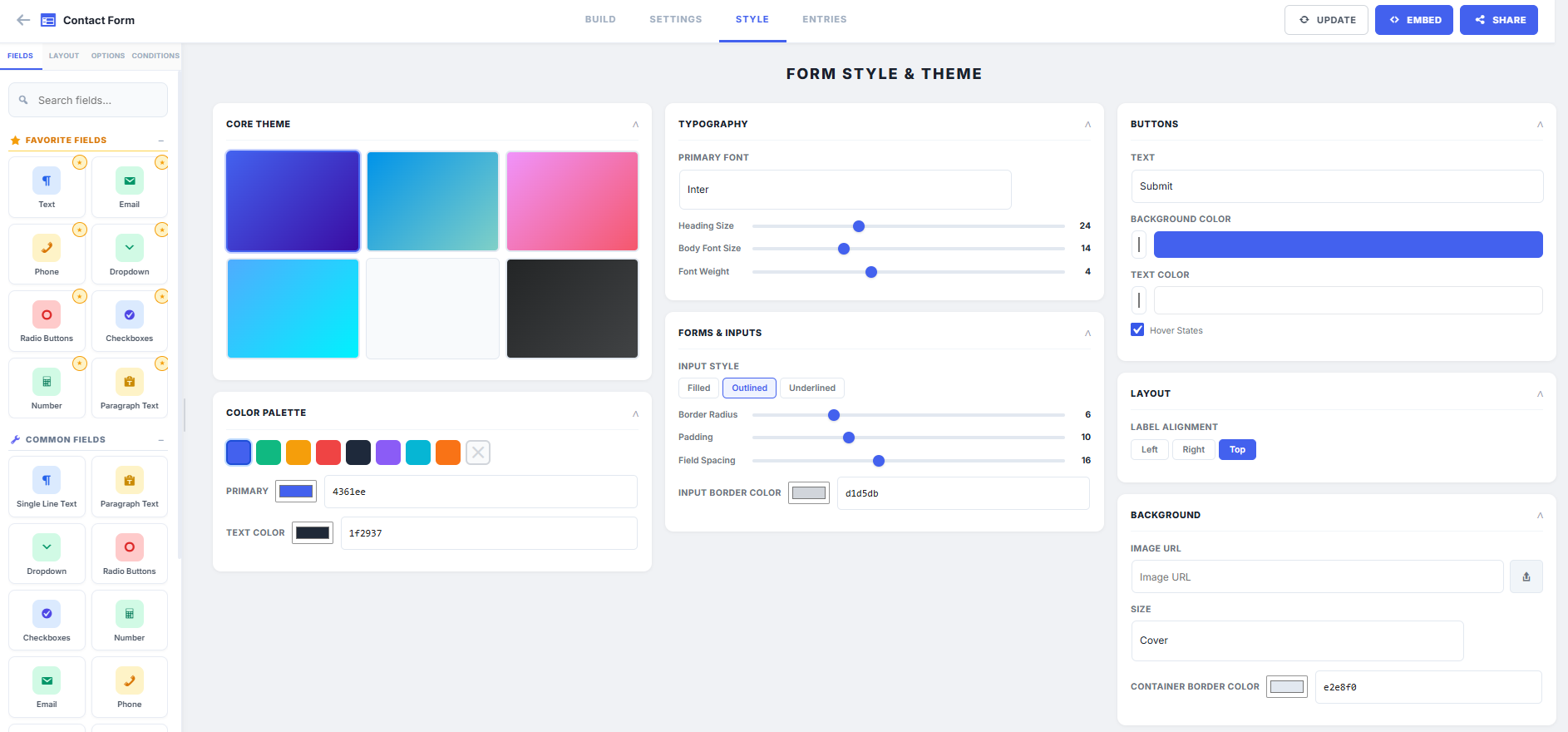
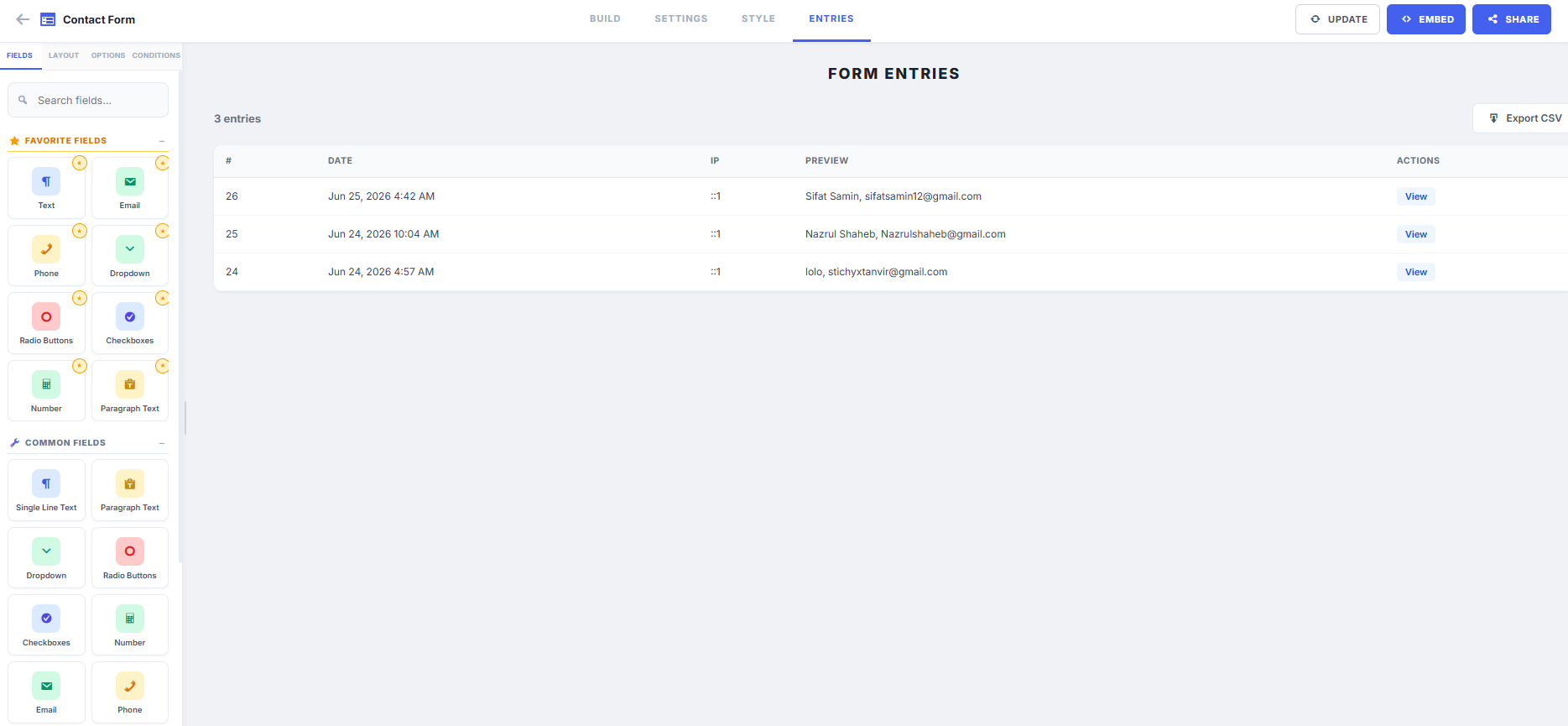
Analytics
Live from WordPress.org, refreshed daily. Last refresh Nov 8, 2026.
- Passes every health check below.
Health checks
Everything a careful site owner looks at before installing.
- Actively maintained Last release 3 months ago
- Tested with current WordPress Tested up to 7.0.8
- Support questions answered Nothing open in the last two months
- Well rated No ratings yet
- Latest week
- 12
- Typical week
- 15
- Peak
- 67 Week of Aug 2
View as table
| Week | Downloads |
|---|---|
| Week of Nov 1 | 12 |
| Week of Oct 25 | 14 |
| Week of Oct 18 | 13 |
| Week of Oct 11 | 15 |
| Week of Oct 4 | 19 |
| Week of Sep 27 | 14 |
| Week of Sep 20 | 20 |
| Week of Sep 13 | 15 |
| Week of Sep 6 | 13 |
| Week of Aug 30 | 19 |
| Week of Aug 23 | 62 |
| Week of Aug 16 | 17 |
| Week of Aug 9 | 13 |
| Week of Aug 2 | 67 |
| Week of Jul 26 | 16 |
| Week of Jul 19 | 9 |
| Week of Jul 12 | 12 |
| Week of Jul 5 | 13 |
| Week of Jun 28 | 22 |
Not ranked yet. Install, download and rating ranks cover the 5,000 most popular plugins on WordPress.org, and Trending needs about 100 downloads on a typical day.
Reviews
From folks on WPFolks
No reviews from folks yet. Used it? Be the first to say how it went.